

.EPUB Bestandsextensie
EPUB-e-book
| Ontwikkelaar | IDPF |
| Populariteit |
3,5 | 750 stemmen |
Wat is een EPUB-bestand?
Een EPUB-bestand is een digitaal boek (e-book) dat is opgeslagen in de open indeling Electronic Publication (EPUB), een standaardindeling voor digitale publicaties die uitgevers en consumenten gebruiken om e-books te verspreiden. Veel gebruikers komen EPUB-bestanden tegen bij het downloaden van e-books (zoals boeken, tijdschriften, wetenschappelijke publicaties enzovoort). Je kunt een EPUB-bestand openen met e-reader-apps, zoals Calibre en Apple Books, en met e-readers.
Meer informatie
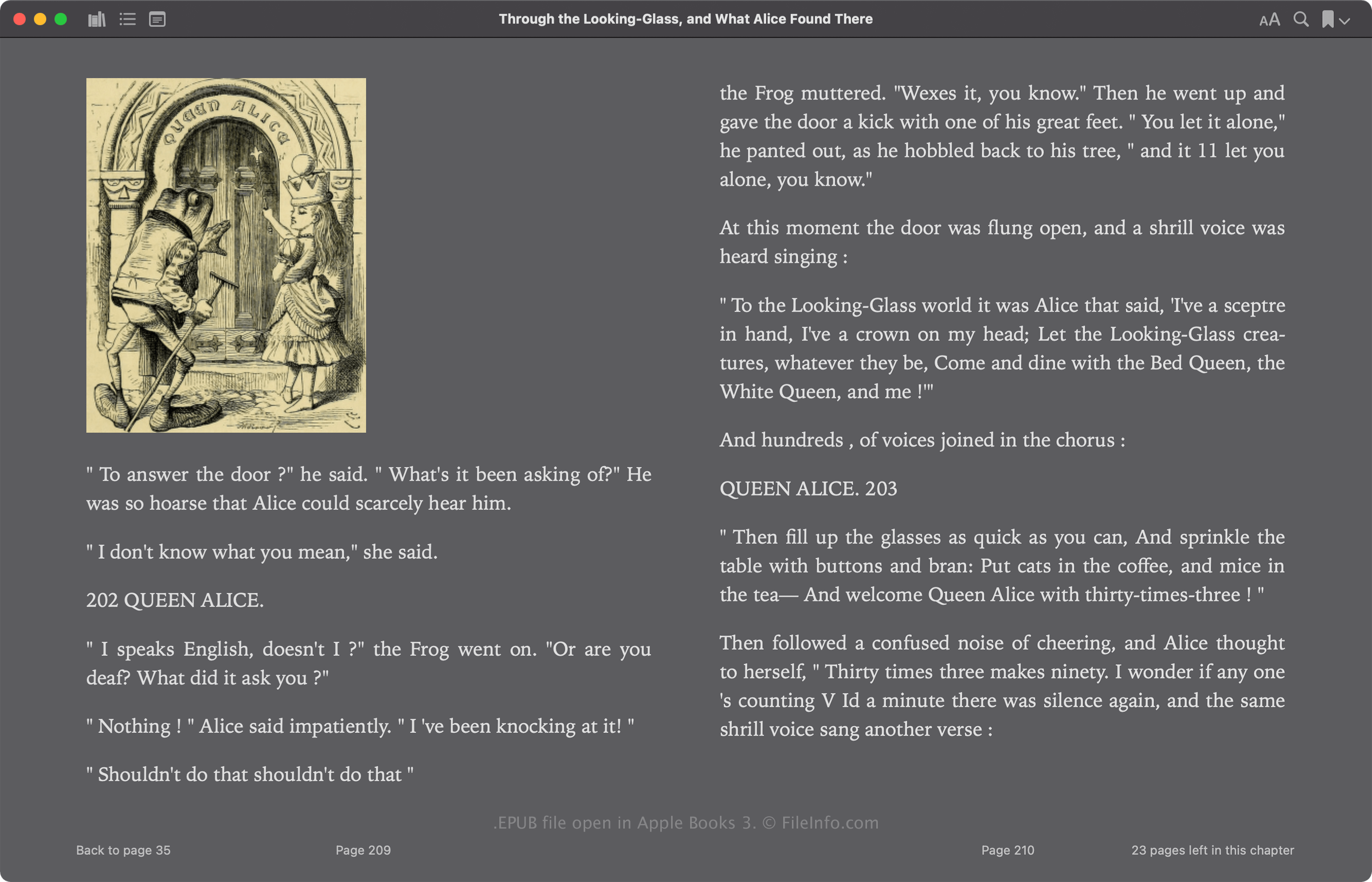
Het International Digital Publishing Forum (IDPF) bracht de EPUB-indeling aanvankelijk in 2007 uit als vervanging voor de indeling Open eBook (OEB). EPUB heeft sinds de introductie verschillende revisies ondergaan. De meest recente versie, 3.3, werd uitgebracht in mei 2023.
De EPUB-indeling is op Zip gebaseerd en bevat bronnen waaruit de publicatie bestaat, waaronder .XML, .XHTML, .NCX, .CSS en .SVG-bestanden. Deze bestanden bevatten de inhoud van de publicatie, waaronder de tekst, hoofdstuklinks, omslagafbeelding en afbeeldingen. Veel commerciële e-books bevatten ook beveiliging met digitaal rechtenbeheer (DRM), waardoor de inhoud alleen op geautoriseerde apparaten kan worden bekeken.
Een EPUB-bestand openen
Je kunt een EPUB-bestand openen en het e-book dat het bevat lezen met verschillende apps, waaronder Calibre, Apple Books, Adobe Digital Editions en Google Play Books.
Je kunt EPUB-bestanden zonder DRM-beveiliging ook met verschillende apps bewerken. Een van de meest gebruikte e-bookbewerkers is Calibre.
Een EPUB-bestand openen als ZIP-archief
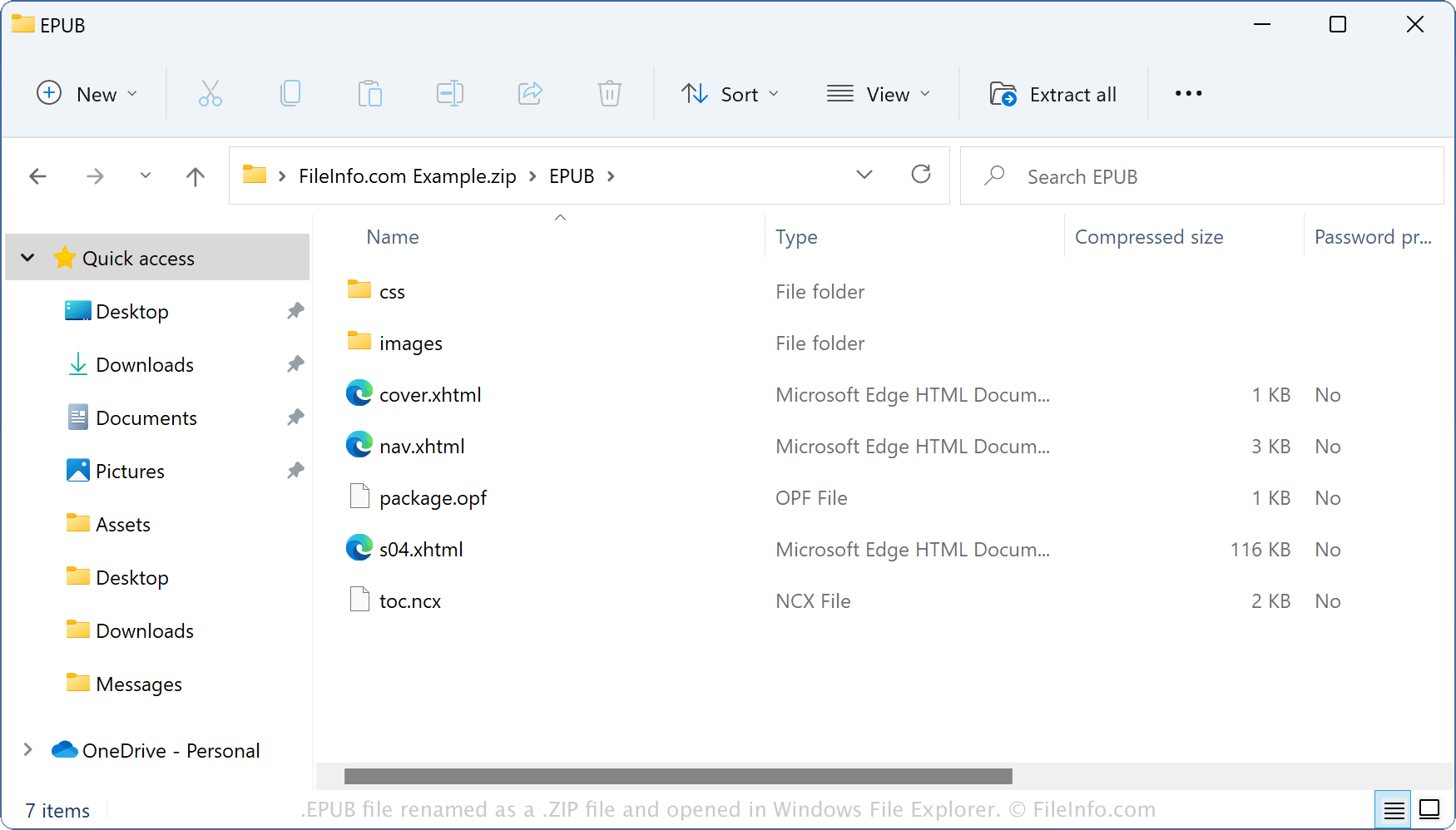
Omdat EPUB-bestanden hun inhoud opslaan in een containerindeling die vergelijkbaar is met Zip, kun je ze openen met hulpprogramma's voor Zip-compressie. Je kunt bijvoorbeeld een EPUB-bestand als Zip-archief openen met Windows File Explorer door de bestandsextensie .epub te wijzigen in .zip. Vervolgens kun je de inhoud uitpakken om deze te bekijken of aan te passen. Houd er echter rekening mee dat het bewerken van de inhoud van een EPUB-bestand het e-book kan beschadigen.
Een EPUB-bestand converteren
Calibre kan EPUB-bestanden converteren naar verschillende bestandstypen, waaronder de volgende indelingen: