.EPUB 파일 확장자

EPUB eBook

개발사 IDPF
인기도
3.5  |  749 투표
 

EPUB 파일이란 무엇인가요?

An EPUB file is a digital book (eBook) saved in the open Electronic Publication (EPUB) format, a standard digital publication format that publishers and consumers use to distribute eBooks. Many users encounter EPUB files when downloading eBooks (such as books, magazines, scientific publications, etc.). You can open an EPUB file with eReader apps, such as Calibre and Apple Books, and devices.

추가 정보

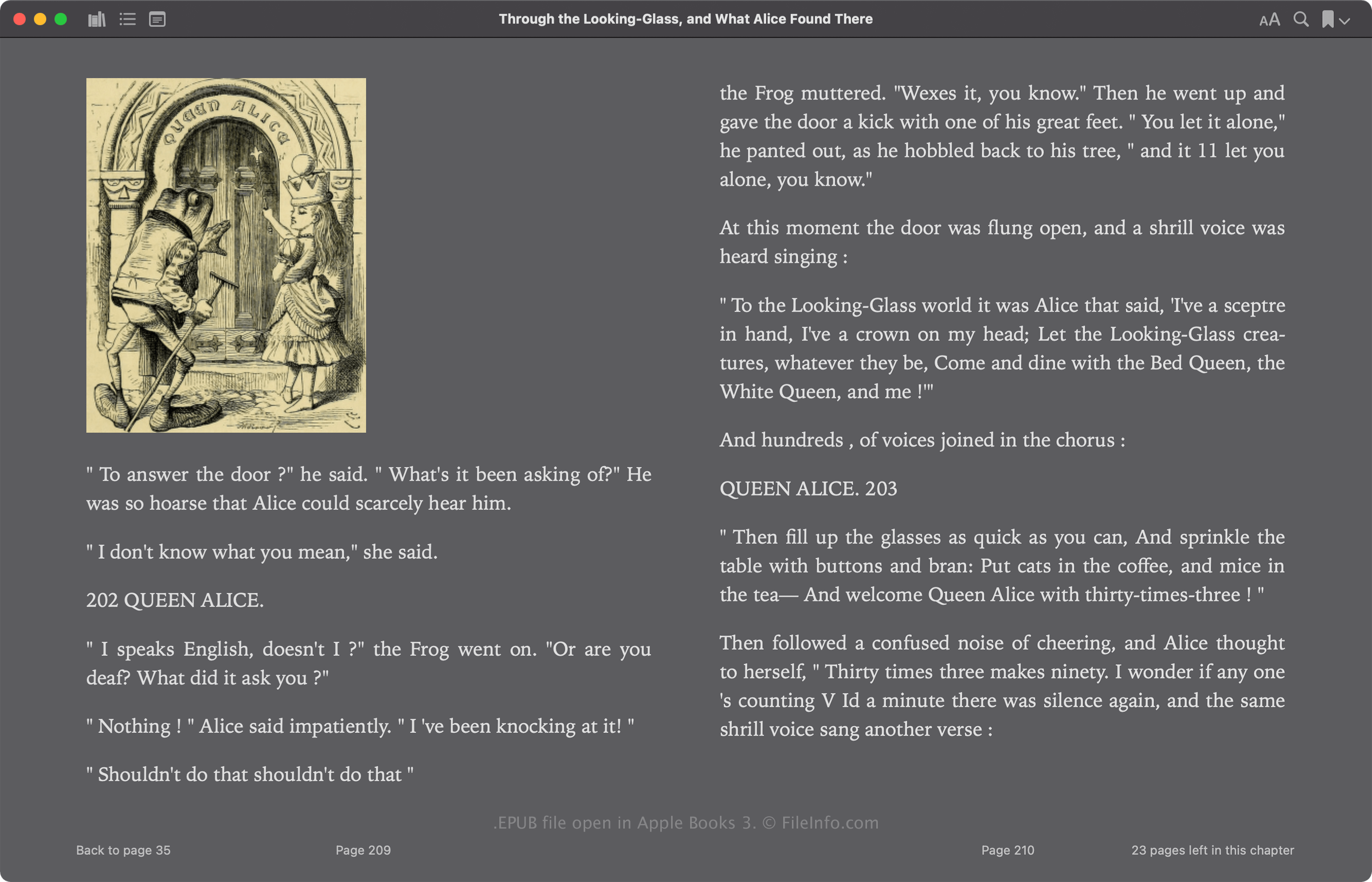
Apple Books 5에서 열린 .epub 파일의 스크린샷
Apple Books 5에서 열린 EPUB 파일

The International Digital Publishing Forum (IDPF) initially released the EPUB format in 2007 as a replacement for the Open eBook (OEB) format. EPUB has undergone several revisions since its release, with its most recent version, 3.3, released in May 2023.

The EPUB format is Zip-based and stores resources that make up the publication, including .XML, .XHTML, .NCX, .CSS, and .SVG files. These files contain the publication's contents, including its text, chapter links, cover art, and images. Many commercial eBooks also include digital rights management (DRM) protection, which limits viewing to only authorized devices.

EPUB 파일을 여는 방법

You can open an EPUB file and read the eBook it contains with various apps, including Calibre, Apple Books, Adobe Digital Editions, and Google Play Books.

You can also edit EPUB files with no DRM protection with several apps. One of the most common eBook editors is Calibre.

Opening an EPUB file as a Zip archive

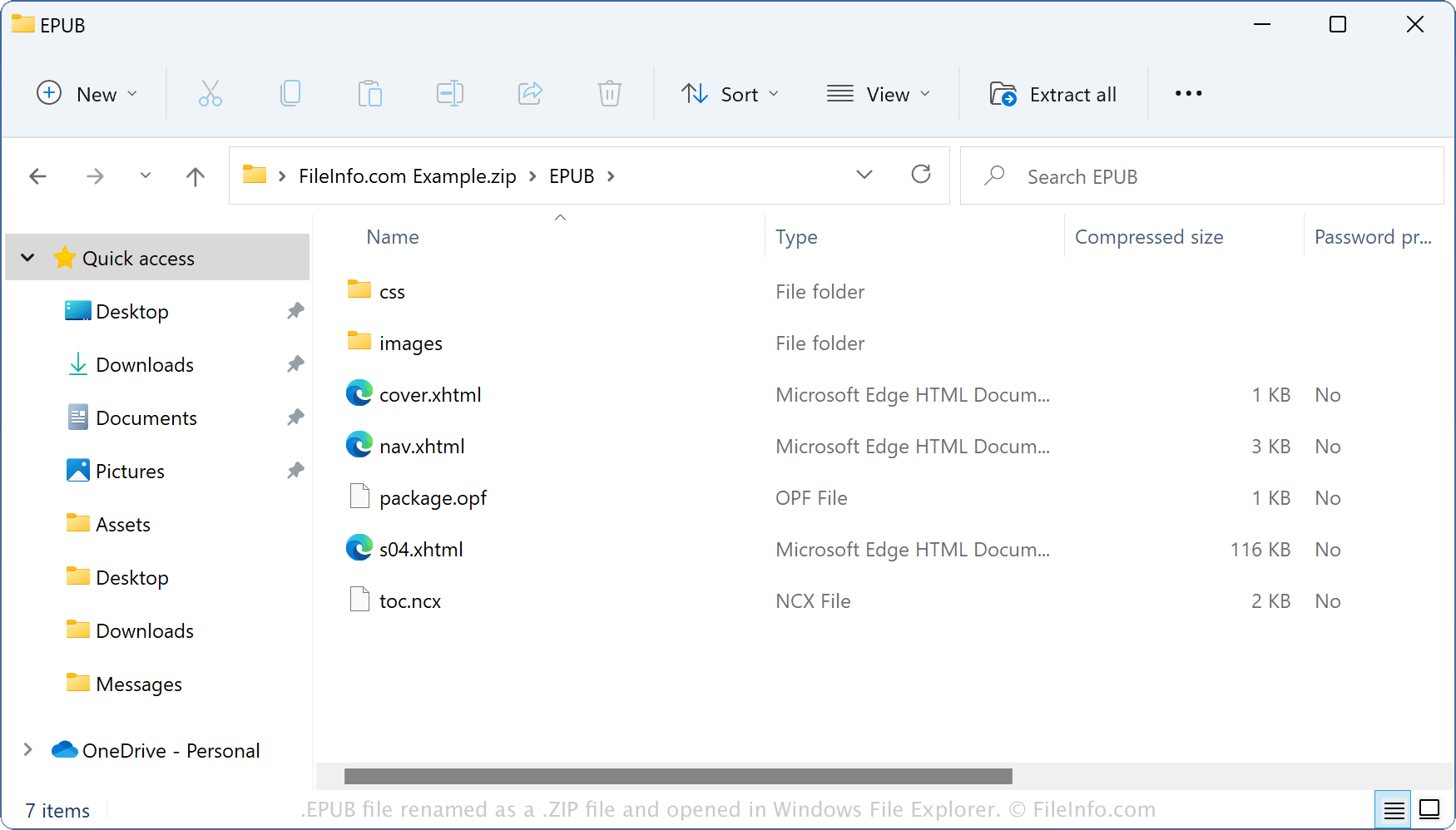
EPUB file renamed as a ZIP file and opened in Windows File Explorer

Since EPUB files store their contents in a Zip-like container format, you can open them with Zip compression utilities. For example, you can open an EPUB file as a Zip archive with Windows File Explorer by renaming the .epub file extension to .zip. You can then extract its contents to view or modify them. However, remember that editing the contents in an EPUB file may corrupt the eBook.

EPUB 파일을 변환하는 방법

Calibre can convert EPUB files to various file types, including the following formats:

  • .AZW3 - Amazon KF8 eBook
  • .MOBI - Mobipocket eBook
  • .FB2 - FictionBook 2.0 File
  • .LIT - eBook File
  • .LRF - Sony Portable Reader File
  • .PDF - Portable Document Format
  • .DOCX - Microsoft Word Document
  • .RTF - Rich Text Format
  • .TXT - Plain Text
File Viewer Plus(으)로 .epub 파일을 열고 볼 수 있습니다.무료 다운로드

EPUB 파일을 여는 프로그램

Mac
OS에 포함됨
무료
무료 체험판
Linux
무료
iOS
OS에 포함됨
Chrome OS
카테고리: 전자책
업데이트: 2024-07-16

검증자 FileInfo.com

FileInfo.com 팀 이 페이지에 나열된 EPUB eBook 파일 형식과 Mac, Windows, Linux, Android, and iOS 앱을 독자적으로 조사했습니다. 저희의 목표는 100% 정확성이며, 검증한 파일 유형에 대한 정보만 게시합니다.

이 페이지에 추가하거나 업데이트할 내용을 제안하고 싶으시면 알려 주세요.