.PAGES 文件扩展名

Apple Pages Document

开发者 Apple
受欢迎程度
3.5  |  479 
 
🔍使用File Helper直接在您的网络浏览器中打开 .PAGES 文件在线查看

什么是 PAGES 文件?

A PAGES file is a document created by Apple Pages, a word processor and page layout program for macOS and iOS. It saves a document, such as a report, poster, resume, newsletter, book, certificate, or brochure that was created from a blank page or built from a template. PAGES documents typically contain text and page formatting information, but may also include images, tables, graphs, and charts.

更多信息

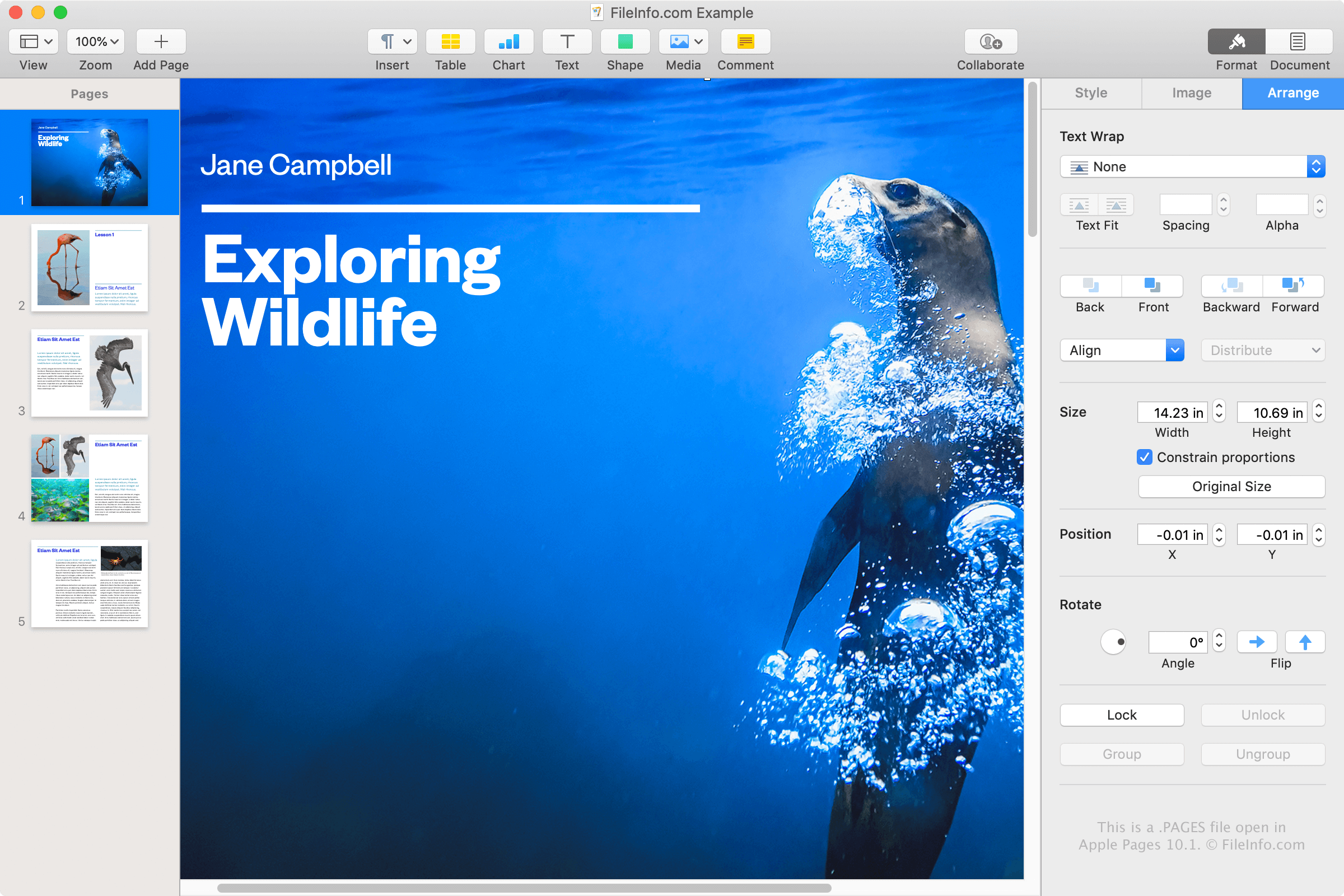
在 Apple Pages 10.1 中打开的 .pages 文件截图
在 Apple Pages 10.1 中打开的 PAGES 文件

Apple Pages is a word processor similar to Microsoft Word, and is included in the iWork office suite, along with Numbers and Keynote, that is bundled with macOS. You can use Pages to compose various types of documents and save them as PAGES files or convert them to another format.

You most likely will only encounter a PAGES file if you use an Apple device, such as a MacBook or iPad, and save documents with the Pages application. However, you may also encounter a PAGES file if you do not use an Apple device. For example, a co-worker or friend who uses Pages on a Mac may share a letter saved as a PAGES file with you.

How to create a PAGES file

Pages saves documents as PAGES files by default, much like Word saves documents as DOCX files by default. To create a PAGES file with Pages on a Mac, select File → New..., choose a template or a blank document, then select File → Save....

如何打开 PAGES 文件

You can open a PAGES file with Apple Pages on a Mac or iOS device. This is the best option since Pages provides native viewing and editing capabilities.

If you do not have access to Pages, you can upload PAGES files to your iCloud online account and view and edit the document in the iCloud version of Pages. Here, you can view and edit the document, and download a copy of the document as a PAGES, PDF, DOCX, or EPUB file.

Since PAGES files are stored in .ZIP format, you may also manually view a PAGES file's contents by extracting them with a Zip-decompression utility. This is especially helpful for Windows users who cannot install Pages and need to view the contents of a PAGES document. Contents that can be extracted from a PAGES file include a .JPG file and an optional PDF file that provide a preview for the document.

To manually view the contents of a PAGES file, follow these instructions:

  1. Rename the .pages file extension to .zip.
  2. Extract the resulting ZIP file with a Zip decompression utility, such as Microsoft File Explorer, Corel WinZip, or Apple Archive Utility. The extracted files should contain a folder named QuickLook. Navigate to this folder.
  3. In the QuickLook folder, open the file Thumbnail.jpg. This file only gives a preview of the first page of the document, but can still be helpful in some situations.
  4. In the QuickLook folder, there may also be a PDF file named Preview.pdf. Open this file to view a preview of the entire PAGES document. Note that the PDF file is only created if the user chose to save the original document with additional preview information in Pages.

如何转换 PAGES 文件

Apple Pages can convert PAGES files to several different formats. In the macOS version, select File → Export To, then choose one of the following formats:

  • .DOCX, .DOC - Microsoft Word Document
  • .PDF - Portable Document Format
  • .EPUB - Open eBook
  • .RTF, .RTFD - Rich Text Format
  • .TXT - Plain Text
  • Pages '09 Document

In the iCloud version, select the ... button, select Download a Copy..., and export your file as a .PDF, .DOCX, or .EPUB file.

You can also convert PAGES files to PDF files with Apple Preview by selecting File → Export as PDF....

可打开 PAGES 文件的程序

Mac
操作系统自带
操作系统自带
Web
免费
iOS
分类: 文本
更新时间: 2023-02-14

验证者 FileInfo.com

FileInfo.com 团队 独立研究了本页面列出的 Apple Pages Document 文件格式和 Mac and iOS 应用。 我们的目标是达到 100% 的准确率,并且仅发布我们已验证过的文件类型信息。

如果您想为此页面提出新增或更新建议,请告诉我们