

.TEMPLATE Estensione file
Modello di Pages
| Sviluppatore | Apple |
| Popolarità |
3,4 | 18 Voti |
Che cos'è un file TEMPLATE?
Un file TEMPLATE è un modello di documento di Apple Pages. Contiene informazioni preimpostate sul layout della pagina, elementi del documento e stili usati per creare un documento formattato in modo uniforme, come una relazione o un curriculum. Usando i file TEMPLATE, gli utenti possono creare più documenti .PAGES simili senza dover formattare manualmente ciascuno di essi.
Maggiori informazioni
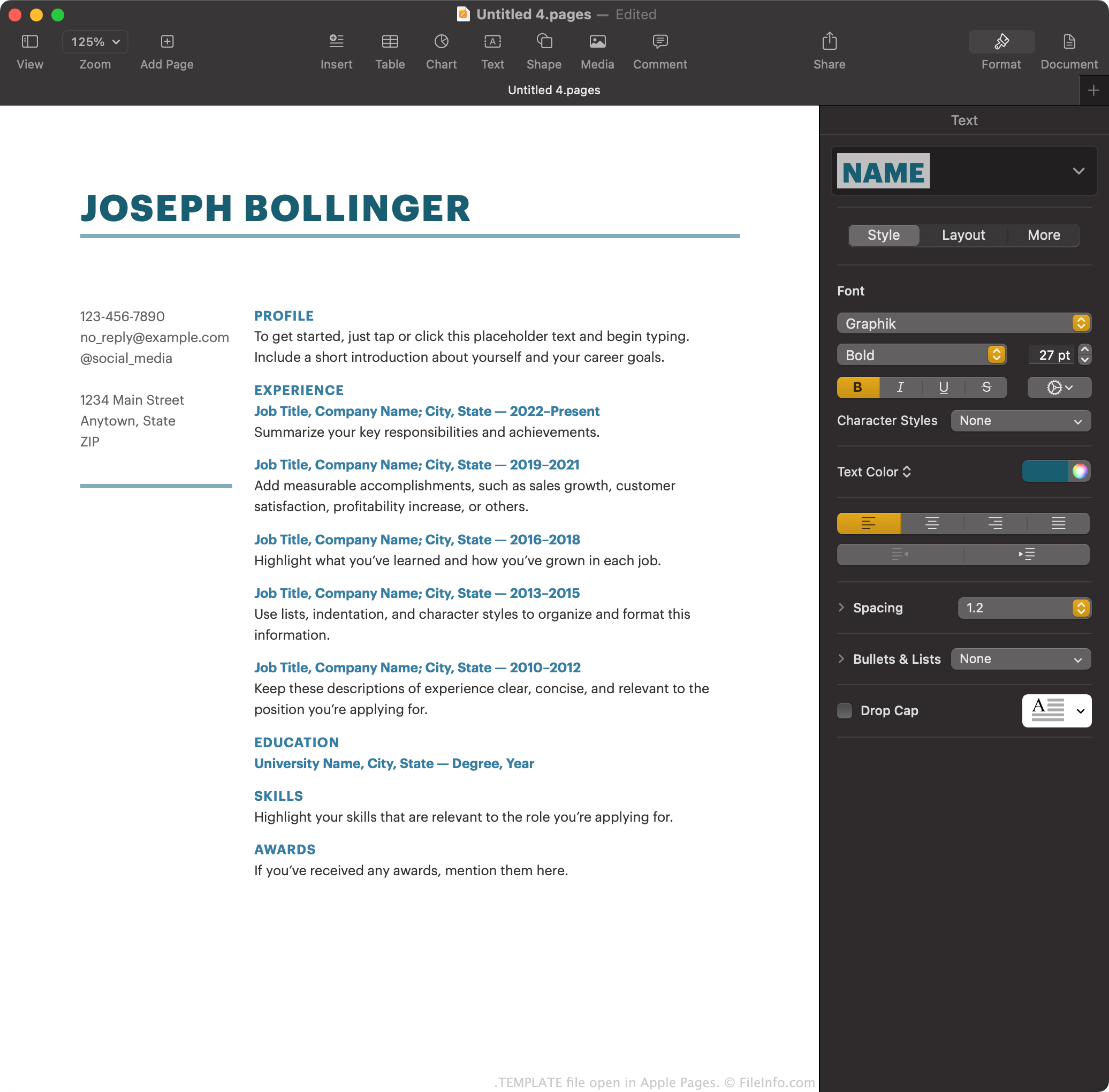
Apple Pages è l'elaboratore di testi predefinito incluso in macOS. Consente agli utenti di creare relazioni, poster, curriculum, brochure e altri documenti.
Facoltativamente, gli utenti di Pages possono salvare un documento che hanno creato come modello di Pages, per rendere più semplice la creazione di documenti simili in futuro. Ad esempio, se un utente ha creato una brochure con una formattazione complessa, potrebbe volerla salvare come modello di Pages. In questo modo, invece di creare nuove brochure da zero, l'utente può aprire il modello per iniziare più rapidamente.
Pages salva i modelli di documento come file TEMPLATE. Gli utenti incontrano principalmente questi modelli nella schermata di Pages, quando creano un nuovo documento. Qui Pages mostra i propri file TEMPLATE predefiniti, oltre ai modelli creati dall'utente.
Come creare un modello di Pages
Per salvare come modello di Pages un documento Pages su cui stai lavorando:
- Seleziona .
- Seleziona per aggiungere il modello all'elenco .
In alternativa, puoi selezionare per salvare il modello sul computer come file TEMPLATE. Potresti volerlo fare se, ad esempio, vuoi trasferire e usare il modello in Pages su un dispositivo non collegato al tuo account iCloud.
Come aprire un file TEMPLATE
Per aprire un file TEMPLATE su un dispositivo con Apple Pages installato, fai doppio clic (macOS) o tocca (iOS) il file. Apple Pages ti chiederà quindi se vuoi aggiungere il modello al selettore di modelli, così potrai selezionarlo da in futuro, oppure creare semplicemente un singolo nuovo documento usando il modello.
Come convertire un file TEMPLATE
Dopo aver aperto un file TEMPLATE nella versione macOS di Apple Pages, puoi convertire il documento che contiene in uno dei seguenti formati (selezionando ):
- .DOCX, .DOC - Documento Microsoft Word
- .PDF - Portable Document Format
- .EPUB - Open eBook
- .RTF, .RTFD - Rich Text Format
- .TXT - Testo normale
- Documento Pages '09
Nella versione iCloud di Pages, puoi convertire in PDF, DOCX o EPUB il documento contenuto in un file TEMPLATE selezionando il pulsante e poi .