

.DOC Estensione file
Documento Microsoft Word (versione precedente)
| Sviluppatore | Microsoft |
| Popolarità |
4,0 | 2128 Voti |
Che cos'è un file DOC?
Un file DOC è un documento di elaborazione testi creato da Microsoft Word o esportato da un altro programma di elaborazione testi, come OpenOffice Writer o Apple Pages. Può contenere testo formattato, immagini, tabelle, grafici, diagrammi, formattazione delle pagine e impostazioni di stampa.
Maggiori informazioni
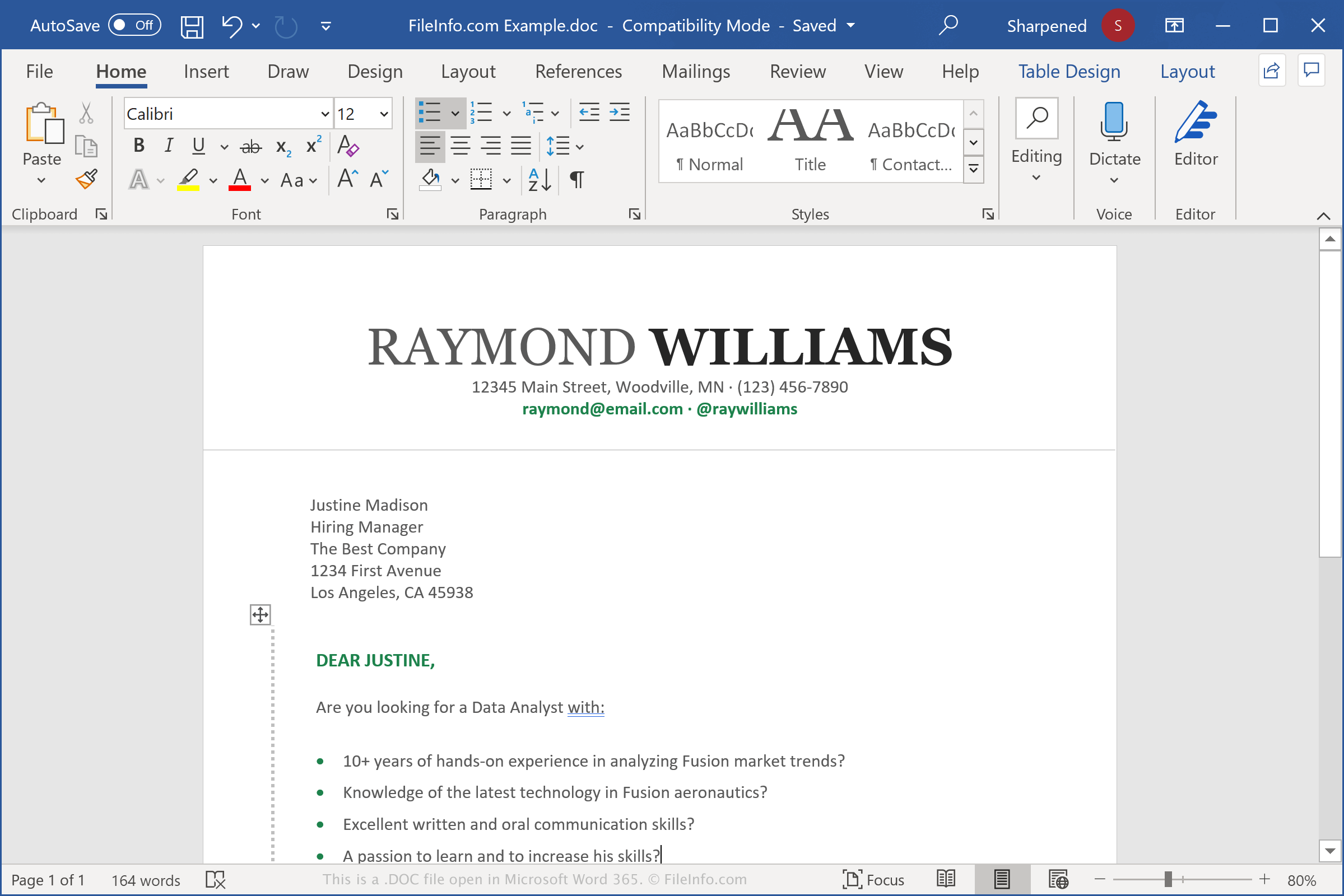
I file DOC vengono creati per salvare vari documenti, tra cui lettere, curriculum, saggi e inviti. Quando si crea un documento in Word, è possibile scegliere di salvarlo nel formato di file DOC. Il programma crea quindi un file DOC per memorizzare il contenuto del documento, che può essere chiuso e riaperto per ulteriori modifiche. Al termine della modifica del file DOC, è possibile stamparlo o salvarlo come un altro file, ad esempio un documento .PDF o .DOT.
Il file DOC è stato designato come formato principale di Microsoft Word nel 1983. Word ha utilizzato lo stesso formato fino a Word 97, quando Microsoft ha rilasciato una versione aggiornata del formato binario. Nel 2006, Microsoft ha sostituito il formato di file DOC aggiornato con il formato di file .DOCX quando ha rilasciato Word 2007. I file DOCX memorizzano i documenti nel formato Open XML.
NOTA: Word è l'applicazione di elaborazione testi più diffusa al mondo. È incluso in ogni edizione della suite Microsoft Office e viene utilizzato in ambito domestico, accademico e professionale.
Nomi file .DOC comuni
Document1.doc - Il nome file predefinito che Microsoft Word assegna ai nuovi documenti precedenti a Word 2007 (Word 2007 e versioni successive utilizzanoDocument1.docx per impostazione predefinita).
Come aprire un file DOC
È possibile aprire i file DOC con Microsoft Word in Windows e macOS. Word è l'applicazione migliore per aprire i file DOC perché supporta completamente la formattazione dei documenti Word, inclusi la spaziatura e l'allineamento del testo, le immagini, i grafici e le tabelle. Il programma di elaborazione testi è disponibile anche per i dispositivi Android e iOS.
È possibile aprire i file DOC anche con altri programmi di elaborazione testi, ma parte della formattazione dei documenti originali potrebbe essere modificata o persa. Alcuni programmi di elaborazione testi che supportano i file DOC includono Corel WordPerfect (Windows), Apple Pages (Mac) e LibreOffice Writer (multipiattaforma).
È inoltre possibile aprire i file DOC con diversi programmi web. Google Docs è un'applicazione web gratuita che consente di caricare un file DOC e visualizzare, modificare, salvare e convertire il documento.
Come convertire un file DOC
Diverse applicazioni di elaborazione testi, tra cui Microsoft Word, Corel Wordperfect e OpenOffice Writer, possono convertire i file DOC in altri formati.
Ad esempio, nelle versioni per Windows e Mac di Microsoft Word, selezionare per convertire i file DOC in uno dei seguenti formati: