

.TEMPLATE Extensão de arquivo
Modelo do Pages
| Desenvolvedor | Apple |
| Popularidade |
3,4 | 18 Votos |
O que é um arquivo TEMPLATE?
Um arquivo TEMPLATE é um modelo de documento do Apple Pages. Ele contém informações predefinidas de layout de página, elementos de documento e estilos usados para criar um documento com formatação padrão, como um relatório ou currículo. Usando arquivos TEMPLATE, os usuários podem criar vários documentos .PAGES semelhantes sem formatar cada um deles manualmente.
Mais informações
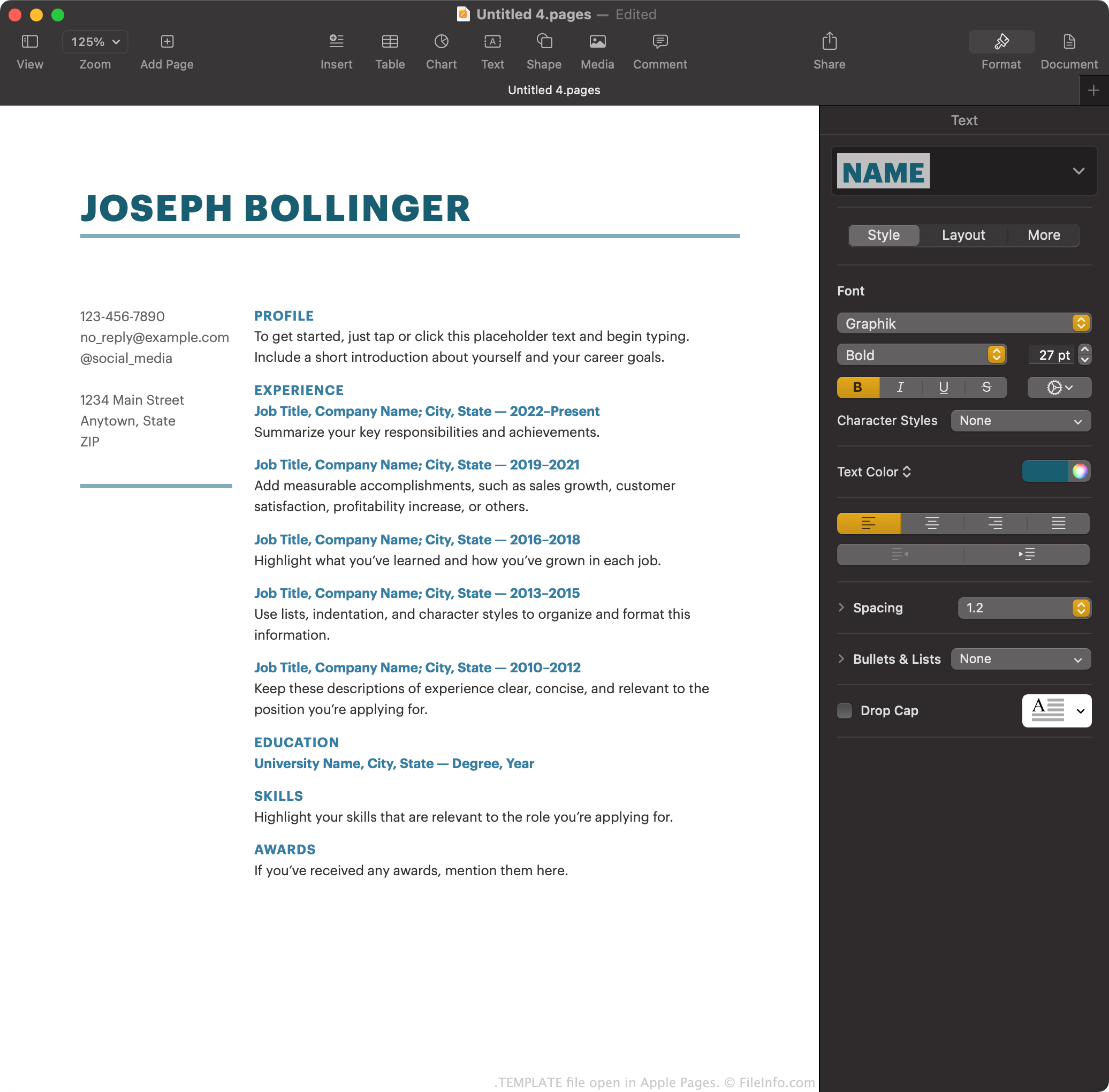
O Apple Pages é o processador de texto padrão incluído no macOS. Ele permite que os usuários criem relatórios, pôsteres, currículos, folhetos e outros documentos.
Opcionalmente, os usuários do Pages podem salvar um documento que criaram como um modelo do Pages, para facilitar a criação de documentos semelhantes no futuro. Por exemplo, se um usuário criou um folheto com muita formatação, ele pode querer salvar esse folheto como um modelo do Pages. Assim, em vez de criar novos folhetos do zero, o usuário pode abrir seu modelo para começar mais rapidamente.
O Pages salva modelos de documentos como arquivos TEMPLATE. Principalmente, os usuários encontram esses modelos na tela do Pages, ao criar um novo documento. Nessa tela, o Pages mostra seus arquivos TEMPLATE padrão, além de quaisquer modelos que um usuário tenha criado.
Como criar um modelo do Pages
Para salvar um documento do Pages em que você está trabalhando como um modelo do Pages:
- Selecione .
- Selecione para adicionar o modelo à lista .
Como alternativa, você pode selecionar para salvar o modelo no computador como um arquivo TEMPLATE. Talvez você queira fazer isso se, por exemplo, quiser transferir e usar o modelo no Pages em um dispositivo que não esteja conectado à sua conta do iCloud.
Como abrir um arquivo TEMPLATE
Para abrir um arquivo TEMPLATE em um dispositivo com o Apple Pages instalado, clique duas vezes (macOS) ou toque (iOS) no arquivo. O Apple Pages perguntará se você deseja adicionar o modelo ao Seletor de Modelos, para que possa selecioná-lo em no futuro, ou simplesmente criar um novo documento usando o modelo.
Como converter um arquivo TEMPLATE
Depois de abrir um arquivo TEMPLATE na versão para macOS do Apple Pages, você pode converter o documento que ele contém para qualquer um dos seguintes formatos (selecionando ):
- .DOCX, .DOC - Documento do Microsoft Word
- .PDF - Portable Document Format
- .EPUB - Open eBook
- .RTF, .RTFD - Rich Text Format
- .TXT - Texto sem formatação
- Documento do Pages '09
Na versão do Pages para iCloud, você pode converter o documento que um arquivo TEMPLATE contém para PDF, DOCX ou EPUB, selecionando o botão e depois .