

.SNAG Bestandsextensie
Snagit for Windows-opname
| Ontwikkelaar | TechSmith |
| Populariteit |
3,7 | 9 stemmen |
Wat is een SNAG-bestand?
Een SNAG-bestand is een afbeelding die is gemaakt door de Windows-versie van TechSmith Snagit, een hulpmiddel voor schermopnamen en het annoteren van afbeeldingen. Het bevat een vastgelegde afbeelding en alle tekst- en vector-objecten die aan die afbeelding zijn toegevoegd. SNAG-bestanden kunnen alleen worden geopend in Snagit for Windows.
Meer informatie
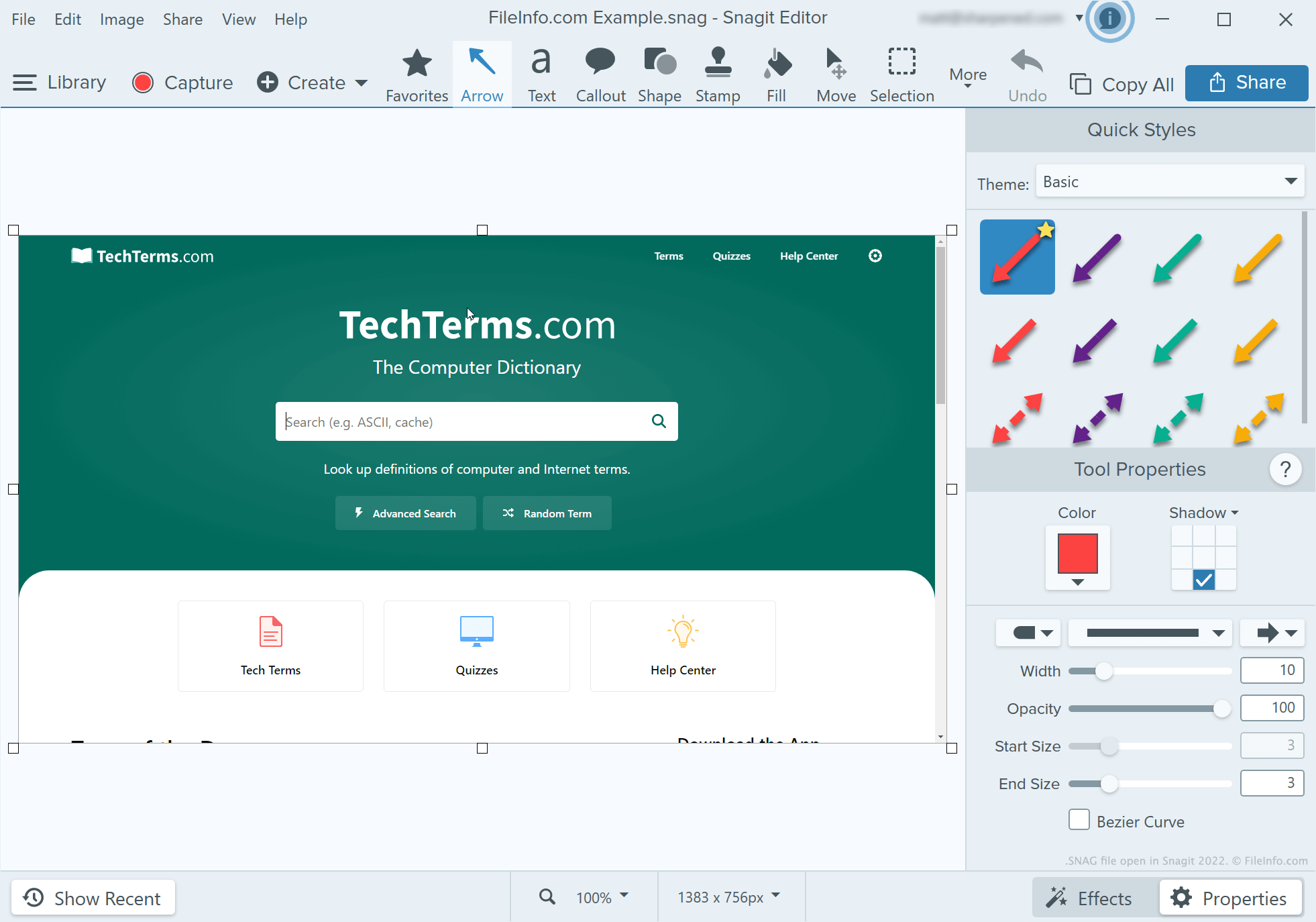
Ontwikkelaars, technisch schrijvers en anderen die zelfstudies voor softwareprogramma's maken, gebruiken Snagit om schermafbeeldingen vast te leggen en te annoteren. Nadat een gebruiker een schermafbeelding heeft gemaakt met de opnamefunctie van Snagit, kan die gebruiker tekst, pijlen, toelichtingen en andere annotaties aan die schermafbeelding toevoegen met de afbeeldingseditor van Snagit.
Als een gebruiker van Snagit for Windows een geannoteerde schermafbeelding later verder wil bewerken, kan die gebruiker de schermafbeelding opslaan als SNAG-bestand. Gebruikers kunnen geannoteerde schermafbeeldingen ook opslaan als .JPG, .PNG, .GIF, .BMP, .PDF of .TIF-bestanden, maar in die indelingen blijven annotaties niet behouden als bewerkbare objecten.
OPMERKING: Vóór Snagit 2022 sloeg de Mac-versie van Snagit bewerkbare opnamen op als .SNAGPROJ-bestanden. In Snagit 2022 en latere versies begonnen beide versies van Snagit bewerkbare opnamen op te slaan als .SNAGX-bestanden.
Een SNAG-bestand openen
Je kunt een SNAG-bestand openen in TechSmith Snagit for Windows. Selecteer daarvoor in de menubalk van het programma. Ga vervolgens naar je SNAG-bestand en open het.