

.SNAG ファイル拡張子
Snagit for Windowsキャプチャー
| 開発元 | TechSmith |
| 人気度 |
3.7 | 9 票 |
SNAGファイルとは?
SNAGファイルは、画面キャプチャーと画像への注釈付けを行うツールであるTechSmith SnagitのWindows版で作成された画像です。キャプチャーした画像のほか、その画像に追加したテキストやベクターグラフィックオブジェクトが含まれています。SNAGファイルはSnagit for Windowsでのみ開くことができます。
詳細情報
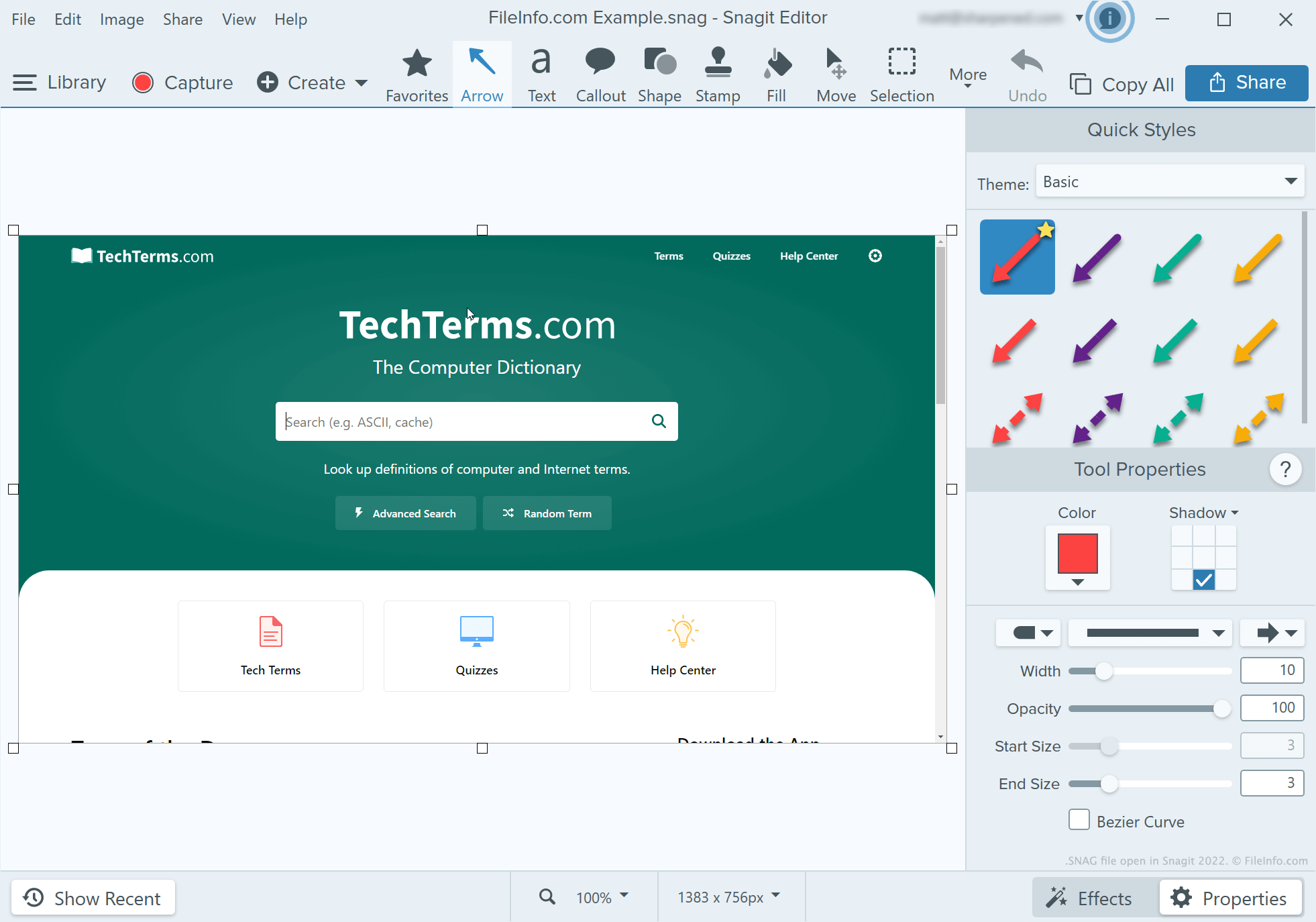
ソフトウェアプログラムのチュートリアルを作成する開発者、テクニカルライターなどは、Snagitを使ってスクリーンショットをキャプチャーし、注釈を付けます。Snagitのキャプチャーツールでスクリーンショットを撮った後、ユーザーはSnagitの画像エディターを使って、そのスクリーンショットにテキスト、矢印、吹き出し、その他の注釈を追加できます。
Snagit for Windowsのユーザーが、注釈を付けたスクリーンショットを後で編集し続けたい場合は、そのスクリーンショットをSNAGファイルとして保存できます。ユーザーは注釈付きのスクリーンショットを.JPG、.PNG、.GIF、.BMP、.PDF、または.TIFファイルとして保存することもできますが、これらの形式では注釈が編集可能なオブジェクトとして保持されません。
注: Snagit 2022より前は、SnagitのMac版は編集可能なキャプチャーを.SNAGPROJファイルとして保存していました。Snagit 2022以降では、Snagitの両プラットフォーム版が編集可能なキャプチャーを.SNAGXファイルとして保存するようになりました。
SNAGファイルの開き方
SNAGファイルはTechSmith Snagit for Windowsで開くことができます。開くには、プログラムのメニューバーからを選択します。次に、SNAGファイルが保存されている場所に移動して開きます。