

.SNAG Dateiendung
Snagit-Capture für Windows
| Entwickler | TechSmith |
| Beliebtheit |
3,7 | 9 Stimmen |
Was ist eine SNAG-Datei?
Eine SNAG-Datei ist ein Bild, das von der Windows-Version von TechSmith Snagit erstellt wurde, einem Werkzeug zum Aufnehmen und Kommentieren von Bildschirmbildern. Sie enthält ein aufgenommenes Bild sowie Text und Vektorgrafiken, die diesem Bild hinzugefügt wurden. SNAG-Dateien können nur in Snagit für Windows geöffnet werden.
Weitere Informationen
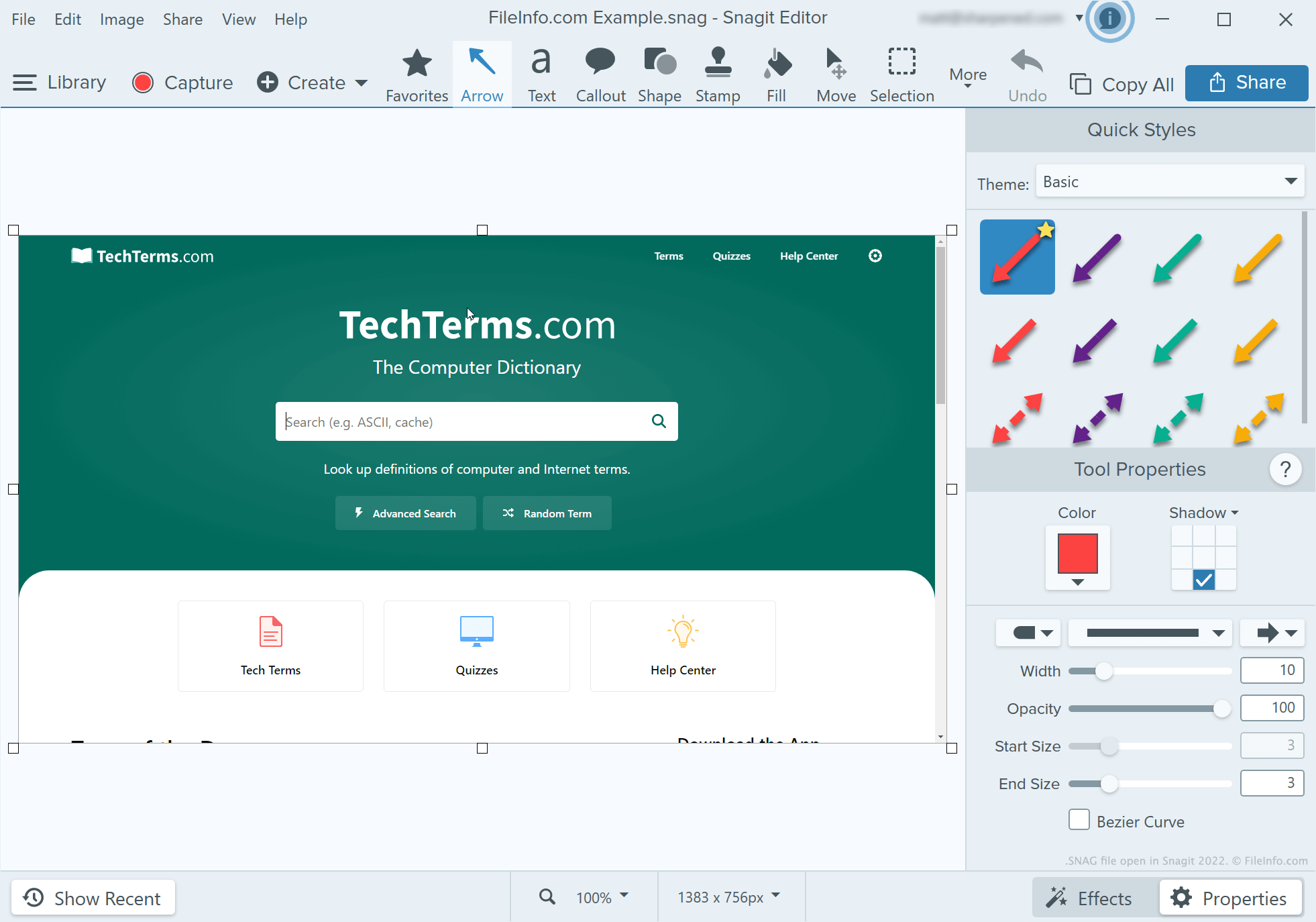
Entwickler, technische Redakteure und andere Personen, die Tutorials zu Softwareprogrammen erstellen, verwenden Snagit, um Bildschirmaufnahmen zu erstellen und zu kommentieren. Nachdem ein Benutzer mit dem Aufnahmeprogramm von Snagit einen Screenshot erstellt hat, kann er mithilfe des Bildeditors von Snagit Text, Pfeile, Sprechblasen und andere Anmerkungen zu diesem Screenshot hinzufügen.
Wenn ein Benutzer von Snagit für Windows einen kommentierten Screenshot später weiter bearbeiten möchte, kann er ihn als SNAG-Datei speichern. Benutzer können kommentierte Screenshots auch als .JPG, .PNG, .GIF, .BMP, .PDF oder .TIF-Dateien speichern, aber diese Formate bewahren Anmerkungen nicht als bearbeitbare Objekte.
HINWEIS: Vor Snagit 2022 speicherte die Mac-Version von Snagit bearbeitbare Aufnahmen als .SNAGPROJ-Dateien. In Snagit 2022 und späteren Versionen begannen beide Plattformversionen von Snagit, bearbeitbare Aufnahmen als .SNAGX-Dateien zu speichern.
So öffnen Sie eine SNAG-Datei
Sie können eine SNAG-Datei in TechSmith Snagit für Windows öffnen. Wählen Sie dazu in der Menüleiste des Programms aus. Navigieren Sie anschließend zu Ihrer SNAG-Datei und öffnen Sie sie.