

.SNAG 파일 확장자
Snagit for Windows 캡처
| 개발사 | TechSmith |
| 인기도 |
3.7 | 9 표 |
SNAG 파일이란 무엇인가요?
SNAG 파일은 화면 캡처 및 이미지 주석 도구인 TechSmith Snagit의 Windows 버전에서 생성한 이미지입니다. 캡처한 이미지와 해당 이미지에 추가된 텍스트 및 벡터 개체가 포함되어 있습니다. SNAG 파일은 Snagit for Windows에서만 열 수 있습니다.
추가 정보
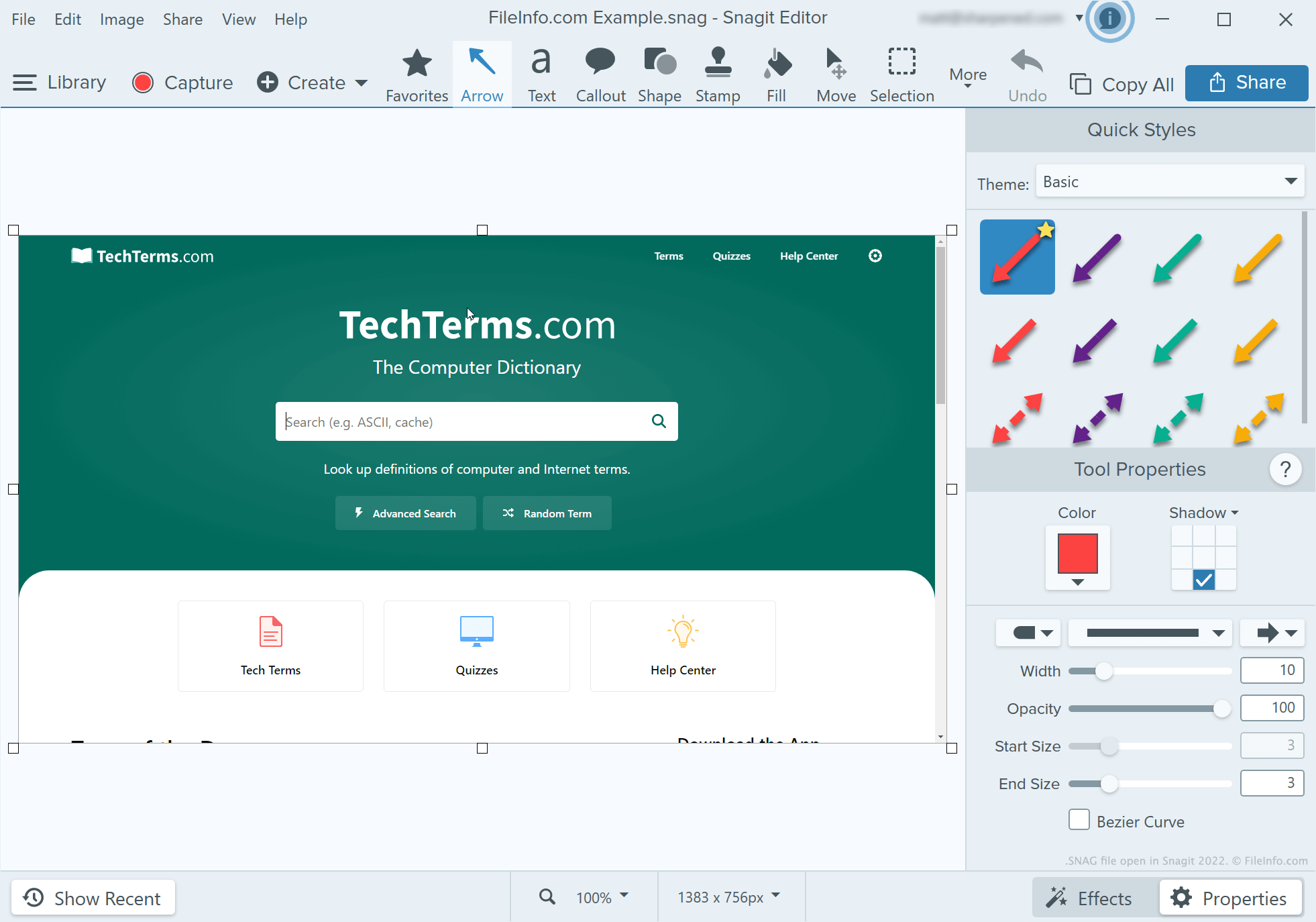
개발자, 기술 문서 작성자 및 소프트웨어 프로그램 튜토리얼을 만드는 사람들은 Snagit을 사용하여 스크린샷을 캡처하고 주석을 추가합니다. Snagit의 캡처 도구로 스크린샷을 찍은 후, 사용자는 Snagit의 이미지 편집기를 사용하여 해당 스크린샷에 텍스트, 화살표, 설명선 및 기타 주석을 추가할 수 있습니다.
Snagit for Windows 사용자가 나중에 주석이 추가된 스크린샷을 계속 편집하려는 경우 해당 스크린샷을 SNAG 파일로 저장할 수 있습니다. 사용자는 주석이 추가된 스크린샷을 .JPG, .PNG, .GIF, .BMP, .PDF 또는 .TIF 파일로 저장할 수도 있지만, 이러한 형식에서는 주석이 편집 가능한 개체로 보존되지 않습니다.
참고: Snagit 2022 이전에는 Snagit의 Mac 버전이 편집 가능한 캡처를 .SNAGPROJ 파일로 저장했습니다. Snagit 2022 및 이후 버전에서는 Snagit의 두 플랫폼 버전 모두 편집 가능한 캡처를 .SNAGX 파일로 저장하기 시작했습니다.
SNAG 파일을 여는 방법
TechSmith Snagit for Windows에서 SNAG 파일을 열 수 있습니다. 그러려면 프로그램의 메뉴 모음에서 을 선택합니다. 그런 다음 SNAG 파일이 있는 위치로 이동하여 파일을 엽니다.