

.PSDC Bestandsextensie
Adobe Photoshop Cloud-document
| Ontwikkelaar | Adobe |
| Populariteit |
4,0 | 12 stemmen |
Wat is een PSDC-bestand?
Een PSDC-bestand is een Adobe Photoshop-document dat is opgeslagen in de Adobe Photoshop Document Cloud-indeling (PSDC). Het bevat een afbeelding in dezelfde indeling als een .PSD-bestand, inclusief lagen, annotaties en effecten, maar wordt in de cloud opgeslagen via het systeem voor cloud-documenten van Adobe. Photoshop werkt het PSDC-bestand automatisch bij wanneer een gebruiker het op verschillende apparaten opent en bewerkt.
Meer informatie
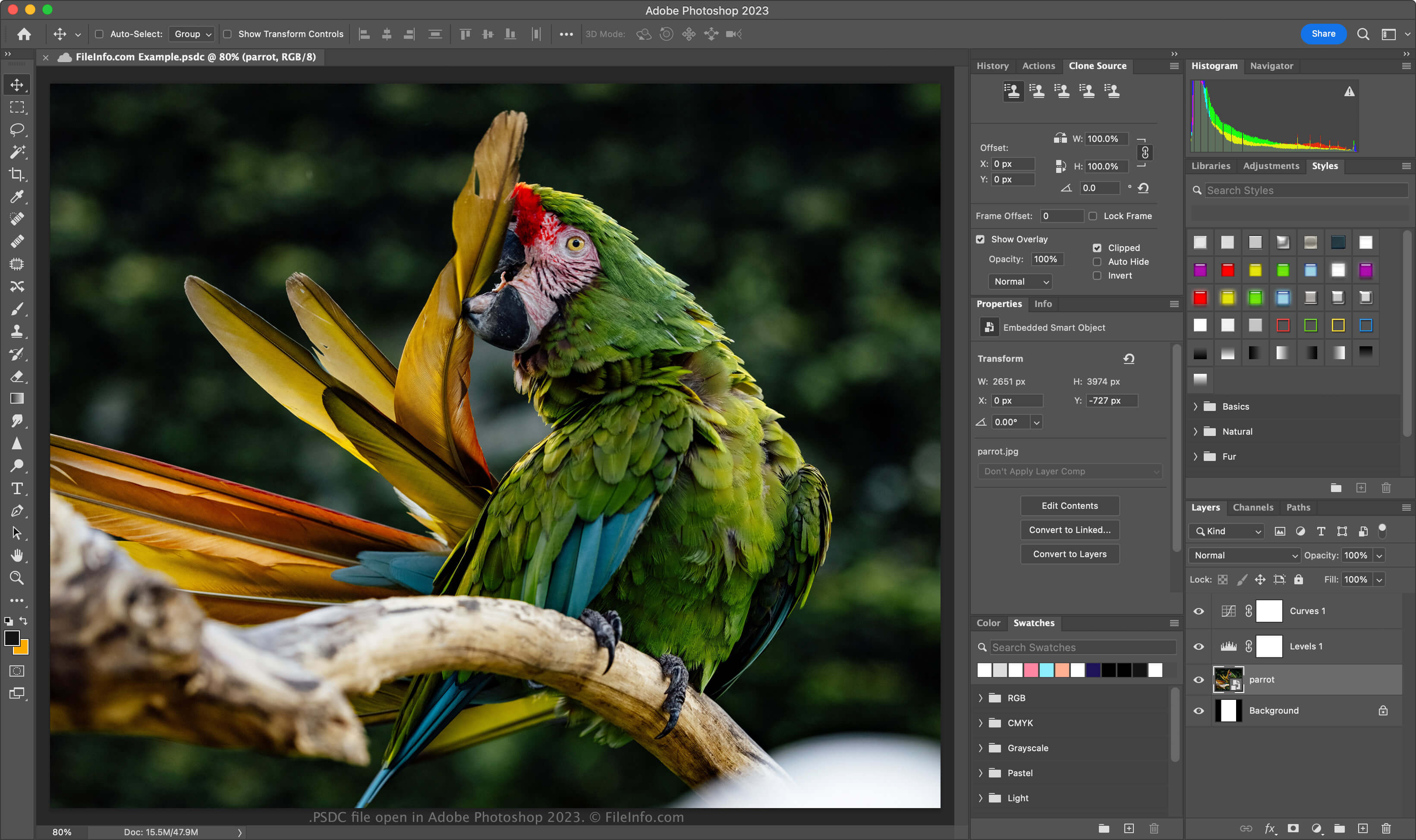
Adobe introduceerde de PSDC-indeling in november 2019, toen het Photoshop voor iPad en Photoshop CC 2020 voor Windows en macOS uitbracht. Het doel van de indeling is gebruikers in staat te stellen aan hetzelfde PSD-document op hun computer of iPad te werken en hun wijzigingen te synchroniseren, zodat het document altijd up-to-date is.
De PSDC-bestandsindeling is hetzelfde als de PSD-indeling, die ondersteuning biedt voor afbeeldingslagen, aanpassingslagen, laagmaskers, annotaties en andere Photoshop-specifieke elementen. De PSDC-indeling ondersteunt echter ook het cachen van bewerkingen die aan een document zijn uitgevoerd wanneer een gebruiker er offline aan werkt. De wijzigingen worden vervolgens gesynchroniseerd wanneer de gebruiker weer verbinding maakt met internet.
Een PSDC-bestand maken
Als je in Adobe Photoshop een PSDC-bestand wilt maken, selecteer je of . Als je wordt gevraagd het document op je computer op te slaan, klik je op de knop , geef je het PSDC-bestand een naam en klik je vervolgens op . Als je wordt gevraagd het document op te slaan in je opslagruimte voor cloud-documenten, geef je het PSDC-bestand een naam en klik je vervolgens op .
Een PSDC-bestand openen
Je kunt een PSDC-bestand openen met Adobe Photoshop (op meerdere platforms). Als je met Photoshop een PSDC-bestand wilt openen dat in je Adobe Cloud-account is opgeslagen, selecteer je , klik je op en kies je het PSDC-bestand.
De PSDC-bestandsindeling ondersteunt incrementele back-ups en herstel. Als je de versiegeschiedenis van je PSDC-document in Adobe Cloud wilt bekijken, selecteer je (versies verlopen na 30 dagen, tenzij je ze markeert om ze te bewaren).
Je kunt je ook met je Adobe-account aanmelden bij Adobe Assets Web, vervolgens selecteren, een PSDC-bestand kiezen en op klikken om alle opgeslagen versies van het document te bekijken.
Een PSDC-bestand converteren
Adobe Photoshop kan PSDC-bestanden converteren naar veel bestandstypen, waaronder de volgende indelingen:
- .PSD - Adobe Photoshop-document
- .PSB - Photoshop Large Document Format
- .PDF - Portable Document Format
- .JPG - JPEG-afbeelding
- .PNG - Portable Network Graphic
- .TIF - Tagged Image File Format
- .GIF - Graphical Interchange Format
- .WEBP - WebP-afbeelding
- .AI - Adobe Illustrator Artwork
- .BMP - Bitmapafbeelding
- .DCM - DICOM-afbeelding
- .EPS - Encapsulated PostScript