

.PSDC Estensione file
Documento cloud di Adobe Photoshop
| Sviluppatore | Adobe |
| Popolarità |
4,0 | 12 Voti |
Che cos'è un file PSDC?
Un file PSDC è un documento Adobe Photoshop salvato nel formato Adobe Photoshop Document Cloud (PSDC). Contiene un'immagine nello stesso formato di un file .PSD, inclusi livelli, annotazioni ed effetti, ma viene archiviato nel cloud tramite il sistema di documenti cloud di Adobe. Photoshop aggiorna automaticamente il file PSDC quando un utente lo apre e lo modifica su dispositivi diversi.
Maggiori informazioni
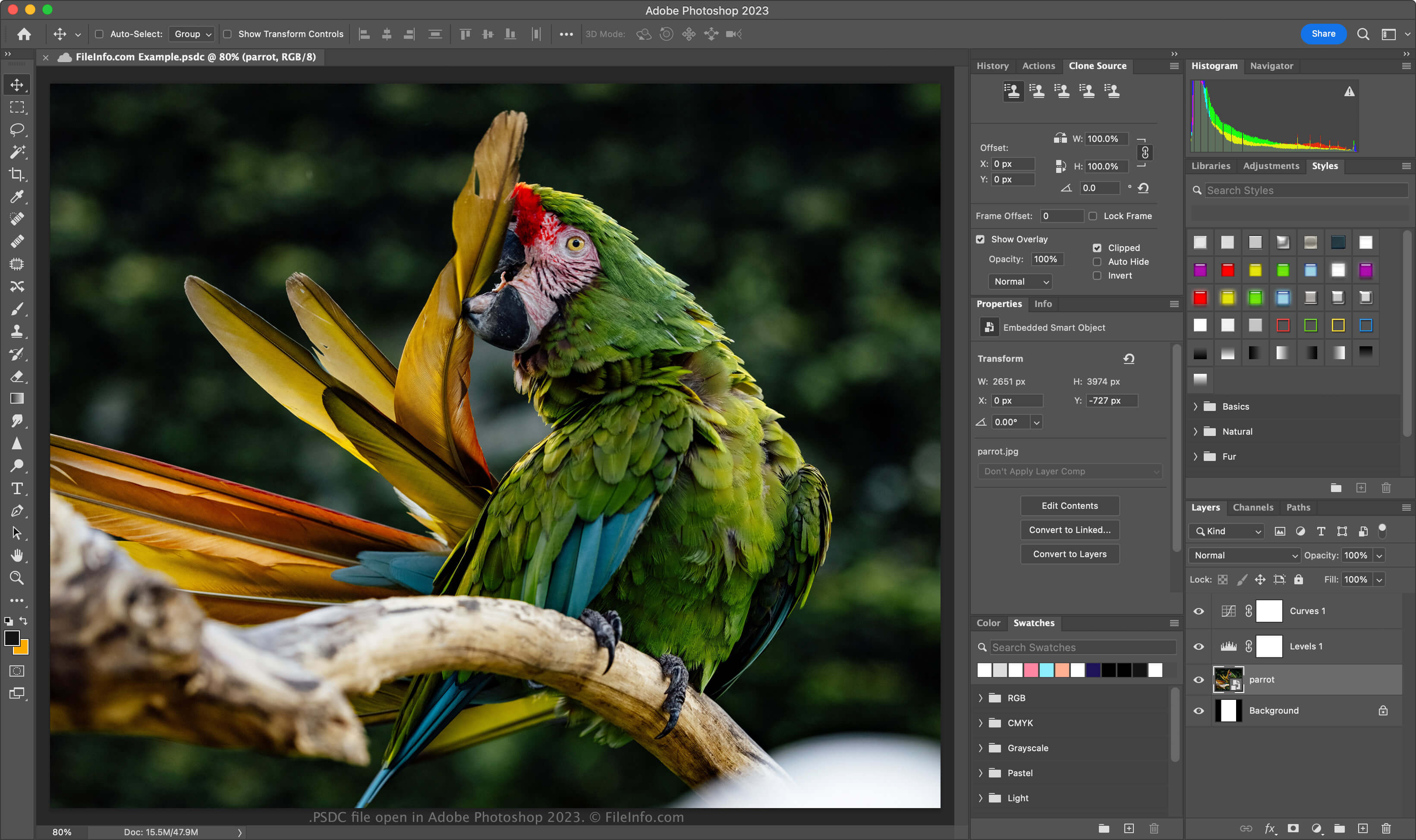
Adobe ha introdotto il formato PSDC nel novembre 2019, quando ha rilasciato Photoshop per iPad e Photoshop CC 2020 per Windows e macOS. Lo scopo del formato è consentire agli utenti di lavorare sullo stesso documento PSD sul computer o sull'iPad e sincronizzare le modifiche, in modo che il documento sia sempre aggiornato.
Il formato di file PSDC è uguale al formato PSD, che include il supporto per livelli immagine, livelli di regolazione, maschere di livello, annotazioni e altri elementi specifici di Photoshop. Tuttavia, il formato PSDC supporta anche la memorizzazione nella cache delle modifiche apportate a un documento quando un utente lavora offline. Le modifiche vengono quindi sincronizzate quando l'utente si connette nuovamente a Internet.
Come creare un file PSDC
Per creare un file PSDC in Adobe Photoshop, seleziona o . Se ti viene richiesto di salvare il documento sul computer, fai clic sul pulsante , assegna un nome al file PSDC, quindi fai clic su . Se ti viene richiesto di salvare il documento nello spazio di archiviazione Cloud documents, assegna un nome al file PSDC, quindi fai clic su .
Come aprire un file PSDC
Puoi aprire un file PSDC con Adobe Photoshop (multipiattaforma). Per aprire con Photoshop un file PSDC salvato nel tuo account Adobe Cloud, seleziona , fai clic su e scegli il file PSDC.
Il formato di file PSDC supporta il backup e il ripristino incrementali. Per visualizzare la cronologia delle versioni del tuo documento PSDC Adobe cloud, seleziona (le versioni scadono dopo 30 giorni, a meno che tu non le contrassegni per la conservazione).
Puoi anche accedere ad Adobe Assets Web con il tuo account Adobe, quindi selezionare , scegliere un file PSDC e fare clic su per visualizzare tutte le versioni salvate del documento.
Come convertire un file PSDC
Adobe Photoshop può convertire i file PSDC in molti tipi di file, inclusi i seguenti formati:
- .PSD - Documento Adobe Photoshop
- .PSB - Formato documento di grandi dimensioni di Photoshop
- .PDF - Portable Document Format
- .JPG - Immagine JPEG
- .PNG - Immagine PNG
- .TIF - Tagged Image File Format
- .GIF - Graphical Interchange Format
- .WEBP - Immagine WebP
- .AI - Grafica Adobe Illustrator
- .BMP - Immagine bitmap
- .DCM - Immagine DICOM
- .EPS - Encapsulated PostScript