

.PSDC 파일 확장자
Adobe Photoshop 클라우드 문서
| 개발사 | Adobe |
| 인기도 |
4.0 | 12 표 |
PSDC 파일이란 무엇인가요?
PSDC 파일은 Adobe Photoshop Document Cloud(PSDC) 형식으로 저장된 Adobe Photoshop 문서입니다. 여기에는 .PSD 파일과 동일한 형식의 이미지가 포함되며, 레이어, 주석, 효과 등이 포함됩니다. 하지만 Adobe의 클라우드 문서 시스템을 통해 클라우드에 저장됩니다. 사용자가 다른 장치에서 PSDC 파일을 열고 수정하면 Photoshop이 PSDC 파일을 자동으로 업데이트합니다.
추가 정보
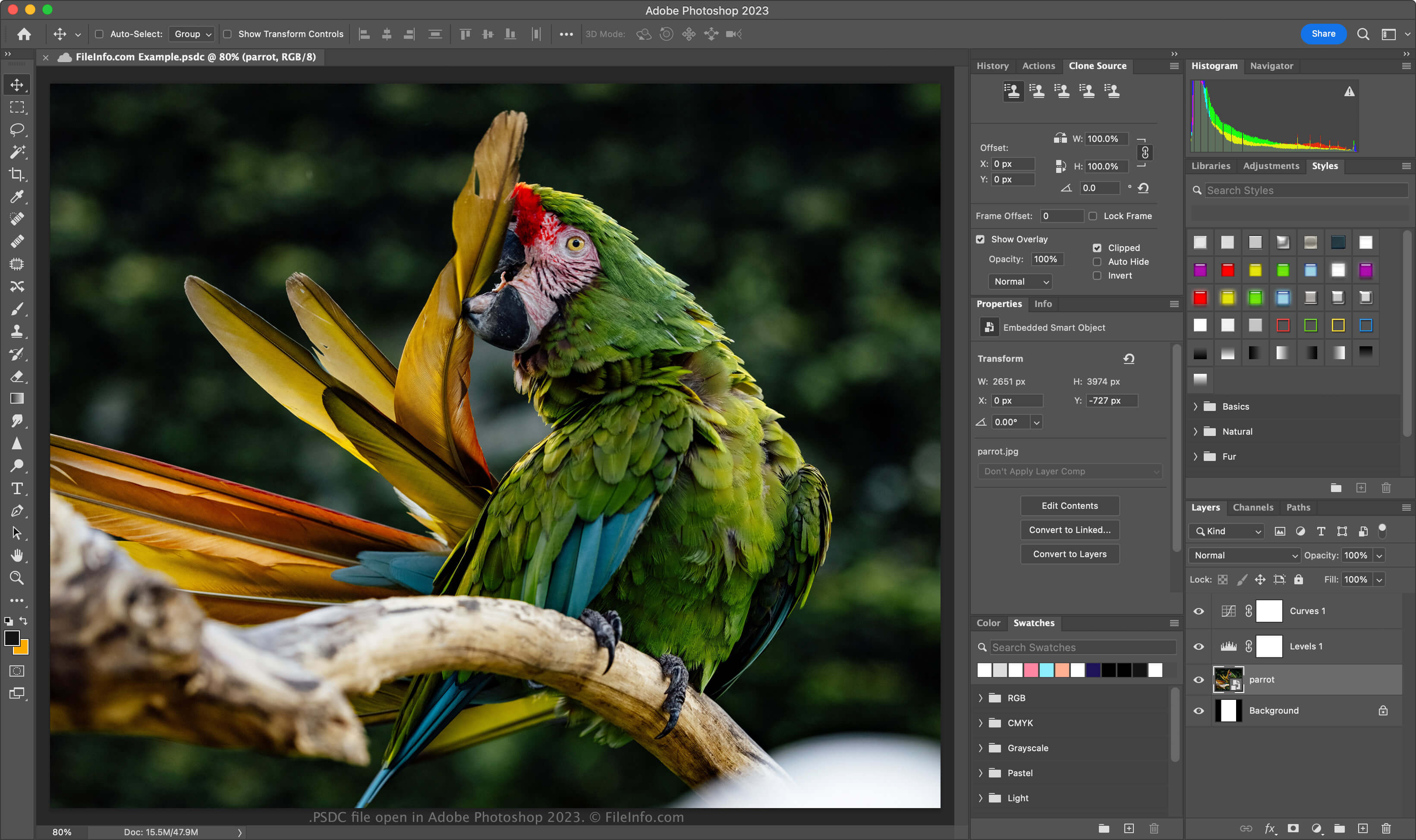
Adobe는 2019년 11월 Photoshop for iPad와 Windows 및 macOS용 Photoshop CC 2020을 출시하면서 PSDC 형식을 도입했습니다. 이 형식의 목적은 사용자가 컴퓨터나 iPad에서 동일한 PSD 문서로 작업하고 수정 사항을 동기화하여 문서를 항상 최신 상태로 유지할 수 있도록 하는 것입니다.
PSDC 파일 형식은 PSD 형식과 동일하며, 이미지 레이어, 조정 레이어, 레이어 마스크, 주석 및 기타 Photoshop 전용 요소를 지원합니다. 그러나 PSDC 형식은 사용자가 오프라인에서 문서로 작업할 때 문서에 적용한 편집 내용을 캐싱하는 기능도 지원합니다. 그런 다음 사용자가 다시 인터넷에 연결하면 변경 사항이 동기화됩니다.
PSDC 파일을 만드는 방법
Adobe Photoshop에서 PSDC 파일을 만들려면 또는 를 선택합니다. 컴퓨터에 문서를 저장하라는 메시지가 표시되면 버튼을 클릭하고 PSDC 파일의 이름을 지정한 다음 를 클릭합니다. Cloud 문서 저장 공간에 문서를 저장하라는 메시지가 표시되면 PSDC 파일의 이름을 지정한 다음 를 클릭합니다.
PSDC 파일을 여는 방법
Adobe Photoshop(다중 플랫폼)으로 PSDC 파일을 열 수 있습니다. Adobe Cloud 계정에 저장된 PSDC 파일을 Photoshop에서 열려면 을 선택하고 를 클릭한 다음 PSDC 파일을 선택합니다.
PSDC 파일 형식은 증분 백업 및 복원을 지원합니다. Adobe 클라우드 PSDC 문서의 버전 기록을 보려면 를 선택합니다(보존하도록 표시하지 않으면 버전은 30일 후 만료됩니다).
Adobe 계정으로 Adobe Assets Web에 로그인한 다음 를 선택하고 PSDC 파일을 고른 후 을 클릭하여 문서의 저장된 모든 버전을 볼 수도 있습니다.
PSDC 파일을 변환하는 방법
Adobe Photoshop은 PSDC 파일을 다음 형식을 비롯한 다양한 파일 형식으로 변환할 수 있습니다:
- .PSD - Adobe Photoshop 문서
- .PSB - Photoshop 대용량 문서 형식
- .PDF - Portable Document Format
- .JPG - JPEG 이미지
- .PNG - Portable Network Graphic
- .TIF - Tagged Image File Format
- .GIF - Graphical Interchange Format
- .WEBP - WebP 이미지
- .AI - Adobe Illustrator 아트워크
- .BMP - 비트맵 이미지
- .DCM - DICOM 이미지
- .EPS - Encapsulated PostScript