

.ARW Bestandsextensie
Sony Alpha RAW-afbeelding van digitale camera
| Ontwikkelaar | Sony |
| Populariteit |
3,9 | 63 stemmen |
Wat is een ARW-bestand?
Een ARW-bestand is een ruwe camera-afbeelding die is vastgelegd door verschillende digitale camera's van Sony, zoals de a6300 en de a7R III. Het bevat onbewerkte, ongecomprimeerde afbeeldingsgegevens die door de sensor van de camera zijn vastgelegd in de Sony Alpha Raw-indeling, gebaseerd op de TIFF-specificatie. Verschillende afbeeldingseditors kunnen ARW-bestanden openen, bewerken en converteren, waaronder Adobe Photoshop Elements, Apple Preview en XnViewMP.
Meer informatie
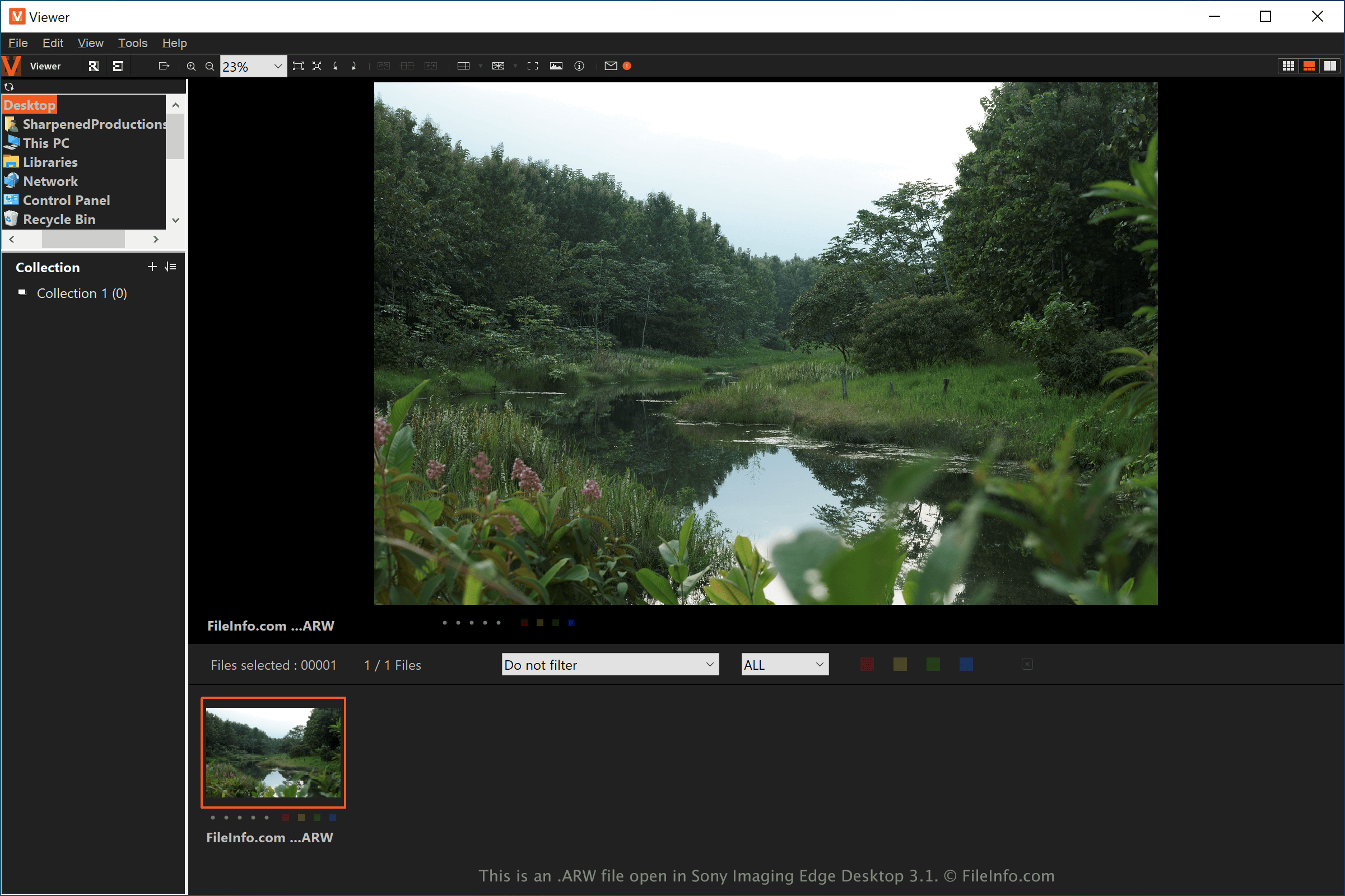
ARW is een RAW-indeling voor camera-afbeeldingen die eigendom is van Sony Alpha-digitale camera's. Andere RAW-indelingen voor camera's zijn de Canon Raw 3 Image-indeling (.CR3) en de Nikon Electronic Format (.NEF).
Professionele fotografen en hobbyfotografen die Sony Alpha-digitale camera's gebruiken, krijgen waarschijnlijk te maken met ARW-bestanden met onbewerkte camerabeelden. De bestanden bevatten meer afbeeldingsgegevens dan gecomprimeerde afbeeldingen, zoals .JPG of .PNG, waardoor fotografen afbeeldingen van hogere kwaliteit kunnen vastleggen en deze nauwkeuriger kunnen bewerken.
De sensor in het ene cameramodel van Sony kan verschillen van de sensor in een ander model. Ook slaan sommige cameramodellen van Sony RAW-afbeeldingen op met de bestandsextensie .arw, maar in verschillende indelingen. Controleer daarom de documentatie van je fotobewerkingssoftware voordat je ervan uitgaat dat deze een specifiek cameramodel ondersteunt.
OPMERKING: Om ervoor te zorgen dat je Sony Alpha-camera afbeeldingen vastlegt als ARW-bestanden, controleer je of het gedeelte voor afbeeldingskwaliteit in het cameramenu is ingesteld op "RAW."
Een ARW-bestand openen
Je kunt ARW-bestanden openen met verschillende toepassingen voor het bewerken van afbeeldingen. Microsoft Photos (Windows) met de gratis Raw Image Extension codec en Apple Preview (macOS) zijn gratis toepassingen die ARW-afbeeldingen ondersteunen en bij Windows en macOS worden meegeleverd. Sony biedt ook Imaging Edge om ARW-bestanden te openen in Windows, macOS, Android en iOS.
Andere, geavanceerdere afbeeldingseditors die ARW-bestanden ondersteunen, zijn Adobe Photoshop (Windows en macOS) en Corel PaintShop Pro (Windows en macOS). Je kunt ARW-afbeeldingen mogelijk ook bekijken met Google Photos (Android, iOS en Chrome OS), afhankelijk van het Sony Alpha-cameramodel waarmee de afbeelding is vastgelegd.
Een ARW-bestand converteren
Verschillende afbeeldingsviewers en -editors, waaronder Adobe Photoshop, Sony Imaging Edge Desktop en Corel PaintShop Pro, kunnen ARW-bestanden converteren naar andere indelingen.
Adobe Photoshop kan ARW-bestanden bijvoorbeeld converteren naar veel bestandstypen, waaronder de volgende indelingen: