

.ARW Přípona souboru
Obraz z digitálního fotoaparátu Sony Alpha ve formátu RAW
| Vývojář | Sony |
| Popularita |
3,9 | 63 hlasů |
Co je soubor ARW?
Soubor ARW je snímek ve formátu RAW fotoaparátu pořízený různými digitálními fotoaparáty Sony, například a6300 a a7R III. Obsahuje nezpracovaná, nekomprimovaná obrazová data zachycená snímačem fotoaparátu ve formátu Sony Alpha Raw založeném na specifikaci TIFF. Soubory ARW dokáže otevřít, upravovat a převádět několik editorů obrázků, včetně programů Adobe Photoshop Elements, Apple Preview a XnViewMP.
Další informace
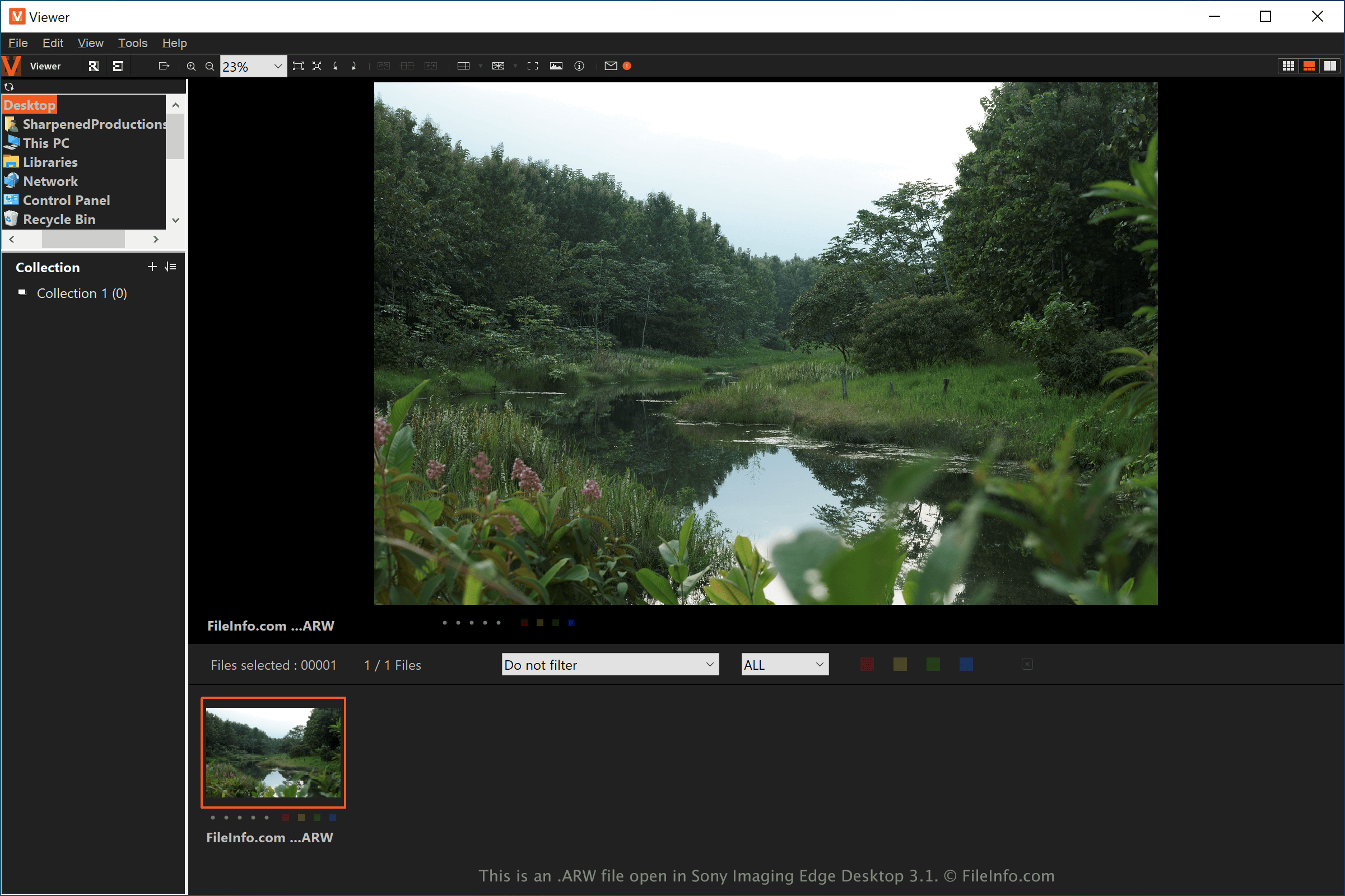
ARW je proprietární formát snímků RAW fotoaparátů Sony Alpha. Mezi další proprietární formáty RAW fotoaparátů patří formát Canon Raw 3 Image (.CR3) a formát Nikon Electronic Format (.NEF).
Soubory ARW ve formátu RAW fotoaparátu nejčastěji používají profesionální fotografové a amatérští fotografové s digitálními fotoaparáty Sony Alpha. Tyto soubory ukládají více obrazových dat než komprimované obrázky, například .JPG nebo .PNG, což fotografům umožňuje pořizovat kvalitnější snímky a přesněji je upravovat.
Snímač jednoho modelu fotoaparátu Sony se může lišit od snímače jiného modelu. Některé modely fotoaparátů Sony také ukládají snímky RAW s příponou .arw, ale v různých formátech. Předpoklad, že váš software pro úpravu fotografií podporuje konkrétní model fotoaparátu, byste proto měli ověřit v jeho dokumentaci.
POZNÁMKA: Chcete-li zajistit, aby fotoaparát Sony Alpha pořizoval snímky jako soubory ARW, ověřte, zda je část nabídky fotoaparátu týkající se kvality obrazu nastavena na hodnotu „RAW.“
Jak otevřít soubor ARW
Soubory ARW můžete otevřít v různých aplikacích pro úpravu obrázků. Microsoft Photos (Windows) s bezplatným kodekem Raw Image Extension a Apple Preview (macOS) jsou bezplatné aplikace, které podporují obrázky ARW a jsou součástí systémů Windows a macOS. Společnost Sony také poskytuje program Imaging Edge pro otevírání souborů ARW v systémech Windows, macOS, Android a iOS.
Mezi další pokročilejší editory obrázků podporující soubory ARW patří Adobe Photoshop (Windows a macOS) a Corel PaintShop Pro (Windows a macOS). Obrázky ARW můžete také zobrazit pomocí služby Google Photos (Android, iOS a Chrome OS), a to v závislosti na modelu fotoaparátu Sony Alpha, kterým byl snímek pořízen.
Jak převést soubor ARW
Některé prohlížeče a editory obrázků, včetně programů Adobe Photoshop, Sony Imaging Edge Desktop a Corel PaintShop Pro, dokážou převádět soubory ARW do jiných formátů.
Například Adobe Photoshop dokáže převádět soubory ARW do mnoha typů souborů, včetně následujících formátů:
- .JPG - obrázek JPEG
- .PNG - obrázek Portable Network Graphic
- .TIF - formát Tagged Image File Format
- .GIF - formát Graphical Interchange Format
- .WEBP - obrázek WebP
- .BMP - bitmapový obrázek
- .EPS - zapouzdřený PostScript
- .PDF - formát Portable Document Format
- .PSD - dokument Adobe Photoshop
- .AI - grafika Adobe Illustrator