.TET ファイル拡張子

Godot Engine Script Editor Theme

開発元 Godot
人気度
4.0  |  6 
 

TETファイルとは?

A TET file is a theme file used by the Godot Engine script editor. It contains settings that control how text syntax appears in the script editor. TET files are plain text files, so they can be opened and edited in any text editor.

詳細情報

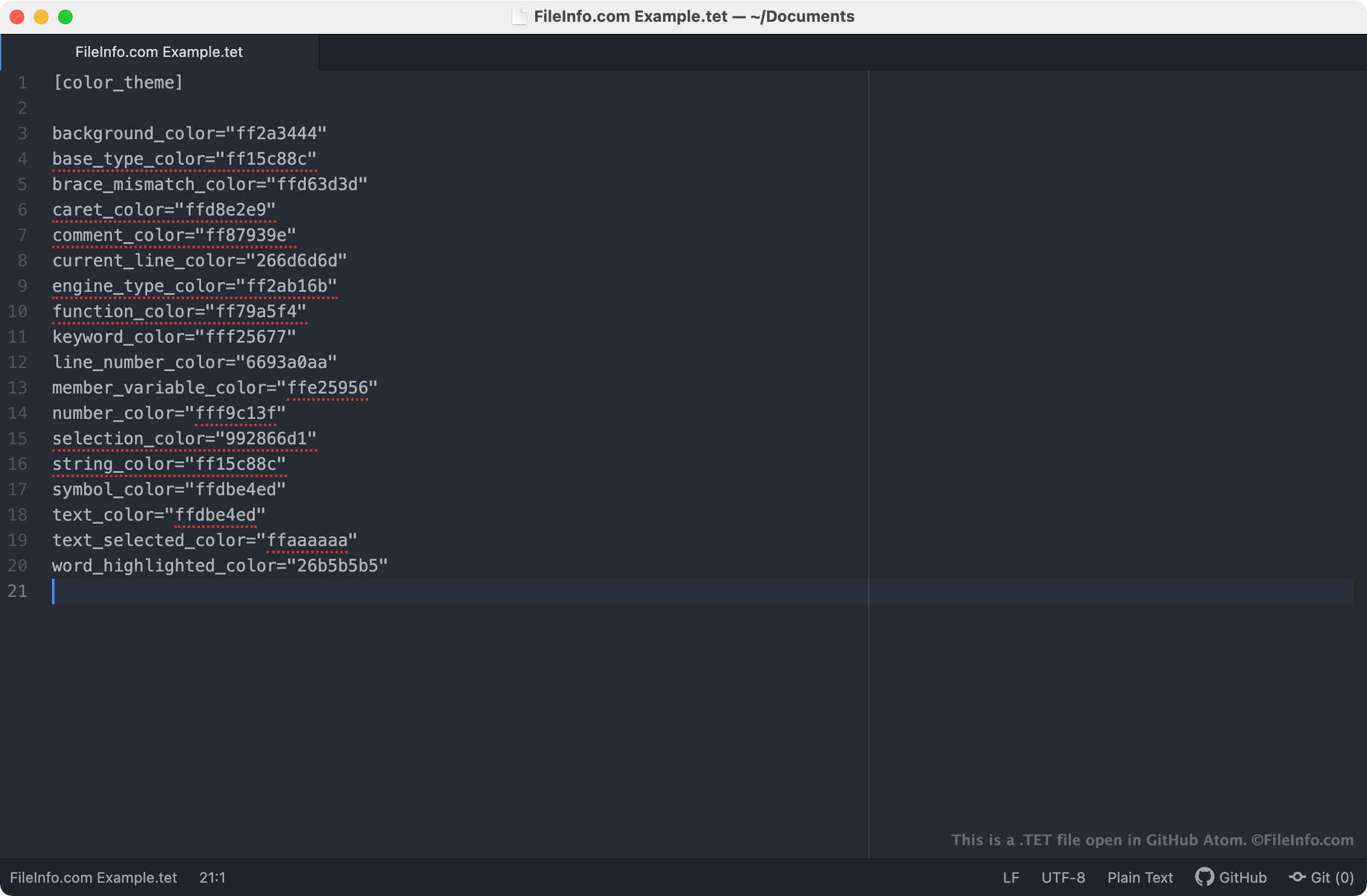
GitHub Atomで開いた.tetファイルのスクリーンショット
GitHub Atomで開いたTETファイル

The Godot Engine, more commonly referred to as just Godot, is an open-source game engine that developers can use to create 2D and 3D video games. The Godot Integrated Development Environment (IDE) includes a number of tools developers use to develop, package, and deploy games, including the Godot script editor.

The Godot script editor is an integrated text editor developers use to create and edit scripts included in their games. If a developer wants to change the way the script editor highlights scripts' syntax (i.e. the colors the script editor uses to highlight declarations, commands, and functions), they can do so by applying a different theme to the script editor. Godot script editor themes are saved in TET files, which are stored in the following locations on users' PCs:

  • Linux: ~/​.config/​godot/​text_editor_themes
  • macOS: ~/​Library/​Application Support/​Godot/​
  • Windows: %APPDATA%\​Godot\​text_editor_themes\​

How do I change the Godot script editor's theme?

Godot's default installation includes a number of TET files, which can be used to apply different syntax themes to the Godot script editor. To change your Godot script editor theme, select Editor → Editor Settings → Text Editor from Godot's menu bar. Then, select the theme you want to apply to the script editor.

TETファイルの開き方

Because TET files are plain text files, you can open and edit them in any text editor, including:

Opening a TET file in a text editor allows you to adjust the Godot script editor theme settings it contains. For example, you can change the theme's background color by editing its background_color setting. Note that Godot themes use 8-character RGBA color codes.

To use a custom TET file with the Godot script editor, you must either manually place the file in the folder your version of Godot uses to store script editor themes, or you must import the file in the script editor by selecting File → Import Theme.

File Viewer Plusで400種類以上のファイル形式を開けます。無料ダウンロード

TETファイルを開く、または参照するプログラム

カテゴリ: 設定
更新日: 2021-04-02

Textease CT Template

開発元 Lightbox Education
人気度
2.0  |  2 
 

Template for creating a new page (.TE file) with Textease, and educational ICT (Information and Communications Technology) program; may include page size, paper color, and text style information; allows multiple pages to be created with a similar look and feel.

詳細情報

Textease Studio CT is no longer developed.

TETファイルを開くプログラム

Windows
Lightbox Education Textease Studio CT
カテゴリ: データ
更新日: 2020-08-05

検証者 FileInfo.com

FileInfo.comチーム は、このページに掲載されているすべてのファイル形式とソフトウェアについて独自に調査しました。 私たちの目標は100%の正確性であり、検証済みのファイルタイプに関する情報のみを公開しています。

このページへの追加や更新をご提案いただける場合は、お知らせください。