

.TET Rozszerzenie pliku
Motyw edytora skryptów Godot Engine
| Deweloper | Godot |
| Popularność |
4,0 | 6 Głosów |
Czym jest plik TET?
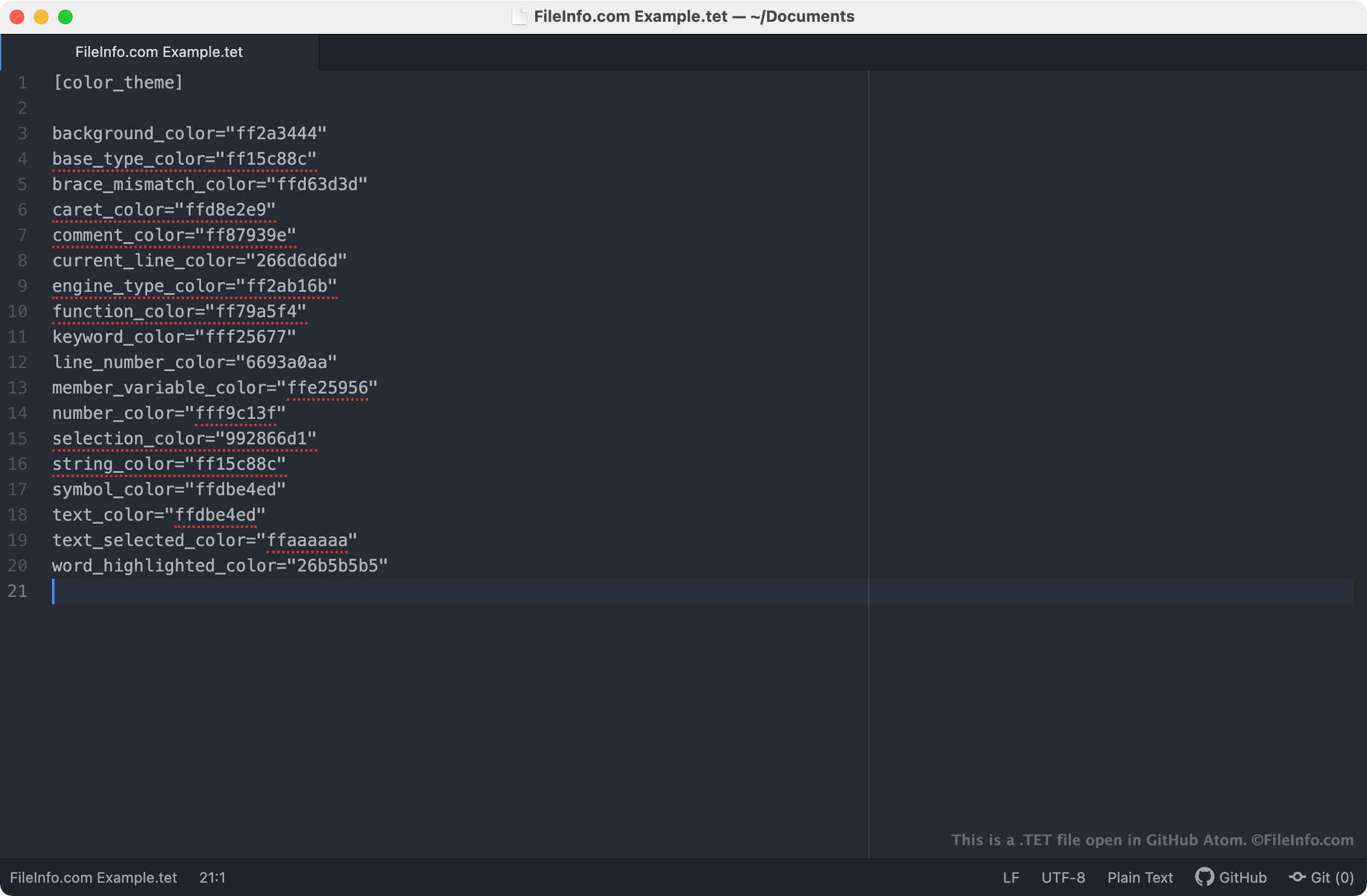
Plik TET jest plikiem motywu używanym przez edytor skryptów Godot Engine. Zawiera ustawienia, które kontrolują sposób wyświetlania składni tekstu w edytorze skryptów. Pliki TET są plikami zwykłego tekstu, więc można je otwierać i edytować w dowolnym edytorze tekstu.
Więcej informacji
Godot Engine, częściej nazywany po prostu Godot, to silnik gier o otwartym kodzie źródłowym, którego deweloperzy mogą używać do tworzenia dwu- i trójwymiarowych gier wideo. Zintegrowane środowisko programistyczne Godot (IDE) zawiera szereg narzędzi używanych przez deweloperów do tworzenia, pakowania i wdrażania gier, w tym edytor skryptów Godot.
Edytor skryptów Godot to zintegrowany edytor tekstu, którego deweloperzy używają do tworzenia i edytowania skryptów zawartych w ich grach. Jeśli deweloper chce zmienić sposób, w jaki edytor skryptów wyróżnia składnię skryptów (tj. kolory używane przez edytor skryptów do wyróżniania deklaracji, poleceń i funkcji), może to zrobić, stosując inny motyw w edytorze skryptów. Motywy edytora skryptów Godot są zapisywane w plikach TET, które na komputerach użytkowników są przechowywane w następujących lokalizacjach:
- Linux: ~/.config/godot/text_editor_themes
- macOS: ~/Library/Application Support/Godot/
- Windows: %APPDATA%\Godot\text_editor_themes\
Jak zmienić motyw edytora skryptów Godot?
Domyślna instalacja Godot zawiera szereg plików TET, których można używać do stosowania różnych motywów składni w edytorze skryptów Godot. Aby zmienić motyw edytora skryptów Godot, wybierz na pasku menu Godot opcję . Następnie wybierz motyw, który chcesz zastosować w edytorze skryptów.
Jak otworzyć plik TET
Ponieważ pliki TET są plikami zwykłego tekstu, można je otwierać i edytować w dowolnym edytorze tekstu, w tym:
- GitHub Atom (wiele platform)
- Microsoft Notepad (Windows)
- Apple TextEdit (Mac)
- Vim (Linux)
Otwarcie pliku TET w edytorze tekstu pozwala dostosować zawarte w nim ustawienia motywu edytora skryptów Godot. Można na przykład zmienić kolor tła motywu, edytując jego ustawienie background_color. Należy pamiętać, że motywy Godot używają 8-znakowych kodów kolorów RGBA.
Aby używać niestandardowego pliku TET z edytorem skryptów Godot, należy ręcznie umieścić plik w folderze, którego używana wersja Godot używa do przechowywania motywów edytora skryptów, albo zaimportować plik w edytorze skryptów, wybierając opcję .