

.TET Přípona souboru
Téma editoru skriptů Godot Engine
| Vývojář | Godot |
| Popularita |
4,0 | 6 hlasů |
Co je soubor TET?
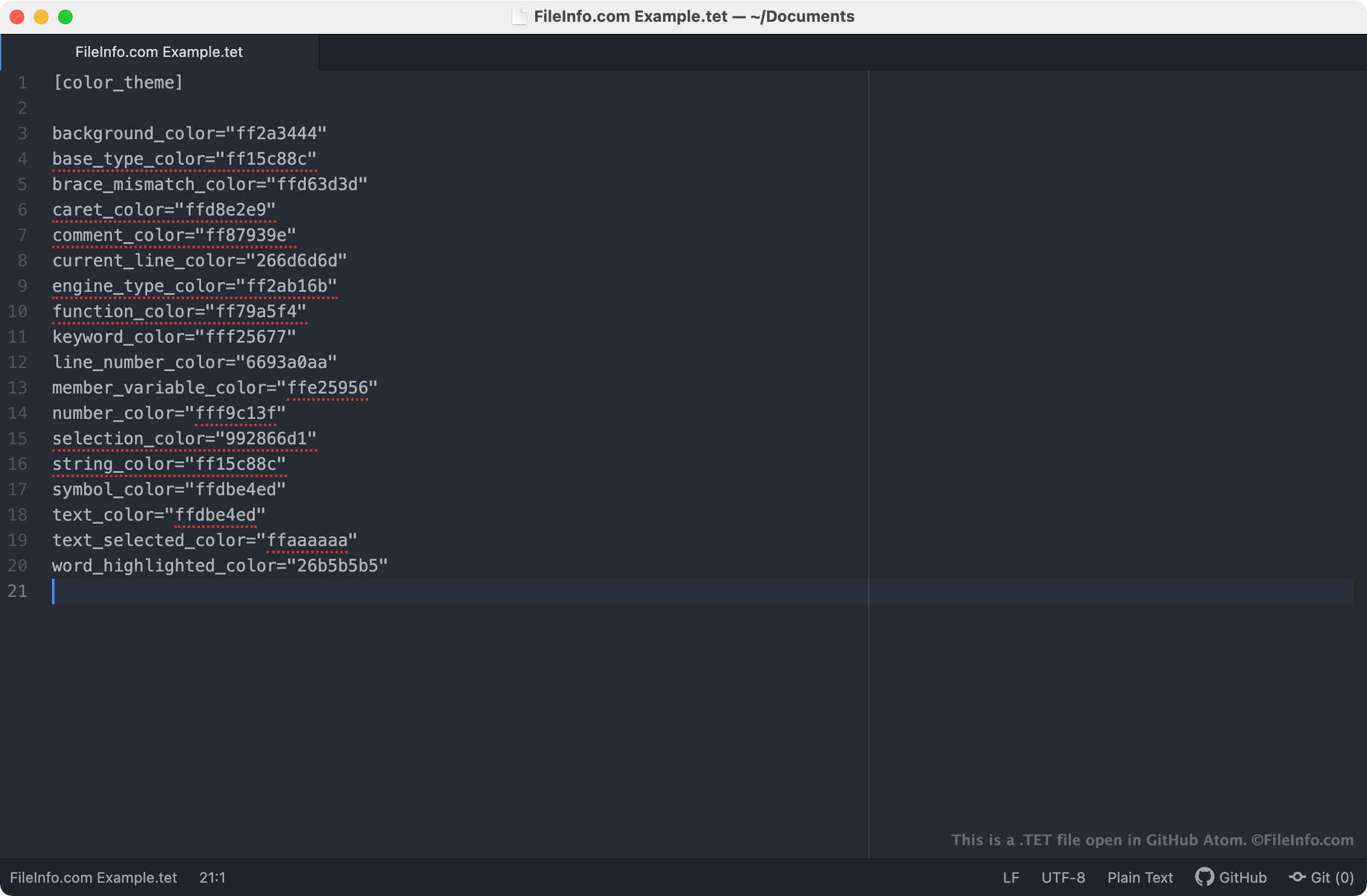
Soubor TET je soubor s tématem používaným v editoru skriptů Godot Engine. Obsahuje nastavení, která určují, jak se v editoru skriptů zobrazuje syntaxe textu. Soubory TET jsou soubory ve prostém textu, takže je lze otevřít a upravovat v libovolném textovém editoru.
Další informace
Godot Engine, běžně označovaný jen jako Godot, je herní engine s otevřeným zdrojovým kódem, který mohou vývojáři používat k vytváření 2D a 3D videoher. Integrované vývojové prostředí Godot (IDE) obsahuje řadu nástrojů, které vývojáři používají k vývoji, zabalení a nasazení her, včetně editoru skriptů Godot.
Editor skriptů Godot je integrovaný textový editor, který vývojáři používají k vytváření a úpravám skriptů obsažených v jejich hrách. Pokud chce vývojář změnit způsob, jakým editor skriptů zvýrazňuje syntaxi skriptů (tj. barvy, které editor skriptů používá ke zvýraznění deklarací, příkazů a funkcí), může tak učinit použitím jiného tématu v editoru skriptů. Témata editoru skriptů Godot se ukládají do souborů TET, které jsou v počítačích uživatelů uloženy v následujících umístěních:
- Linux: ~/.config/godot/text_editor_themes
- macOS: ~/Library/Application Support/Godot/
- Windows: %APPDATA%\Godot\text_editor_themes\
Jak změním téma editoru skriptů Godot?
Výchozí instalace Godot obsahuje několik souborů TET, které lze použít k nastavení různých témat syntaxe v editoru skriptů Godot. Chcete-li změnit téma editoru skriptů Godot, vyberte v jeho panelu nabídek možnost . Poté vyberte téma, které chcete v editoru skriptů použít.
Jak otevřít soubor TET
Protože jsou soubory TET soubory ve prostém textu, můžete je otevřít a upravovat v libovolném textovém editoru, včetně těchto:
- GitHub Atom (pro více platforem)
- Microsoft Notepad (Windows)
- Apple TextEdit (Mac)
- Vim (Linux)
Otevření souboru TET v textovém editoru vám umožní upravit nastavení tématu editoru skriptů Godot, která obsahuje. Například můžete změnit barvu pozadí tématu úpravou jeho nastavení background_color. Upozorňujeme, že témata Godot používají osmimístné barevné kódy RGBA.
Chcete-li použít vlastní soubor TET s editorem skriptů Godot, musíte soubor buď ručně umístit do složky, kterou vaše verze Godot používá k ukládání témat editoru skriptů, nebo soubor importovat v editoru skriptů výběrem možnosti .