

.TET Bestandsextensie
Godot-scripteditorthema
| Ontwikkelaar | Godot |
| Populariteit |
4,0 | 6 stemmen |
Wat is een TET-bestand?
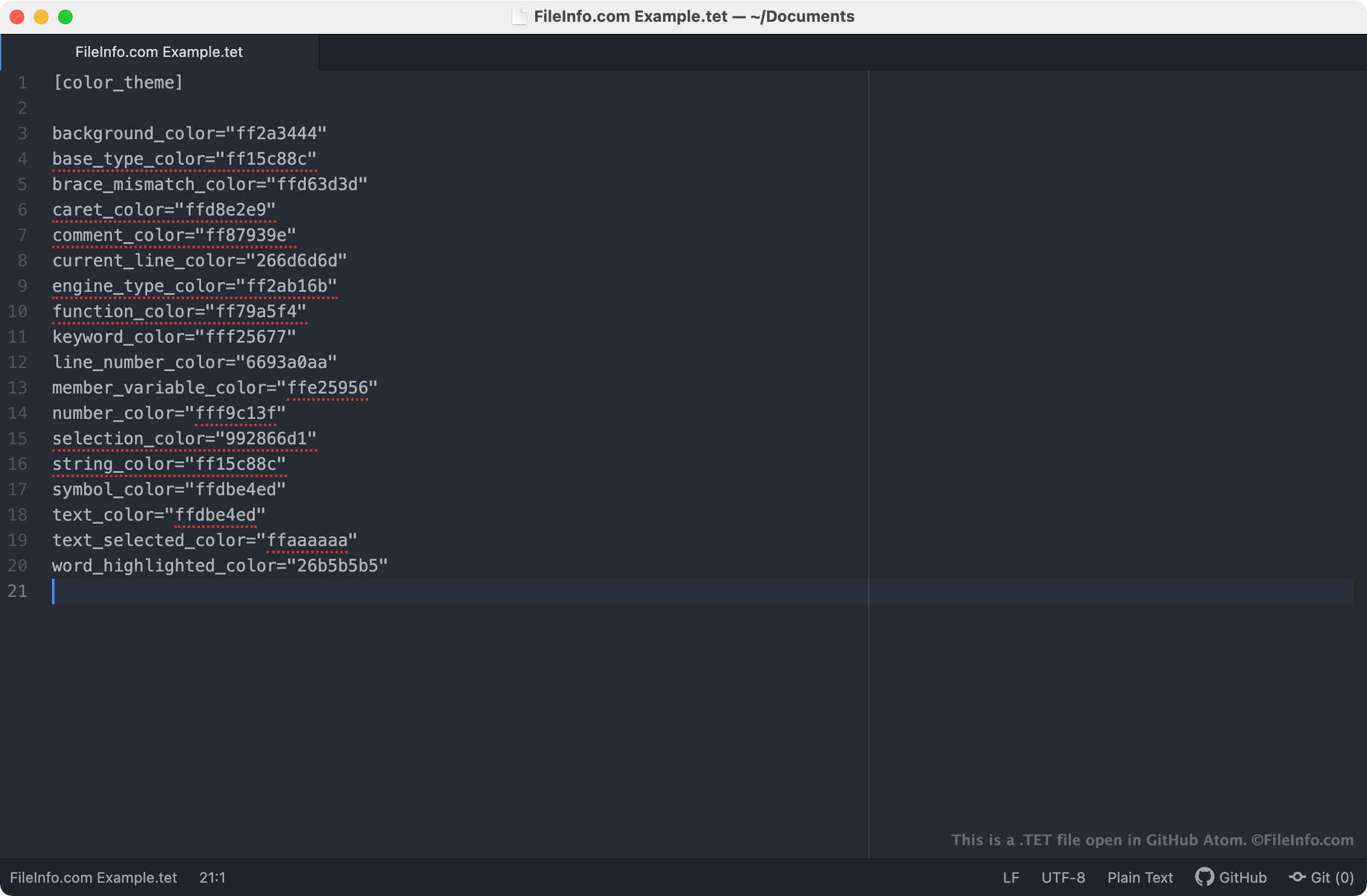
Een TET-bestand is een themabestand dat wordt gebruikt door de scripteditor van Godot Engine. Het bevat instellingen die bepalen hoe de syntaxis van tekst in de scripteditor wordt weergegeven. TET-bestanden zijn platte tekst-bestanden, dus je kunt ze in elke teksteditor openen en bewerken.
Meer informatie
Godot Engine, meestal gewoon Godot genoemd, is een opensource-game-engine waarmee ontwikkelaars 2D- en 3D-videogames kunnen maken. De geïntegreerde ontwikkelomgeving (IDE) van Godot bevat een aantal hulpmiddelen die ontwikkelaars gebruiken om games te ontwikkelen, te verpakken en te implementeren, waaronder de scripteditor van Godot.
De scripteditor van Godot is een geïntegreerde teksteditor die ontwikkelaars gebruiken om scripts in hun games te maken en te bewerken. Als een ontwikkelaar de manier wil wijzigen waarop de scripteditor de syntaxis van scripts markeert (oftewel de kleuren die de scripteditor gebruikt om declaraties, opdrachten en functies te markeren), kan diegene dit doen door een ander thema op de scripteditor toe te passen. Thema's voor de scripteditor van Godot worden opgeslagen in TET-bestanden, die op de volgende locaties op pc's van gebruikers worden bewaard:
- Linux: ~/.config/godot/text_editor_themes
- macOS: ~/Library/Application Support/Godot/
- Windows: %APPDATA%\Godot\text_editor_themes\
Hoe wijzig ik het thema van de scripteditor van Godot?
De standaardinstallatie van Godot bevat een aantal TET-bestanden, die kunnen worden gebruikt om verschillende syntaxis-thema's op de scripteditor van Godot toe te passen. Om het thema van je scripteditor van Godot te wijzigen, selecteer je in de menubalk van Godot. Selecteer vervolgens het thema dat je op de scripteditor wilt toepassen.
Een TET-bestand openen
Omdat TET-bestanden platte tekstbestanden zijn, kun je ze in elke teksteditor openen en bewerken, waaronder:
- GitHub Atom (platformonafhankelijk)
- Microsoft Notepad (Windows)
- Apple TextEdit (Mac)
- Vim (Linux)
Als je een TET-bestand in een teksteditor opent, kun je de instellingen van het thema van de scripteditor van Godot die het bestand bevat aanpassen. Je kunt bijvoorbeeld de achtergrondkleur van het thema wijzigen door de instelling background_color te bewerken. Houd er rekening mee dat Godot-thema's RGBA-kleurcodes van 8 tekens gebruiken.
Als je een aangepast TET-bestand met de scripteditor van Godot wilt gebruiken, moet je het bestand handmatig plaatsen in de map die jouw versie van Godot gebruikt om thema's voor de scripteditor op te slaan, of je moet het bestand in de scripteditor importeren door te selecteren.