

.TET Estensione file
Tema dell'editor di script di Godot
| Sviluppatore | Godot |
| Popolarità |
4,0 | 6 Voti |
Che cos'è un file TET?
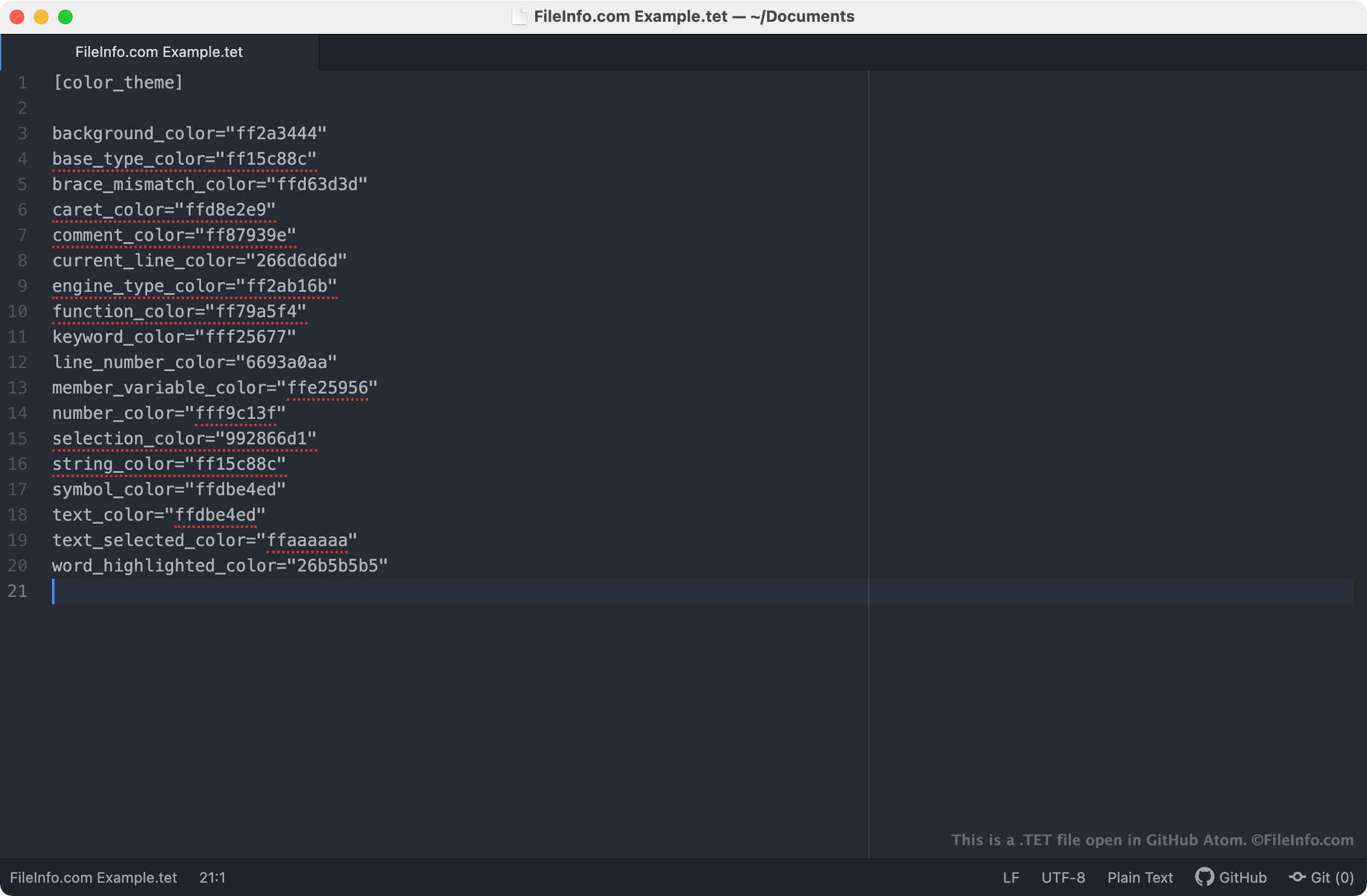
Un file TET è un file di tema utilizzato dall'editor di script di Godot Engine. Contiene impostazioni che controllano come appare la sintassi del testo nell'editor di script. I file TET sono file di testo normale, quindi puoi aprirli e modificarli in qualsiasi editor di testo.
Maggiori informazioni
Godot Engine, più comunemente chiamato semplicemente Godot, è un motore di gioco open source che gli sviluppatori possono utilizzare per creare videogiochi 2D e 3D. L'ambiente di sviluppo integrato (ambiente di sviluppo integrato) di Godot include diversi strumenti che gli sviluppatori utilizzano per sviluppare, impacchettare e distribuire i giochi, tra cui l'editor di script di Godot.
L'editor di script di Godot è un editor di testo integrato che gli sviluppatori utilizzano per creare e modificare gli script inclusi nei loro giochi. Se uno sviluppatore vuole cambiare il modo in cui l'editor di script evidenzia la sintassi degli script (ovvero i colori che l'editor di script utilizza per evidenziare dichiarazioni, comandi e funzioni), può farlo applicando un tema diverso all'editor di script. I temi dell'editor di script di Godot vengono salvati in file TET, che sono memorizzati nei seguenti percorsi sui PC degli utenti:
- Linux: ~/.config/godot/text_editor_themes
- macOS: ~/Library/Application Support/Godot/
- Windows: %APPDATA%\Godot\text_editor_themes\
Come faccio a cambiare il tema dell'editor di script di Godot?
L'installazione predefinita di Godot include diversi file TET, che possono essere utilizzati per applicare temi di sintassi diversi all'editor di script di Godot. Per cambiare il tema dell'editor di script di Godot, seleziona dalla barra dei menu di Godot. Quindi, seleziona il tema che vuoi applicare all'editor di script.
Come aprire un file TET
Poiché i file TET sono file di testo normale, puoi aprirli e modificarli in qualsiasi editor di testo, tra cui:
- GitHub Atom (multipiattaforma)
- Microsoft Notepad (Windows)
- Apple TextEdit (Mac)
- Vim (Linux)
L'apertura di un file TET in un editor di testo ti permette di modificare le impostazioni del tema dell'editor di script di Godot che contiene. Ad esempio, puoi cambiare il colore di sfondo del tema modificando la relativa impostazione background_color. Tieni presente che i temi di Godot utilizzano codici colore RGBA di 8 caratteri.
Per utilizzare un file TET personalizzato con l'editor di script di Godot, devi inserire manualmente il file nella cartella utilizzata dalla tua versione di Godot per memorizzare i temi dell'editor di script oppure devi importare il file nell'editor di script selezionando .