.TET 文件扩展名

Godot Engine Script Editor Theme

开发者 Godot
受欢迎程度
4.0  |  6 
 

什么是 TET 文件?

A TET file is a theme file used by the Godot Engine script editor. It contains settings that control how text syntax appears in the script editor. TET files are plain text files, so they can be opened and edited in any text editor.

更多信息

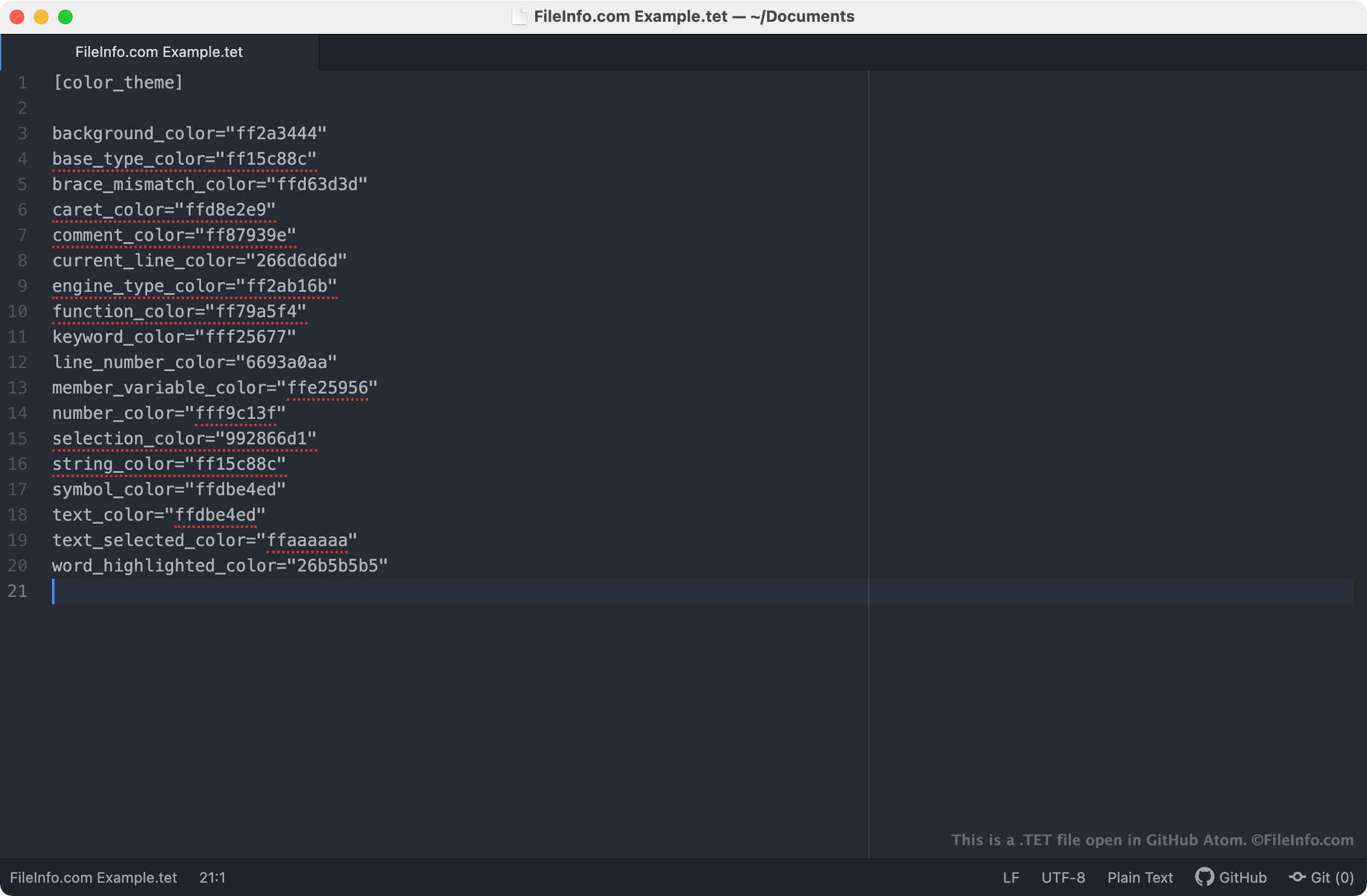
在 GitHub Atom 中打开的 .tet 文件截图
在 GitHub Atom 中打开的 TET 文件

The Godot Engine, more commonly referred to as just Godot, is an open-source game engine that developers can use to create 2D and 3D video games. The Godot Integrated Development Environment (IDE) includes a number of tools developers use to develop, package, and deploy games, including the Godot script editor.

The Godot script editor is an integrated text editor developers use to create and edit scripts included in their games. If a developer wants to change the way the script editor highlights scripts' syntax (i.e. the colors the script editor uses to highlight declarations, commands, and functions), they can do so by applying a different theme to the script editor. Godot script editor themes are saved in TET files, which are stored in the following locations on users' PCs:

  • Linux: ~/​.config/​godot/​text_editor_themes
  • macOS: ~/​Library/​Application Support/​Godot/​
  • Windows: %APPDATA%\​Godot\​text_editor_themes\​

How do I change the Godot script editor's theme?

Godot's default installation includes a number of TET files, which can be used to apply different syntax themes to the Godot script editor. To change your Godot script editor theme, select Editor → Editor Settings → Text Editor from Godot's menu bar. Then, select the theme you want to apply to the script editor.

如何打开 TET 文件

Because TET files are plain text files, you can open and edit them in any text editor, including:

Opening a TET file in a text editor allows you to adjust the Godot script editor theme settings it contains. For example, you can change the theme's background color by editing its background_color setting. Note that Godot themes use 8-character RGBA color codes.

To use a custom TET file with the Godot script editor, you must either manually place the file in the folder your version of Godot uses to store script editor themes, or you must import the file in the script editor by selecting File → Import Theme.

使用File Viewer Plus打开 400 多种文件格式。免费下载

可打开或引用 TET 文件的程序

Windows
Mac
Chrome OS
操作系统自带
分类: 设置
更新时间: 2021-04-02

Textease CT Template

开发者 Lightbox Education
受欢迎程度
2.0  |  2 
 

Template for creating a new page (.TE file) with Textease, and educational ICT (Information and Communications Technology) program; may include page size, paper color, and text style information; allows multiple pages to be created with a similar look and feel.

更多信息

Textease Studio CT is no longer developed.

可打开 TET 文件的程序

Windows
Lightbox Education Textease Studio CT
分类: 数据
更新时间: 2020-08-05

验证者 FileInfo.com

FileInfo.com 团队 独立研究了本页面列出的所有文件格式和软件程序。 我们的目标是达到 100% 的准确率,并且仅发布我们已验证过的文件类型信息。

如果您想为此页面提出新增或更新建议,请告诉我们