

.TET Extensão de arquivo
Tema do editor de scripts do Godot Engine
| Desenvolvedor | Godot |
| Popularidade |
4,0 | 6 Votos |
O que é um arquivo TET?
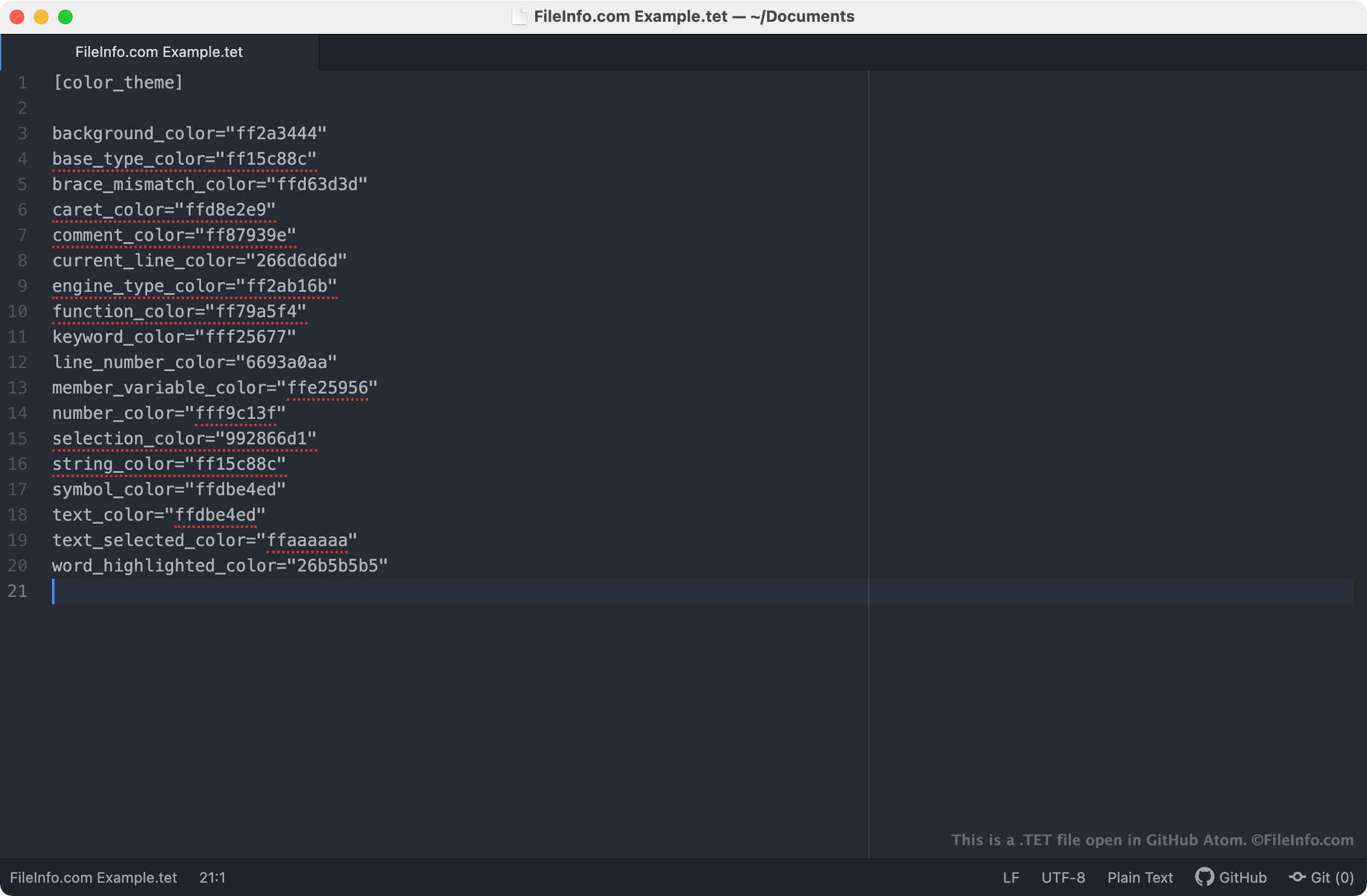
Um arquivo TET é um arquivo de tema usado pelo editor de scripts do Godot Engine. Ele contém configurações que controlam como a sintaxe do texto aparece no editor de scripts. Os arquivos TET são arquivos de texto simples, portanto podem ser abertos e editados em qualquer editor de texto.
Mais informações
O Godot Engine, mais conhecido simplesmente como Godot, é um mecanismo de jogos de código aberto que os desenvolvedores podem usar para criar jogos 2D e 3D. O Ambiente de Desenvolvimento Integrado do Godot (ambiente de desenvolvimento integrado) inclui várias ferramentas que os desenvolvedores usam para desenvolver, empacotar e distribuir jogos, incluindo o editor de scripts do Godot.
O editor de scripts do Godot é um editor de texto integrado que os desenvolvedores usam para criar e editar scripts incluídos em seus jogos. Se um desenvolvedor quiser alterar a maneira como o editor de scripts realça a sintaxe dos scripts (ou seja, as cores que o editor de scripts usa para realçar declarações, comandos e funções), ele poderá fazer isso aplicando um tema diferente ao editor de scripts. Os temas do editor de scripts do Godot são salvos em arquivos TET, armazenados nos seguintes locais nos PCs dos usuários:
- Linux: ~/.config/godot/text_editor_themes
- macOS: ~/Library/Application Support/Godot/
- Windows: %APPDATA%\Godot\text_editor_themes\
Como altero o tema do editor de scripts do Godot?
A instalação padrão do Godot inclui vários arquivos TET, que podem ser usados para aplicar diferentes temas de sintaxe ao editor de scripts do Godot. Para alterar o tema do editor de scripts do Godot, selecione na barra de menus do Godot. Em seguida, selecione o tema que deseja aplicar ao editor de scripts.
Como abrir um arquivo TET
Como os arquivos TET são arquivos de texto simples, você pode abri-los e editá-los em qualquer editor de texto, incluindo:
- GitHub Atom (multiplataforma)
- Microsoft Notepad (Windows)
- Apple TextEdit (Mac)
- Vim (Linux)
Abrir um arquivo TET em um editor de texto permite ajustar as configurações do tema do editor de scripts do Godot que ele contém. Por exemplo, você pode alterar a cor de fundo do tema editando a configuração background_color. Observe que os temas do Godot usam códigos de cores RGBA de 8 caracteres.
Para usar um arquivo TET personalizado com o editor de scripts do Godot, você deve colocar manualmente o arquivo na pasta que sua versão do Godot usa para armazenar os temas do editor de scripts ou importar o arquivo no editor de scripts selecionando .