.TET 파일 확장자

Godot Engine Script Editor Theme

개발사 Godot
인기도
4.0  |  6 투표
 

TET 파일이란 무엇인가요?

A TET file is a theme file used by the Godot Engine script editor. It contains settings that control how text syntax appears in the script editor. TET files are plain text files, so they can be opened and edited in any text editor.

추가 정보

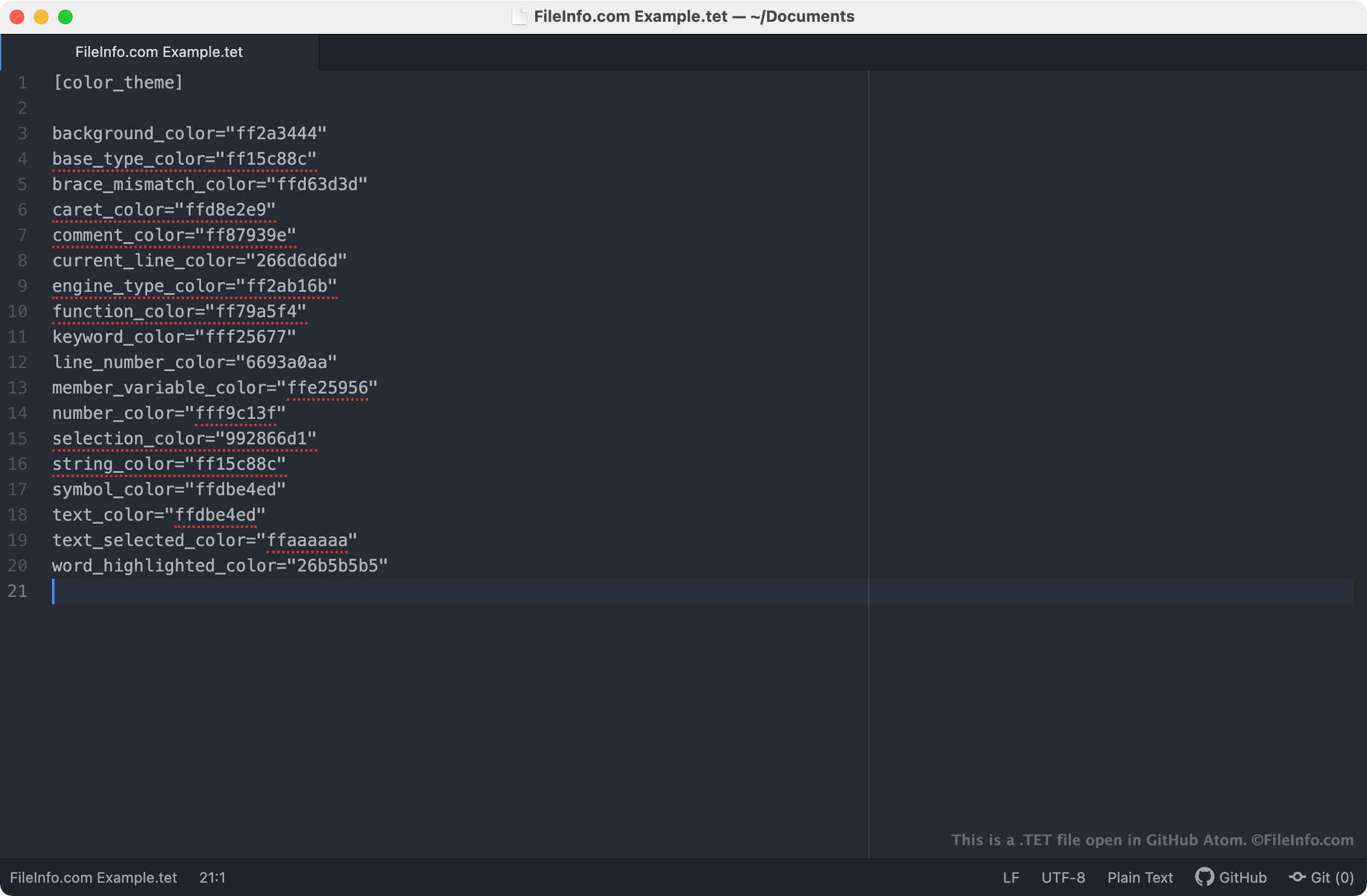
GitHub Atom에서 열린 .tet 파일의 스크린샷
GitHub Atom에서 열린 TET 파일

The Godot Engine, more commonly referred to as just Godot, is an open-source game engine that developers can use to create 2D and 3D video games. The Godot Integrated Development Environment (IDE) includes a number of tools developers use to develop, package, and deploy games, including the Godot script editor.

The Godot script editor is an integrated text editor developers use to create and edit scripts included in their games. If a developer wants to change the way the script editor highlights scripts' syntax (i.e. the colors the script editor uses to highlight declarations, commands, and functions), they can do so by applying a different theme to the script editor. Godot script editor themes are saved in TET files, which are stored in the following locations on users' PCs:

  • Linux: ~/​.config/​godot/​text_editor_themes
  • macOS: ~/​Library/​Application Support/​Godot/​
  • Windows: %APPDATA%\​Godot\​text_editor_themes\​

How do I change the Godot script editor's theme?

Godot's default installation includes a number of TET files, which can be used to apply different syntax themes to the Godot script editor. To change your Godot script editor theme, select Editor → Editor Settings → Text Editor from Godot's menu bar. Then, select the theme you want to apply to the script editor.

TET 파일을 여는 방법

Because TET files are plain text files, you can open and edit them in any text editor, including:

Opening a TET file in a text editor allows you to adjust the Godot script editor theme settings it contains. For example, you can change the theme's background color by editing its background_color setting. Note that Godot themes use 8-character RGBA color codes.

To use a custom TET file with the Godot script editor, you must either manually place the file in the folder your version of Godot uses to store script editor themes, or you must import the file in the script editor by selecting File → Import Theme.

File Viewer Plus(으)로 400개 이상의 파일 형식을 여세요.무료 다운로드

TET 파일을 열거나 참조하는 프로그램

Windows
Chrome OS
OS에 포함됨
카테고리: 설정
업데이트: 2021-04-02

Textease CT Template

개발사 Lightbox Education
인기도
2.0  |  2 투표
 

Template for creating a new page (.TE file) with Textease, and educational ICT (Information and Communications Technology) program; may include page size, paper color, and text style information; allows multiple pages to be created with a similar look and feel.

추가 정보

Textease Studio CT is no longer developed.

TET 파일을 여는 프로그램

Windows
Lightbox Education Textease Studio CT
카테고리: 데이터
업데이트: 2020-08-05

검증자 FileInfo.com

FileInfo.com 팀 이 페이지에 나열된 모든 파일 형식과 소프트웨어 프로그램을 독자적으로 조사했습니다. 저희의 목표는 100% 정확성이며, 검증한 파일 유형에 대한 정보만 게시합니다.

이 페이지에 추가하거나 업데이트할 내용을 제안하고 싶으시면 알려 주세요.