

.TET Extension de fichier
Thème de l’éditeur de scripts de Godot Engine
| Développeur | Godot |
| Popularité |
4,0 | 6 Votes |
Qu'est-ce qu'un fichier TET ?
Un fichier TET est un fichier de thème utilisé par l’éditeur de scripts de Godot Engine. Il contient des paramètres qui contrôlent l’apparence de la syntaxe du texte dans l’éditeur de scripts. Les fichiers TET sont des fichiers en texte brut et peuvent donc être ouverts et modifiés dans n’importe quel éditeur de texte.
Plus d'informations
Godot Engine, plus communément appelé simplement Godot, est un moteur de jeu open source que les développeurs peuvent utiliser pour créer des jeux vidéo en 2D et en 3D. L’environnement de développement intégré de Godot (environnement de développement intégré) comprend plusieurs outils que les développeurs utilisent pour développer, empaqueter et déployer des jeux, notamment l’éditeur de scripts de Godot.
L’éditeur de scripts de Godot est un éditeur de texte intégré que les développeurs utilisent pour créer et modifier les scripts inclus dans leurs jeux. Si un développeur souhaite modifier la manière dont l’éditeur de scripts met en évidence la syntaxe des scripts (c’est-à-dire les couleurs que l’éditeur de scripts utilise pour mettre en évidence les déclarations, les commandes et les fonctions), il peut le faire en appliquant un autre thème à l’éditeur de scripts. Les thèmes de l’éditeur de scripts de Godot sont enregistrés dans des fichiers TET, qui sont stockés aux emplacements suivants sur les PC des utilisateurs :
- Linux : ~/.config/godot/text_editor_themes
- macOS : ~/Library/Application Support/Godot/
- Windows : %APPDATA%\Godot\text_editor_themes\
Comment modifier le thème de l’éditeur de scripts de Godot ?
L’installation par défaut de Godot comprend plusieurs fichiers TET, qui peuvent être utilisés pour appliquer différents thèmes de syntaxe à l’éditeur de scripts de Godot. Pour modifier le thème de l’éditeur de scripts de Godot, sélectionnez dans la barre de menus de Godot. Sélectionnez ensuite le thème que vous souhaitez appliquer à l’éditeur de scripts.
Comment ouvrir un fichier TET
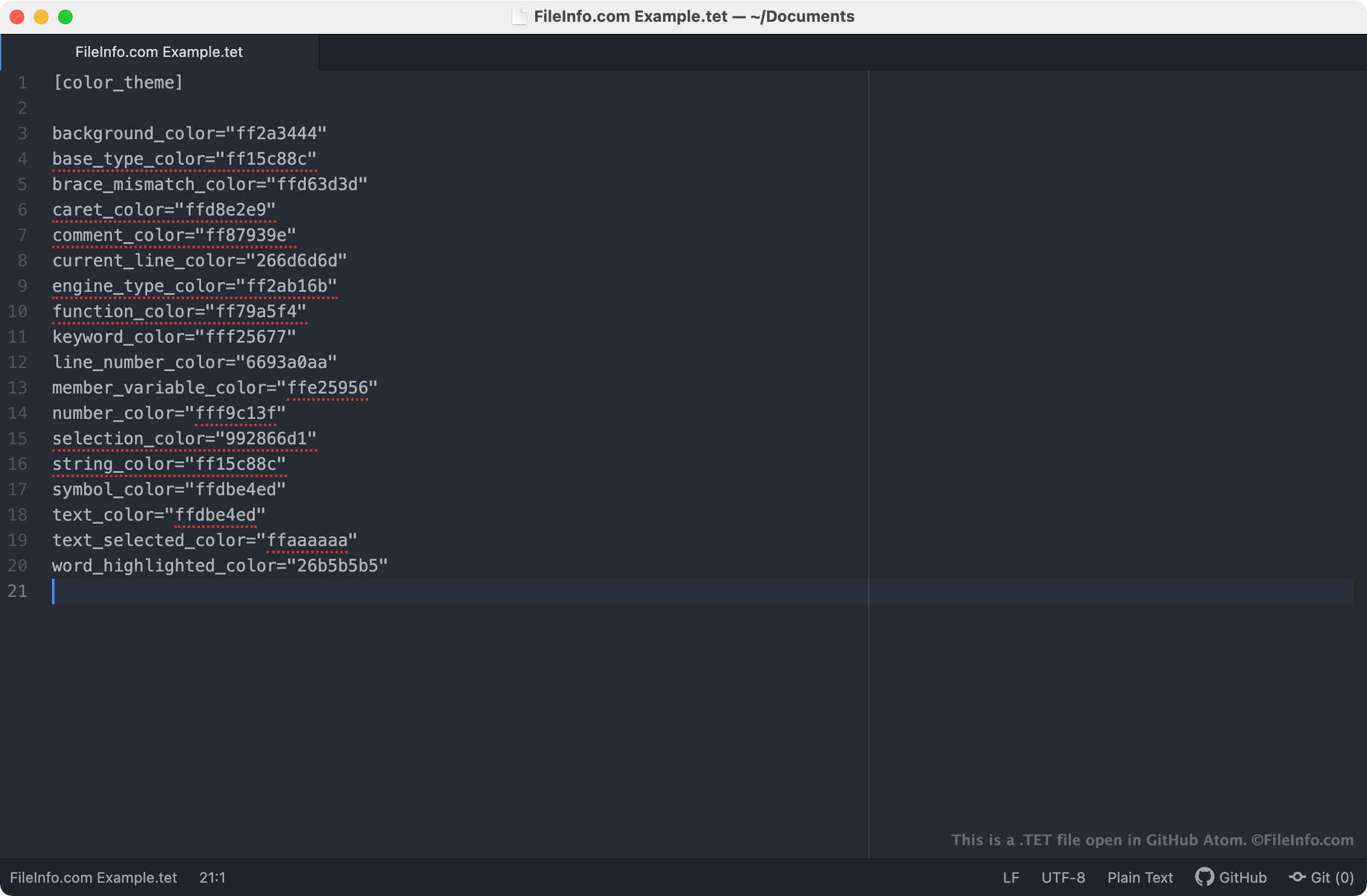
Les fichiers TET étant des fichiers en texte brut, vous pouvez les ouvrir et les modifier dans n’importe quel éditeur de texte, notamment :
- GitHub Atom (multiplateforme)
- Microsoft Notepad (Windows)
- Apple TextEdit (Mac)
- Vim (Linux)
L’ouverture d’un fichier TET dans un éditeur de texte vous permet d’ajuster les paramètres du thème de l’éditeur de scripts de Godot qu’il contient. Par exemple, vous pouvez modifier la couleur d’arrière-plan du thème en modifiant son paramètre background_color. Notez que les thèmes de Godot utilisent des codes de couleur RGBA de 8 caractères.
Pour utiliser un fichier TET personnalisé avec l’éditeur de scripts de Godot, vous devez soit placer manuellement le fichier dans le dossier que votre version de Godot utilise pour stocker les thèmes de l’éditeur de scripts, soit importer le fichier dans l’éditeur de scripts en sélectionnant .