

.DNG Přípona souboru
Obrázek Digital Negative
| Vývojář | Adobe |
| Popularita |
3,9 | 77 hlasů |
Co je soubor DNG?
Soubor DNG je obrázek RAW fotoaparátu uložený ve formátu Digital Negative (DNG), který vyvinula společnost Adobe Systems. Ukládá nekomprimovaná obrazová data zachycená různými modely fotoaparátů, například Hasselblad, Pentax a Leica. Profesionální fotografové soubory DNG běžně používají, protože zachovávají vysokou kvalitu obrazu a podporuje je mnoho editorů obrázků, včetně programů Adobe Photoshop, Microsoft Photos a Apple Preview.
Další informace

Společnost Adobe Systems vyvinula formát DNG jako univerzální formát RAW fotoaparátů, který umožňuje digitálním fotografům efektivněji ukládat, sdílet a upravovat snímky RAW. Společnost tento formát vydala v září 2004 a zpřístupnila ho veřejnosti, aby podpořila jeho širší rozšíření mezi výrobci fotoaparátů a softwaru pro práci s obrázky.
Od svého vydání se formát DNG stal jedním z nejběžnějších formátů RAW fotoaparátů. Mezi další známé formáty patří RAW obrázky fotoaparátů Canon (soubory .CR2 a .CR3), obrázky digitálních fotoaparátů Sony (soubory .ARW), obrázky RAW fotoaparátů Kodak (soubory .DCR), obrázky RAW fotoaparátů Nikon (soubory .NRW) a obrázky ve formátu Nikon Electronic Format (soubory .NEF).
Jak otevřít soubor DNG
Obrázky RAW fotoaparátů ve formátu DNG můžete otevřít v různých programech pro úpravu a prohlížení obrázků. Programy Microsoft Photos (Windows), Apple Photos (macOS a iOS) a Apple Preview (macOS) všechny podporují obrázky DNG a jsou součástí příslušných operačních systémů.
Obrázky DNG můžete také otevřít v programech Adobe Photoshop (Windows a macOS), Adobe Lightroom (Windows a macOS), ACD Systems ACDSee (Windows) a CyberLink PhotoDirector (Windows a macOS).
Jak převést soubor DNG
Mnoho editorů obrázků, včetně programů Adobe Photoshop a Apple Preview, dokáže převádět obrázky DNG do jiných formátů.
Photoshop může například převádět obrázky DNG do různých typů souborů, včetně následujících formátů:
Programy, které otevírají soubory DNG
Obrázek Apple ProRAW
| Vývojář | Apple |
| Popularita |
3,0 | 4 hlasy |
Soubor DNG je obrázek uložený ve formátu Apple ProRAW, což je rozšíření obrazového formátu Adobe Digital Negative (DNG), které podporuje také data zpracování obrázků z iPhonu. Je pořízen iPhonem 12 Pro nebo iPhonem 12 Pro Max (nebo novějším modelem) s nainstalovaným systémem iOS 14.3 (nebo novějším) a podporuje 12bitové barvy a 14 stupňů dynamického rozsahu (HDR).
Další informace
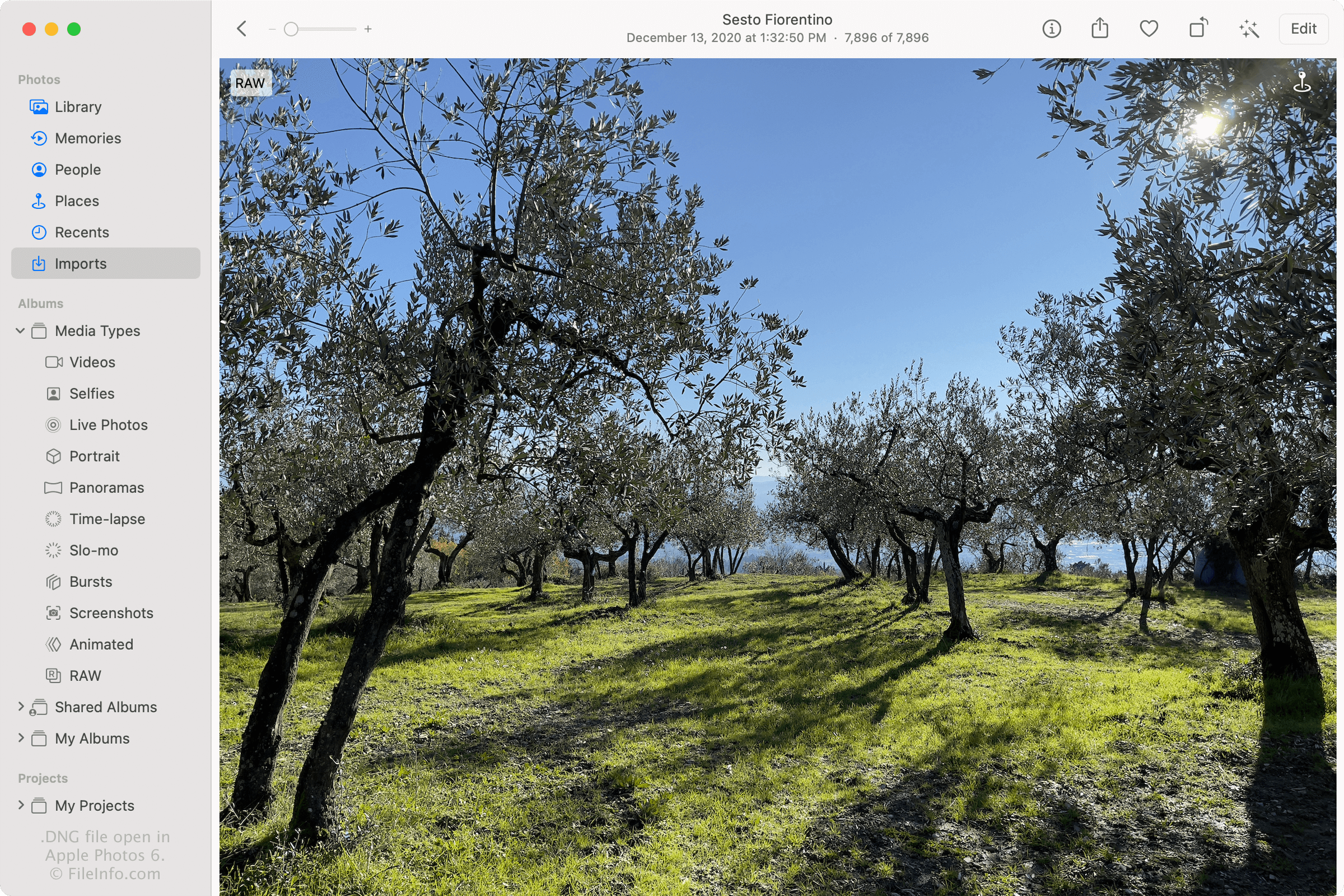
V prosinci 2020 společnost Apple představila formát ProRAW při vydání systému iOS 14.3. Tento formát umožňuje uživatelům iOS pořizovat obrázky ve vyšší kvalitě než obrazové formáty HEIF (.HEIC) a .JPEG a poskytuje jim větší kontrolu nad vzhledem fotografií při jejich úpravách, například nad barvami, ostrostí, vyvážením bílé a expozicí snímků.
Jak na iPhonu povolím ProRAW?
Telefony iPhone, které podporují ProRAW DNG, ve výchozím nastavení nepořizují obrázky v tomto formátu. Chcete-li na iPhonu 12 Pro nebo Pro Max (či novějším modelu) zapnout ProRAW, klepněte na a poté přepněte Apple ProRAW do polohy „zapnuto“. Při pořizování fotografie pomocí aplikace Fotoaparát na iPhonu pak klepnutím na možnost „RAW“ aktivujte ProRAW.
Jednou z významných nevýhod souborů DNG je, že jsou mnohem větší než soubory JPG a HEIC, takže v iPhonu zabírají více místa. Chcete-li v iPhonu ušetřit místo, zrušte výběr možnosti „RAW“ v aplikaci Fotoaparát na iPhonu. iPhone se pak vrátí k pořizování fotografií ve formátu JPEG nebo HEIC (v závislosti na formátu, který jste zvolili v nastavení pořizování snímků fotoaparátem).
Jak mohu sdílet soubory ProRAW DNG?
Formát ProRAW není kvůli své velké velikosti a nedostatečné rozšířené plné podpoře v aplikacích pro prohlížení obrázků ideální pro sdílení s ostatními uživateli. Pokud chcete sdílet fotografie, pořizujte je místo souborů DNG jako soubory JPG nebo HEIC. Případně můžete soubory ProRAW DNG uložit jako soubory JPG pomocí aplikace Fotky v systému iOS a macOS a poté je sdílet.
Formát ProRAW sice není ideální pro sdílení obrázků, ale je vhodný pro ukládání fotografií, které lze přesněji upravovat. Pokud chcete sdílet soubory ProRAW DNG v jejich původním surovém formátu, je nejlepší sdílet je e-mailem, pomocí Fotek na iCloudu, přenosem přes AirDrop nebo prostřednictvím cloudové úložné služby, jako je Google Drive nebo Dropbox.
Jak otevřít soubor DNG
Soubory Apple ProRAW DNG můžete otevírat a upravovat pomocí aplikace Apple Photos na iPhonu (iOS 14.3 nebo novější) a Macu (macOS Big Sur 11.1 nebo novější). Pokud soubory upravíte pomocí aplikace Fotky, můžete upravené obrázky sdílet jako soubory .JPG.
Soubory Apple ProRAW DNG můžete také otevírat pomocí aplikací, které podporují formát Digital Negative (.DNG), včetně aplikací Microsoft Photos (Windows), Adobe Photoshop (Windows a macOS), ACD Systems ACDSee (Windows) a CyberLink PhotoDirector (Windows a macOS). Tyto aplikace třetích stran však nemusí formát Apple ProRAW DNG plně podporovat a mohou jej zobrazovat jinak než aplikace, jako je Fotky, která tento formát plně podporuje.