.DNG 文件扩展名

Digital Negative Image

开发者 Adobe
受欢迎程度
3.9  |  77 
 
🔍使用File Helper直接在您的网络浏览器中打开 .DNG 文件在线查看

什么是 DNG 文件?

A DNG file is a camera RAW image saved in the Digital Negative (DNG) format developed by Adobe Systems. It stores uncompressed image data captured by various camera models, such as Hasselblad, Pentax, and Leica. Professional photographers commonly use DNG files because they maintain high image quality, and many image editors support them, including Adobe Photoshop, Microsoft Photos, and Apple Preview.

更多信息

在 Microsoft Photos 中打开的 .dng 文件截图
在 Microsoft Photos 中打开的 DNG 文件

Adobe Systems developed the DNG format to be a universal RAW camera format enabling digital photographers to store, share, and edit RAW images more efficiently. The company released the format in September 2004, making it publicly available for wider adoption among camera manufacturers and image software.

Since its release, the DNG format has become one of the most common camera RAW formats. Some other well-known formats include Canon Raw Images (.CR2 and .CR3 files), Sony Digital Camera Images (.ARW files), Kodak RAW Images (.DCR files), Nikon RAW Images (.NRW files), and Nikon Electronic Format Images (.NEF files).

如何打开 DNG 文件

You can open DNG camera RAW images with various image-editing and -viewing applications. Microsoft Photos (Windows), Apple Photos (macOS and iOS), and Apple Preview (macOS) all support DNG images and are bundled with their respective operating systems.

You can also open DNG images with Adobe Photoshop (Windows and macOS), Adobe Lightroom (Windows and macOS), ACD Systems ACDSee (Windows), and CyberLink PhotoDirector (Windows and macOS).

如何转换 DNG 文件

Many image editors, including Adobe Photoshop and Apple Preview, can convert DNG images to other formats.

For example, Photoshop can convert DNG images to various file types, including the following formats:

  • .JPG - JPEG Image
  • .PNG - Portable Network Graphic
  • .TIF - Tagged Image File Format
  • .GIF - Graphical Interchange Format
  • .WEBP - WebP Image
  • .CIN - Kodak Cineon Bitmap Image
  • .BMP - Bitmap Image
  • .PDF - Portable Document Format
  • .PSD - Adobe Photoshop Document

可打开 DNG 文件的程序

Mac
操作系统自带
操作系统自带
免费试用
Web
操作系统自带
iOS
操作系统自带
Chrome OS

Apple ProRAW Image

开发者 Apple
受欢迎程度
3.0  |  4 
 

A DNG file is an image saved in the Apple ProRAW format, which is an extension of the Adobe Digital Negative (DNG) image format that also supports iPhone image processing data. It is captured by an iPhone 12 Pro or iPhone 12 Pro Max (or later model) with iOS 14.3 (or later) installed and supports 12-bit color and 14 stops of dynamic range (HDR).

更多信息

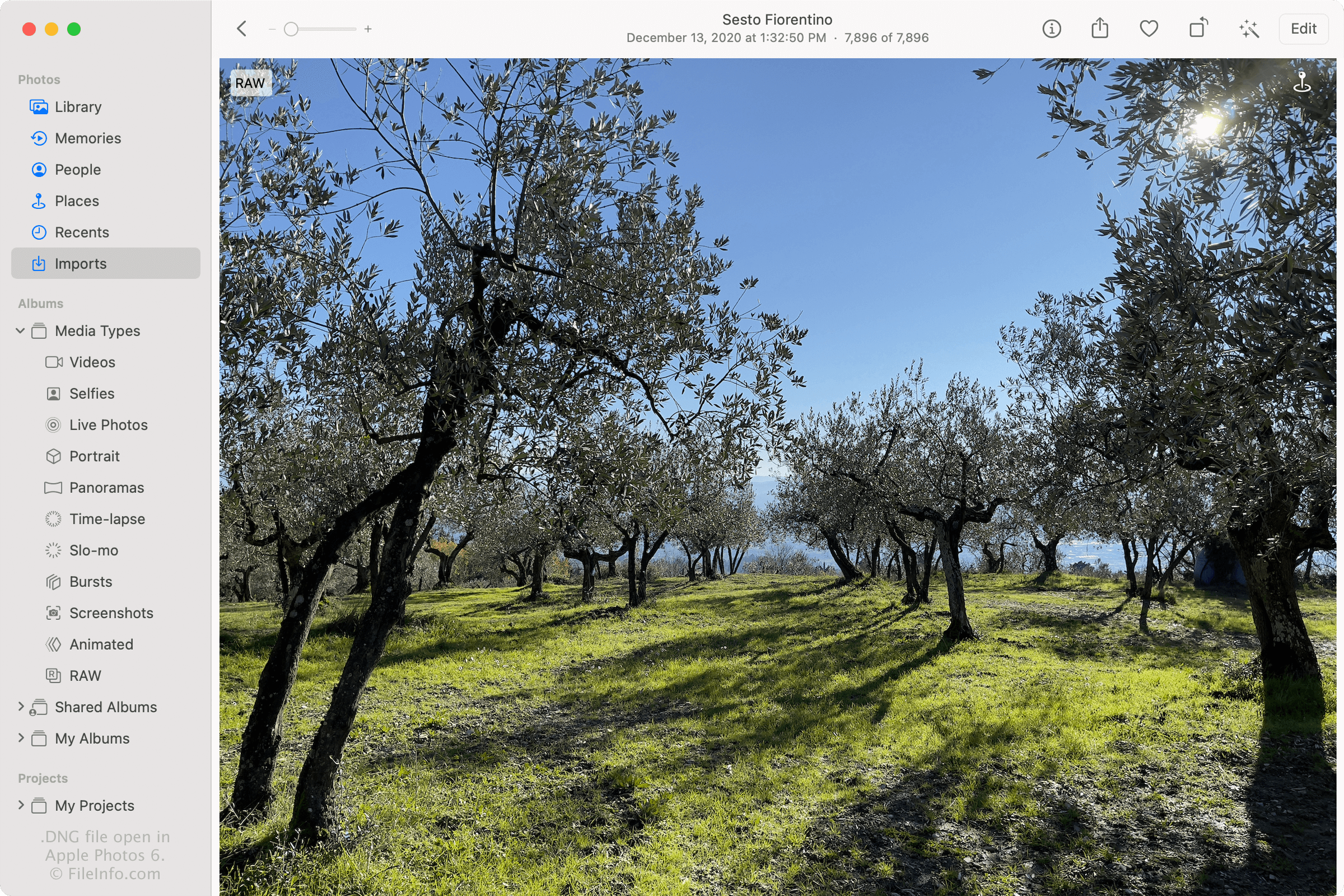
在 Apple Photos 6 中打开的 .dng 文件截图
在 Apple Photos 6 中打开的 DNG 文件

In December 2020, Apple introduced the ProRAW format when it released iOS 14.3. The format allows iOS users to capture images in a higher quality than the HEIF (.HEIC) and .JPEG image formats and gives them more control of the appearance of their photos when editing them, such as the color, sharpness, white balance, and exposure of the pictures.

How do I enable ProRAW on my iPhone?

iPhones that support ProRAW DNG do not capture images in the format by default. To turn on ProRAW on your iPhone 12 Pro or Pro Max (or later), tap Settings → Camera → Formats, then slide Apple ProRAW to the "on" position. Then, when taking a photo with the iPhone Camera app, tap the "RAW" option to activate ProRAW.

One significant drawback of DNG files is that they are much larger than JPG and HEIC files, so they take up more space on an iPhone. To conserve space on your iPhone, deselect the "RAW" option in the iPhone Camera app. Your iPhone will then revert to capturing photos in the JPEG or HEIC format (depending on the format you chose in the Camera Capture settings).

How do I share ProRAW DNG files?

The ProRAW format is not optimal for sharing with other users due to its large size and lack of widespread full support among image viewing applications. If you are looking to share photos, capture them as JPG or HEIC files instead of DNG files. Or, you can save ProRAW DNG files as JPG files with the iOS and macOS Photos app, then share them.

While the ProRAW format is not ideal for sharing images, it is optimal for saving photographs that can be edited more accurately. If you would like to share ProRAW DNG files in their original raw format, it is best to share them via email, iCloud Photos, an AirDrop transfer, or a cloud storage service, such as Google Drive or Dropbox.

如何打开 DNG 文件

You can open and edit Apple ProRAW DNG files with Apple Photos on an iPhone (iOS 14.3 or later) and a Mac (macOS Big Sur 11.1 or later). If you edit the files with Photos, you can share the edited images as .JPG files.

You can also open Apple ProRAW DNG files with applications that support the Digital Negative (.DNG) format, including Microsoft Photos (Windows), Adobe Photoshop (Windows and macOS), ACD Systems ACDSee (Windows), and CyberLink PhotoDirector (Windows and macOS). However, these third-party applications may not fully support the Apple ProRAW DNG format and might display it differently than an application, like Photos, that fully supports the format.

可打开 DNG 文件的程序

Windows
Mac
操作系统自带
操作系统自带
免费试用
Web
操作系统自带
iOS
操作系统自带
Chrome OS

Virtual Dongle Image

开发者 N/A
受欢迎程度
2.3  |  11 
 

Virtual Dongle image created by programs, such as EdgePro and Sentinel Dongle Dumper, then used by dongle emulators; contains a virtual copy of a dongle, which includes license information and acts as a key that allows software to be run.

更多信息

A dongle is a physical device used to activate expensive software. The device helps protect the software from being stolen by hackers. DNG files are designed for users to backup or recover keys stored in the physical dongles that are lost or broken.

可打开 DNG 文件的程序

Windows
Soft-Key Solutions DongleBackup2012  —  已停用
分类: 数据
更新时间: 2015-01-06

验证者 FileInfo.com

FileInfo.com 团队 独立研究了本页面列出的所有文件格式和软件程序。 我们的目标是达到 100% 的准确率,并且仅发布我们已验证过的文件类型信息。

如果您想为此页面提出新增或更新建议,请告诉我们