.AIC 文件扩展名

Advanced Image Coding File

开发者 不适用
受欢迎程度
2.9  |  7 
 

什么是 AIC 文件?

Bitmap image file encoded with Advanced Image Coding; uses a compression algorithm that combines the JPEG and H.264 standards; similar to the JPEG 2000 (.JP2) format, but offers higher compression efficiency and scalability.

更多信息

NOTE: AIC may also stand for "Apple Intermediate Codec," a video codec used by Apple software. These files typically have a .MOV extension.

使用File Viewer Plus打开 400 多种文件格式。免费下载

可打开 AIC 文件的程序

Windows
AIC software (AICSetup.exe)

Adobe Illustrator Cloud Document

开发者 Adobe
受欢迎程度
3.5  |  2 
 

An AIC file is a vector graphic saved in the Adobe Illustrator Cloud (AIC) format, which stores vector data similarly to an .AI Artwork file but in the cloud via Adobe's cloud documents system. Illustrator users can open and modify an AIC file, then save it in the cloud to sync the changes to the same artwork accessed on other devices.

更多信息

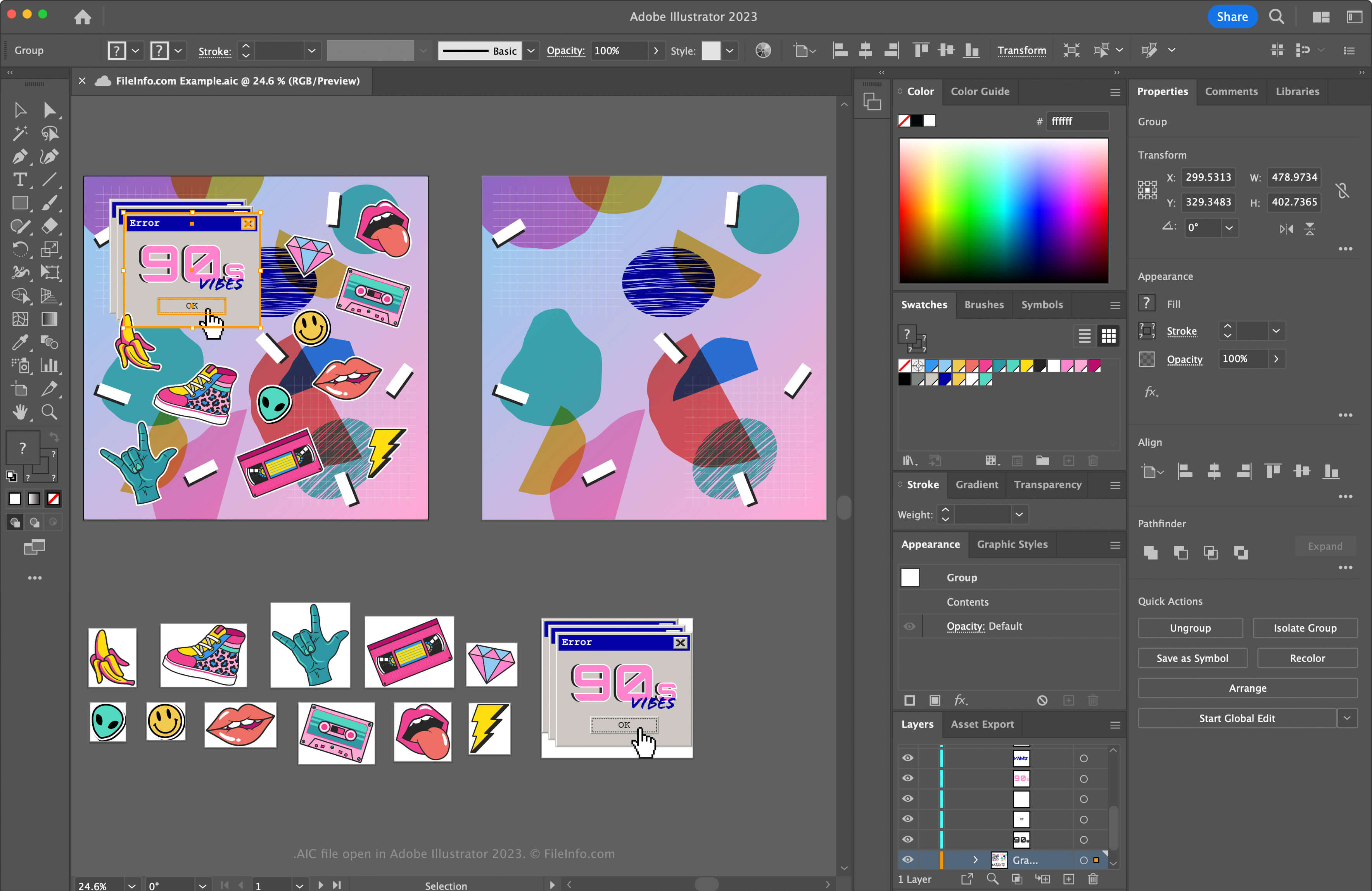
在 Adobe Illustrator 2025 中打开的 .aic 文件截图
在 Adobe Illustrator 2025 中打开的 AIC 文件

Illustrator is one of the most common vector graphics applications. Many graphic artists and web designers use the software to create vector artwork, such as icons, logos, and web & mobile layouts.

Adobe introduced the AIC format to allow users to work on the same AI artwork on different devices, such as an iPad or laptop, and sync the edits a user makes to keep the file current. The AIC format is the same as the AI format but also supports the caching of edits made to an artwork when a user works on it offline. Then, Illustrator syncs the modifications when the user reconnects to the Internet.

How to create an AIC file

To create an AIC file with Adobe Illustrator:

  1. Create a new artwork file or open an existing file by selecting File → New... or File → Open...
  2. Select File → Save or Save As...
  3. In the "Save to Creative Cloud" window, name the file and click Save

注: If you are prompted to save the document on your computer instead of in Creative Cloud after selecting File → Save or Save As..., click the Save Cloud Document button, name the AIC file, then click Save.

[s]💡 If you upload an AI file to Creative Cloud, Illustrator automatically saves the AI file as an AIC file. For example, an Illustrator document named artwork.ai is saved as artwork.aic.[/s]

如何打开 AIC 文件

You can open an AIC file with Adobe Illustrator in Windows and macOS. To open an AIC file saved in your Adobe Cloud account with Photoshop, select File → Open..., click Open Cloud Document, and choose the AIC file.

The AIC file format supports incremental backup and restore. To view the version history of your Adobe cloud AIC document, select File → Version History (versions expire after 30 days unless you mark them for preservation).

You can also sign in to Adobe Assets Web with your Adobe account, then select Files → Cloud documents, choose an AIC file, and click Timeline.

如何转换 AIC 文件

Adobe Illustrator can convert AIC files to many file types, including the following formats:

  • .AI - Adobe Illustrator Artwork
  • .EPS - Encapsulated PostScript
  • .SVG - Scalable Vector Graphics
  • .PDF - Portable Document Format
  • .JPG - JPEG Image
  • .PNG - Portable Network Graphic
  • .TIF - Tagged Image File Format
  • .DWG - AutoCAD Drawing
  • .EMF - Enhanced Windows Metafile
  • .WMF - Windows Metafile
  • .BMP - Bitmap Image
  • .PSD - Adobe Photoshop Document

可打开 AIC 文件的程序

Windows
Mac

验证者 FileInfo.com

FileInfo.com 团队 独立研究了本页面列出的所有文件格式和软件程序。 我们的目标是达到 100% 的准确率,并且仅发布我们已验证过的文件类型信息。

如果您想为此页面提出新增或更新建议,请告诉我们