

.AIC Přípona souboru
Dokument Adobe Illustrator Cloud
| Vývojář | Adobe |
| Popularita |
3,5 | 2 hlasy |
Soubor AIC je vektorová grafika uložená ve formátu Adobe Illustrator Cloud (AIC), který ukládá vektorová data podobně jako soubor .AI Adobe Illustrator Artwork, ale v cloudu prostřednictvím systému cloudových dokumentů Adobe. Uživatelé Illustratoru mohou soubor AIC otevřít a upravit a poté ho uložit do cloudu, aby se změny synchronizovaly se stejnou grafikou, ke které přistupují na jiných zařízeních.
Další informace
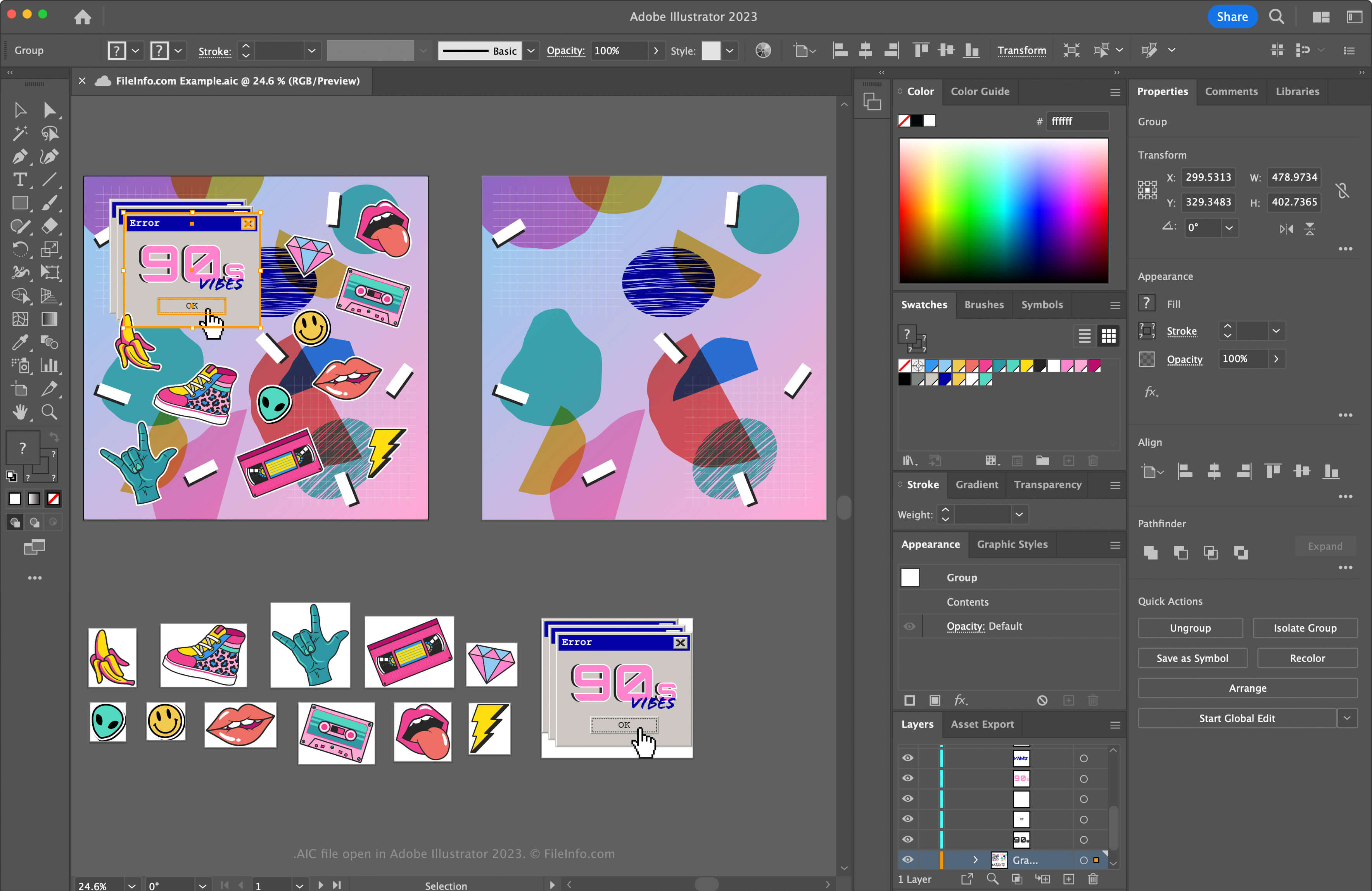
Illustrator je jednou z nejběžnějších aplikací pro vektorovou grafiku. Mnoho grafiků a webových designérů tento software používá k vytváření vektorové grafiky, například ikon, log a rozvržení webů a mobilních zařízení.
Společnost Adobe představila formát AIC, aby uživatelům umožnila pracovat se stejnou grafikou AI na různých zařízeních, například iPadu nebo notebooku, a synchronizovat provedené úpravy, aby byl soubor aktuální. Formát AIC je stejný jako formát AI, ale podporuje také ukládání do mezipaměti úprav provedených v grafice, když na ní uživatel pracuje offline. Illustrator pak změny synchronizuje, jakmile se uživatel znovu připojí k internetu.
Jak vytvořit soubor AIC
Vytvoření souboru AIC v aplikaci Adobe Illustrator:
- Vytvořte nový soubor grafiky nebo otevřete existující soubor výběrem možnosti nebo
- Vyberte možnost nebo
- V okně „Save to Creative Cloud“ pojmenujte soubor a klikněte na
POZNÁMKA: Pokud se po výběru možnosti nebo zobrazí výzva k uložení dokumentu do počítače místo do Creative Cloud, klikněte na tlačítko , pojmenujte soubor AIC a klikněte na .
[s]💡 Pokud nahrajete soubor AI do Creative Cloud, Illustrator ho automaticky uloží jako soubor AIC. Například dokument Illustratoru s názvem artwork.ai se uloží jako artwork.aic.[/s]
Jak otevřít soubor AIC
Soubor AIC můžete otevřít v systému Windows a macOS pomocí aplikace Adobe Illustrator. Chcete-li soubor AIC uložený ve svém účtu Adobe Cloud otevřít v aplikaci Photoshop, vyberte možnost , klikněte na a vyberte soubor AIC.
Formát souboru AIC podporuje přírůstné zálohování a obnovení. Chcete-li zobrazit historii verzí svého cloudového dokumentu AIC Adobe, vyberte možnost (platnost verzí vyprší po 30 dnech, pokud je neoznačíte k uchování).
Můžete se také přihlásit do služby Adobe Assets Web pomocí účtu Adobe, poté vybrat možnost , zvolit soubor AIC a kliknout na .
Jak převést soubor AIC
Adobe Illustrator může převádět soubory AIC do mnoha typů souborů, včetně následujících formátů:
- .AI - Adobe Illustrator Artwork
- .EPS - Encapsulated PostScript
- .SVG - Scalable Vector Graphics
- .PDF - Portable Document Format
- .JPG - obrázek JPEG
- .PNG - Portable Network Graphic
- .TIF - Tagged Image File Format
- .DWG - výkres AutoCAD
- .EMF - Enhanced Windows Metafile
- .WMF - Windows Metafile
- .BMP - bitmapový obrázek
- .PSD - dokument Adobe Photoshop