

.AIC Rozszerzenie pliku
Dokument Adobe Illustrator w chmurze
| Deweloper | Adobe |
| Popularność |
3,5 | 2 Głosy |
Plik AIC to grafika wektorowa zapisana w formacie Adobe Illustrator Cloud (AIC), który przechowuje dane wektorowe podobnie jak plik grafiki .AI, ale w chmurze za pośrednictwem systemu dokumentów w chmurze firmy Adobe. Użytkownicy programu Illustrator mogą otwierać i modyfikować plik AIC, a następnie zapisywać go w chmurze, aby synchronizować zmiany z tą samą grafiką otwieraną na innych urządzeniach.
Więcej informacji
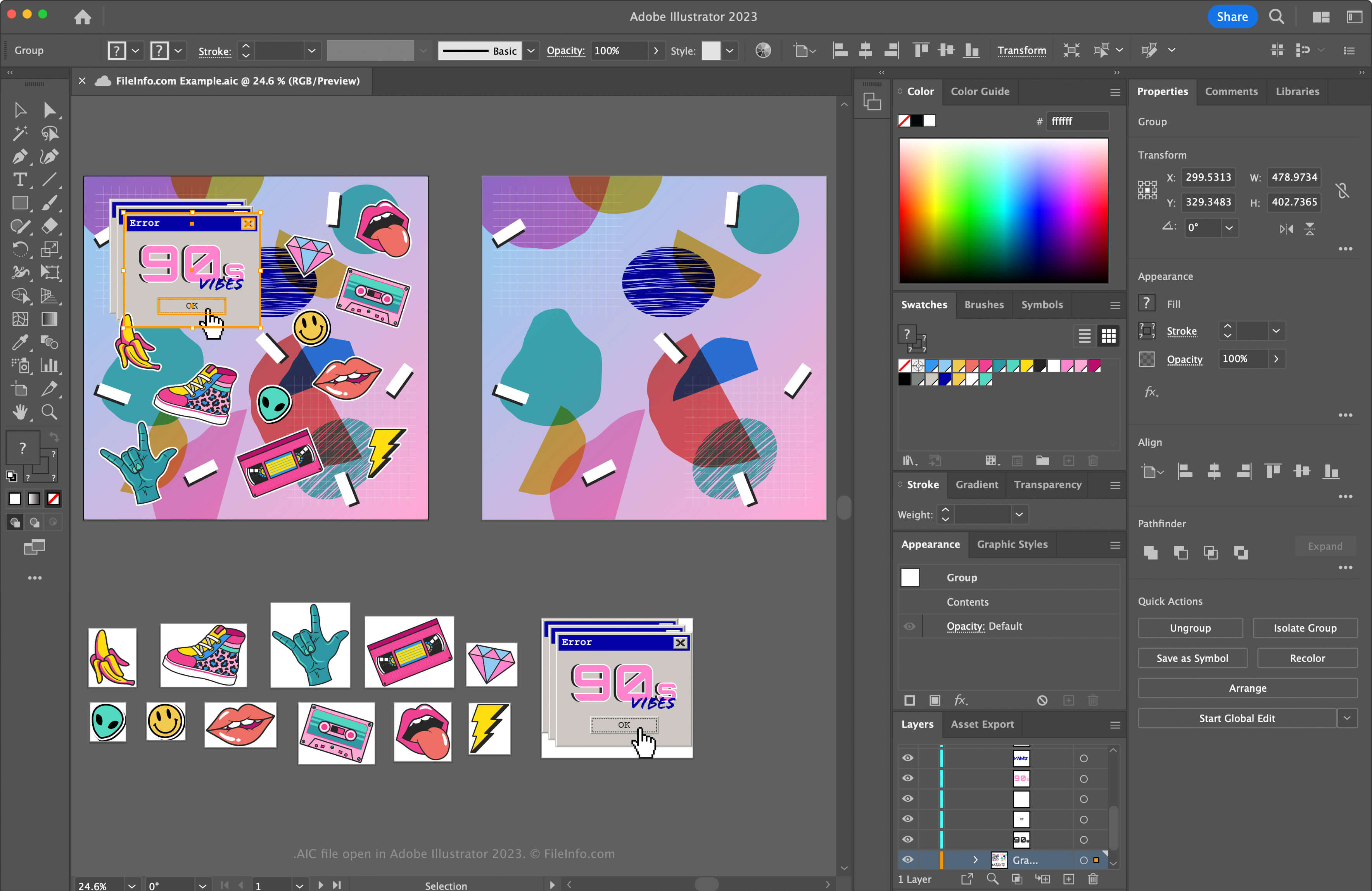
Illustrator to jedna z najpopularniejszych aplikacji do tworzenia grafiki wektorowej. Wielu grafików i projektantów stron internetowych używa tego programu do tworzenia grafiki wektorowej, takiej jak ikony, logo oraz układy stron internetowych i aplikacji mobilnych.
Firma Adobe wprowadziła format AIC, aby umożliwić użytkownikom pracę nad tą samą grafiką AI na różnych urządzeniach, takich jak iPad lub laptop, oraz synchronizowanie wprowadzanych zmian, aby plik był aktualny. Format AIC jest taki sam jak format AI, ale obsługuje również buforowanie zmian wprowadzonych w grafice, gdy użytkownik pracuje nad nią offline. Następnie program Illustrator synchronizuje modyfikacje, gdy użytkownik ponownie łączy się z Internetem.
Jak utworzyć plik AIC
Aby utworzyć plik AIC w programie Adobe Illustrator:
- Utwórz nowy plik grafiki lub otwórz istniejący plik, wybierając lub
- Wybierz lub
- W oknie „Save to Creative Cloud” nadaj plikowi nazwę i kliknij
UWAGA: Jeśli po wybraniu lub pojawi się prośba o zapisanie dokumentu na komputerze zamiast w usłudze Creative Cloud, kliknij przycisk , nadaj plikowi AIC nazwę, a następnie kliknij .
[s]💡 Jeśli prześlesz plik AI do usługi Creative Cloud, program Illustrator automatycznie zapisze plik AI jako plik AIC. Na przykład dokument programu Illustrator o nazwie artwork.ai zostanie zapisany jako artwork.aic.[/s]
Jak otworzyć plik AIC
Plik AIC można otworzyć w systemach Windows i macOS za pomocą programu Adobe Illustrator. Aby otworzyć plik AIC zapisany na koncie Adobe Cloud w programie Photoshop, wybierz , kliknij i wybierz plik AIC.
Format plików AIC obsługuje przyrostowe tworzenie kopii zapasowych i przywracanie. Aby wyświetlić historię wersji dokumentu AIC w chmurze Adobe, wybierz (wersje wygasają po 30 dniach, chyba że oznaczysz je do zachowania).
Możesz również zalogować się do usługi Adobe Assets Web za pomocą konta Adobe, a następnie wybrać , wybrać plik AIC i kliknąć .
Jak przekonwertować plik AIC
Program Adobe Illustrator może konwertować pliki AIC na wiele typów plików, w tym na następujące formaty:
- .AI - grafika Adobe Illustrator
- .EPS - Encapsulated PostScript
- .SVG - skalowalna grafika wektorowa
- .PDF - Portable Document Format
- .JPG - obraz JPEG
- .PNG - grafika Portable Network
- .TIF - Tagged Image File Format
- .DWG - rysunek AutoCAD
- .EMF - rozszerzony metaplik systemu Windows
- .WMF - metaplik systemu Windows
- .BMP - obraz bitmapowy
- .PSD - dokument Adobe Photoshop