

.AIA Rozszerzenie pliku
Projekt MIT App Inventor
| Deweloper | MIT |
| Popularność |
3,8 | 142 Głosy |
Czym jest plik AIA?
Plik AIA to plik projektu skompresowany za pomocą Zip, utworzony przez MIT App Inventor — internetowy program używany do nauki tworzenia aplikacji na Androida i iOS przez początkujących programistów. Zawiera wiele folderów i plików, w tym pliki .BKY, SCM oraz YAIL kodu źródłowego. Pliki AIA służą do zapisywania kopii zapasowych projektów App Inventor i udostępniania ich innym użytkownikom.
Więcej informacji
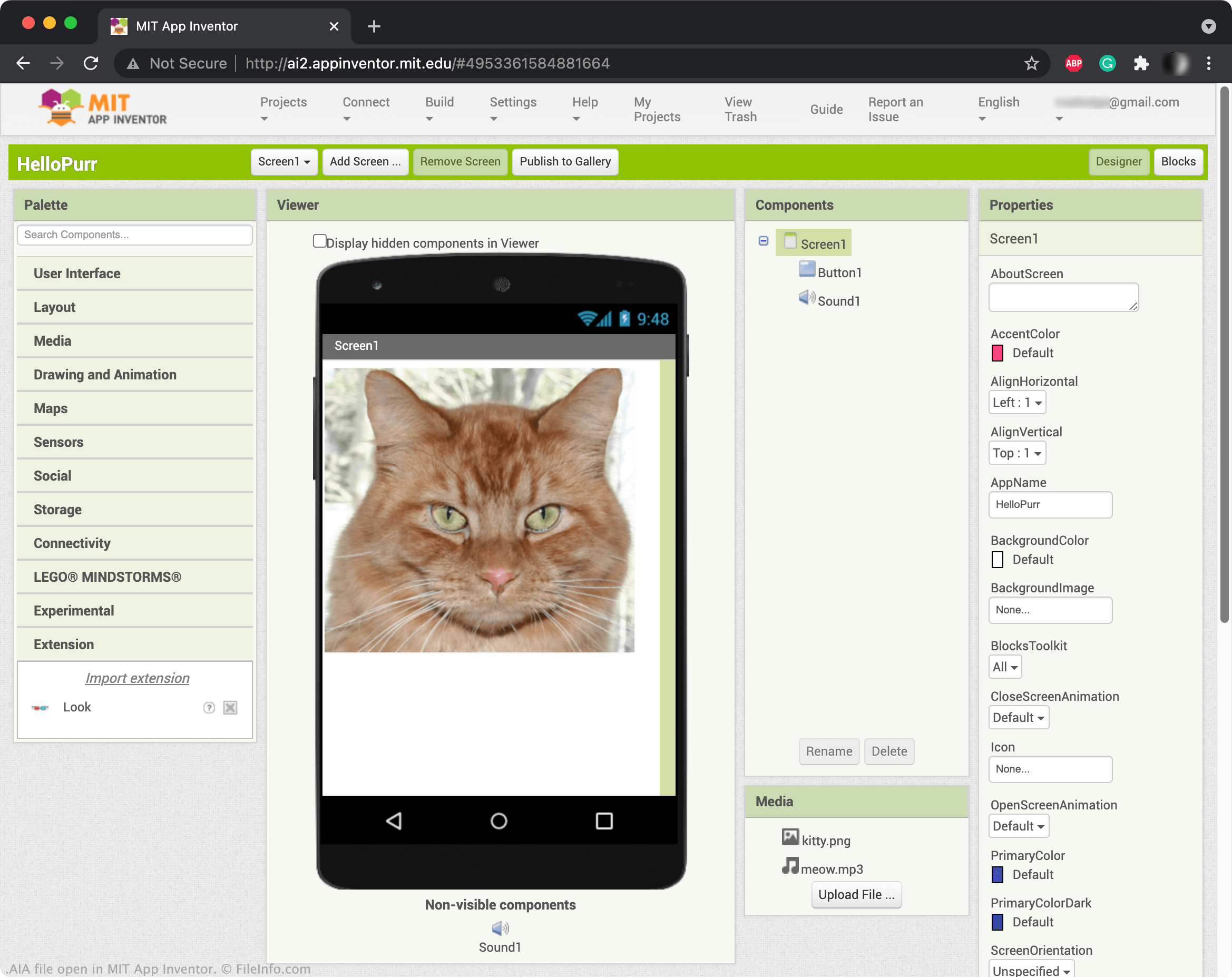
App Inventor umożliwia przeciąganie i upuszczanie elementów, takich jak przyciski, obrazy, pola tekstowe i suwaki, w celu tworzenia aplikacji mobilnej i programowania jej funkcji. Po zapisaniu projektu App Inventor jest on zazwyczaj zapisywany na koncie internetowym użytkownika. Projekty App Inventor można jednak również pobierać jako pliki AIA. Aby pobrać projekt jako plik AIA, wybierz , a następnie .
UWAGA: Pliki AIA można również otwierać w Kodular Creator, wariancie App Inventor.
Jak otworzyć plik AIA
Pliki AIA można otwierać w MIT App Inventor (Web). W tym celu wybierz . Gdy pojawi się okno Import Project..., przejdź do pliku AIA i otwórz go.
Programy otwierające lub odwołujące się do plików AIA
Plik akcji programu Adobe Illustrator
| Deweloper | Adobe Systems |
| Popularność |
3,3 | 29 Głosów |
Plik AIA zawiera co najmniej jedną zarejestrowaną czynność, która automatyzuje zadania w programie Adobe Illustrator, aplikacji do tworzenia grafiki wektorowej. Przykłady zautomatyzowanych zadań zapisanych w plikach AIA obejmują typowe czynności związane z edytowaniem grafiki lub przetwarzaniem obrazów wsadowo. Pliki AIA zapisują czynności w postaci zwykłego tekstu.
Więcej informacji
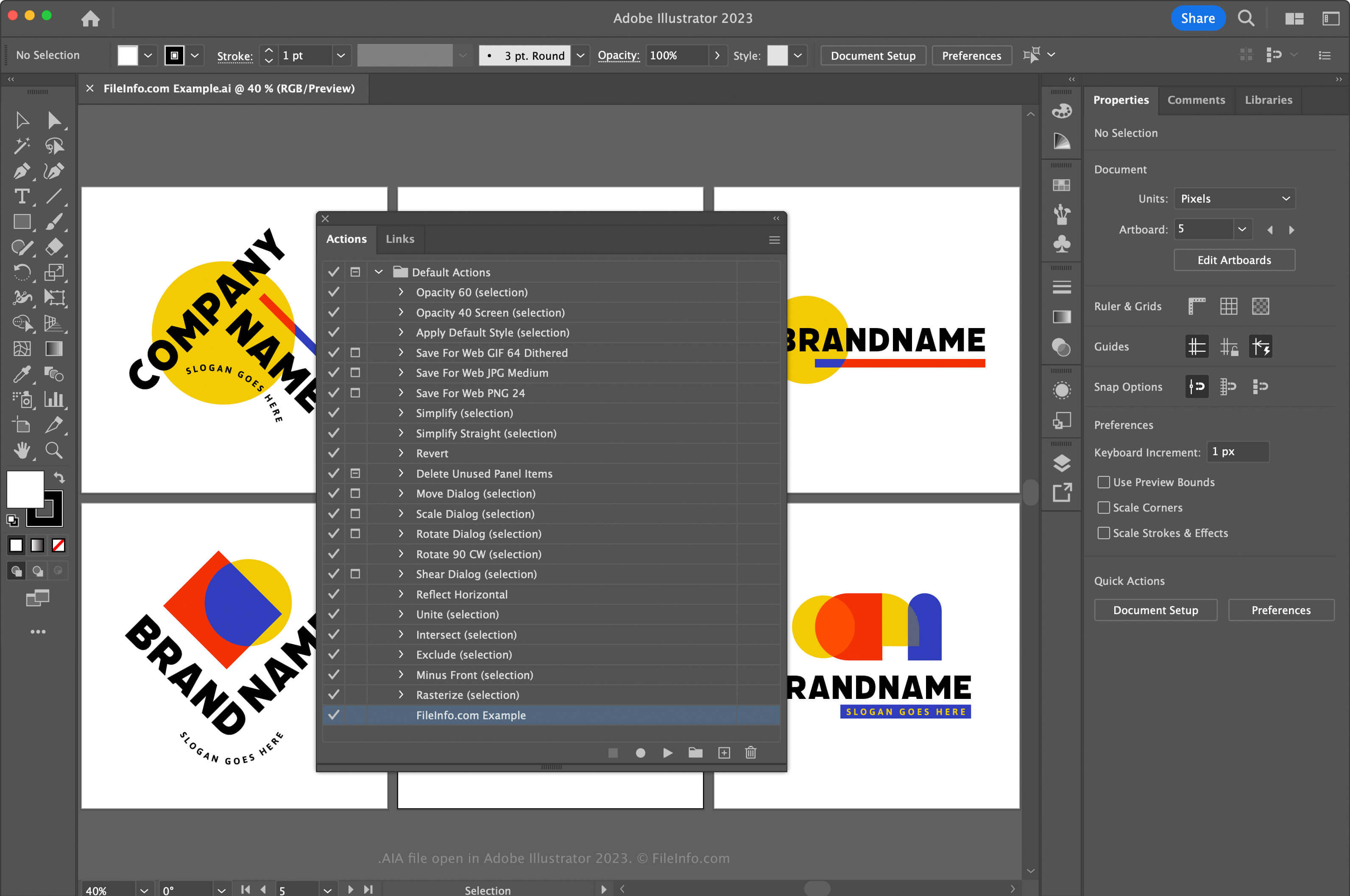
Adobe Illustrator to zgodna ze standardami branżowymi aplikacja do tworzenia grafiki wektorowej. Artyści graficzni i projektanci stron internetowych często używają tej aplikacji do projektowania i modyfikowania grafiki wektorowej, takiej jak ikony, logo oraz układy stron internetowych i aplikacji mobilnych.
Program Illustrator umożliwia rejestrowanie czynności w aplikacji, aby pomóc w oszczędzaniu czasu podczas wykonywania często powtarzanych i złożonych zadań. Aby zarejestrować czynności i zapisać je jako plik AIA, należy najpierw otworzyć okno Czynności, wybierając . Następnie kliknij menu w prawym górnym rogu i wybierz .
W systemie macOS umieść pliki akcji AIA w następującej lokalizacji, aby program Illustrator ładował je automatycznie:
Macintosh HD/Applications/Adobe Illustrator [version]/Presets/en_US/Actions
Jak otworzyć plik AIA
Plik AIA można otworzyć za pomocą programu Adobe Illustrator w systemach Windows i macOS. Aby otworzyć plik AIA, otwórz okno Czynności, wybierając . Następnie kliknij menu w prawym górnym rogu i wybierz .
Otwieranie pliku AIA za pomocą edytora tekstu
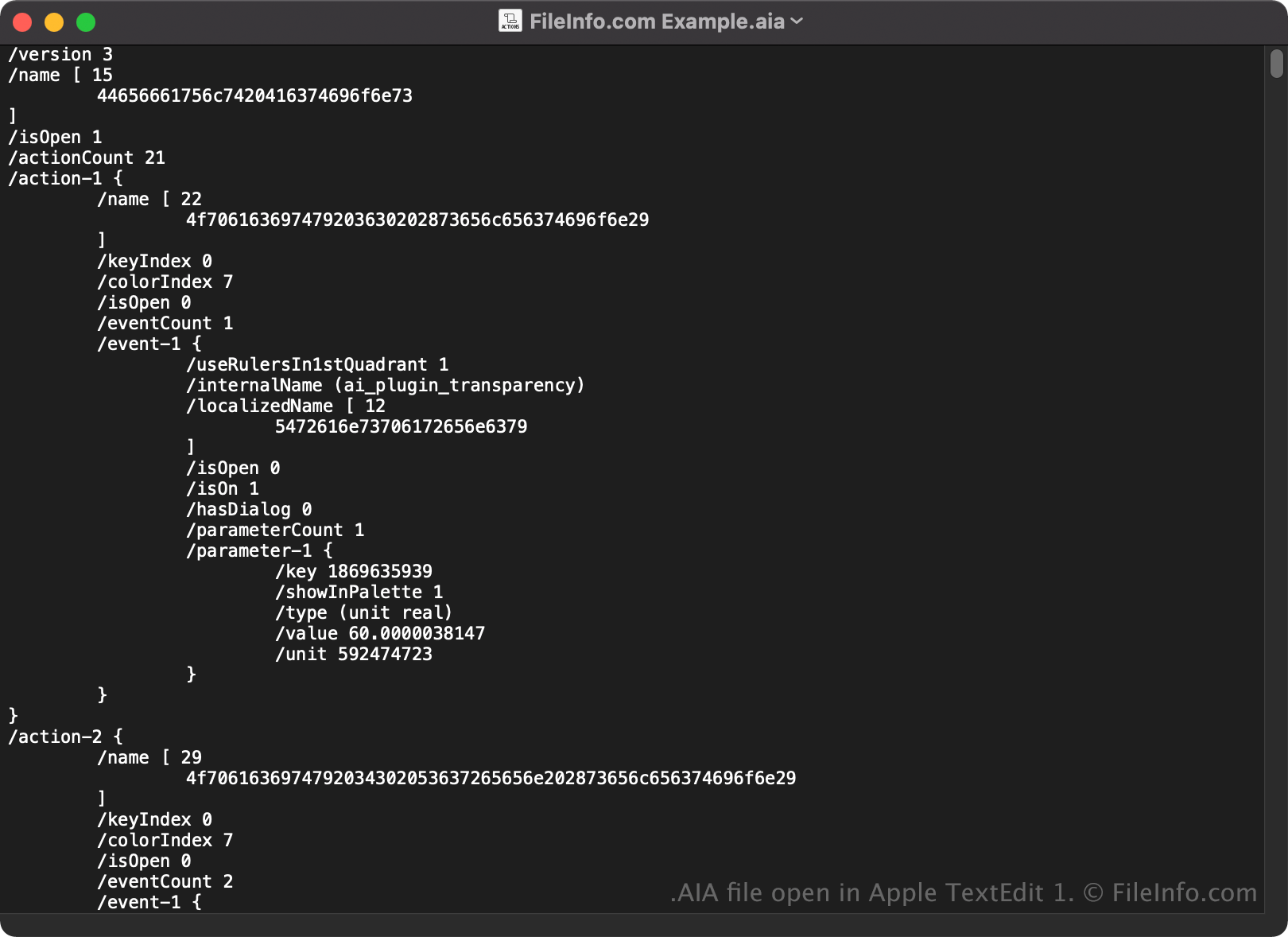
Ponieważ pliki AIA są zapisywane w postaci zwykłego tekstu, można je także otwierać i wyświetlać za pomocą edytora tekstu, takiego jak Microsoft Notepad lub Apple TextEdit.
Po otwarciu w edytorze tekstu lub edytorze kodu źródłowego można modyfikować właściwości pliku AIA. Jeśli jednak nieprawidłowo edytujesz plik, możesz nieumyślnie uszkodzić czynności.