

.AIA Dateiendung
MIT App Inventor-Projekt
| Entwickler | MIT |
| Beliebtheit |
3,8 | 142 Stimmen |
Was ist eine AIA-Datei?
Eine AIA-Datei ist eine ZIP-komprimierte Projektdatei, die von MIT App Inventor erstellt wird, einem webbasierten Programm, mit dem Anfänger lernen, Android- und iOS-Anwendungen zu erstellen. Sie enthält mehrere Ordner und Dateien, darunter .BKY-Dateien sowie SCM- und YAIL-Quellcodedateien. AIA-Dateien werden verwendet, um Sicherungskopien von App-Inventor-Projekten zu speichern und sie mit anderen Benutzern zu teilen.
Weitere Informationen
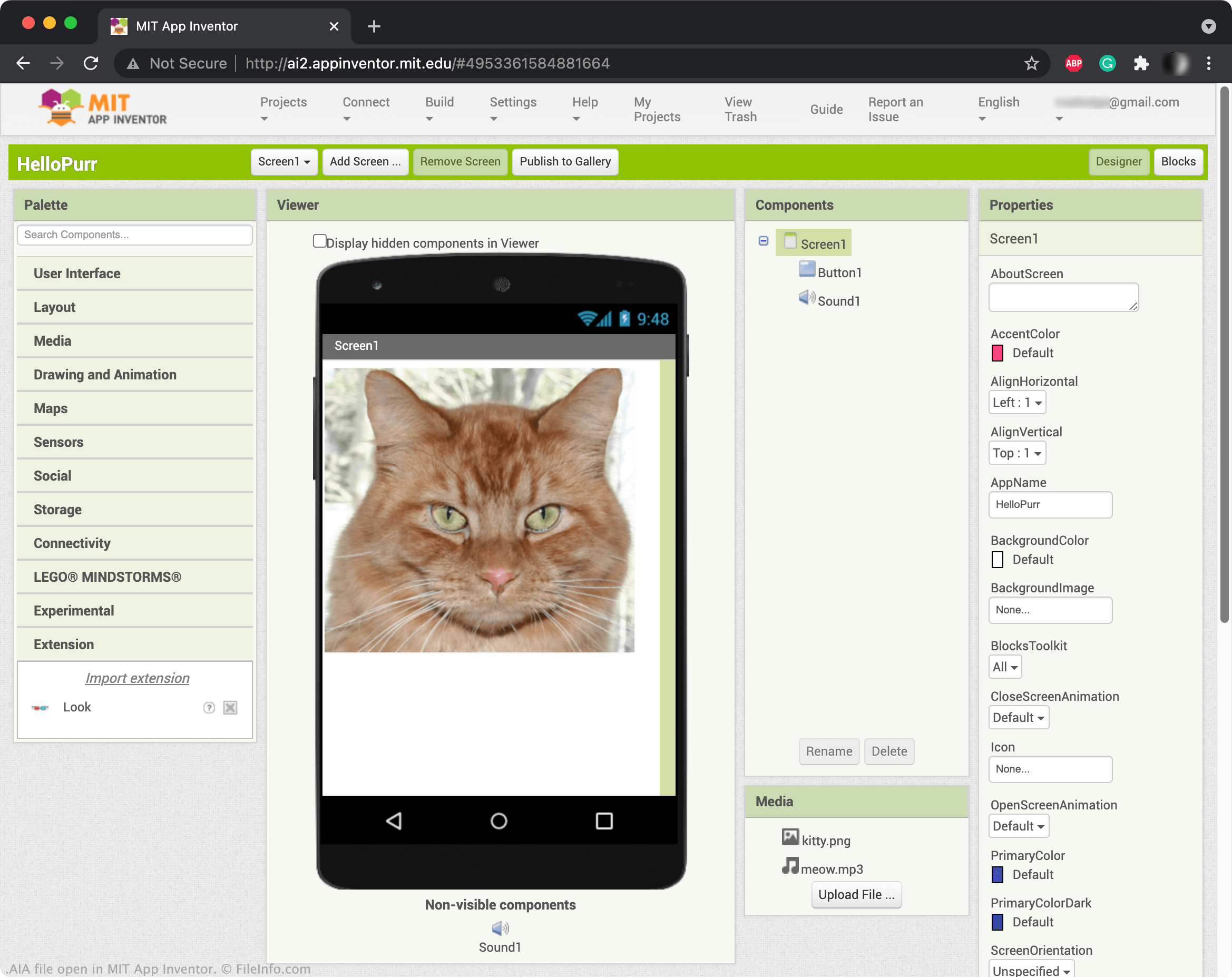
Mit App Inventor können Sie Elemente wie Schaltflächen, Bilder, Textfelder und Schieberegler per Drag-and-drop anordnen, um eine mobile Anwendung zu erstellen und ihre Funktionen zu programmieren. Wenn Sie ein App-Inventor-Projekt speichern, wird es normalerweise in Ihrem Onlinekonto gespeichert. Sie können App-Inventor-Projekte jedoch auch als AIA-Dateien herunterladen. Um ein Projekt als AIA-Datei herunterzuladen, wählen Sie und wählen Sie .
HINWEIS: Sie können auch Kodular Creator, eine Variante von App Inventor, verwenden, um AIA-Dateien zu öffnen.
So öffnen Sie eine AIA-Datei
Sie können AIA-Dateien in MIT App Inventor (Web) öffnen. Wählen Sie dazu . Wenn das Fenster „Import Project...“ angezeigt wird, navigieren Sie zu Ihrer AIA-Datei und öffnen Sie sie.
Programme, die .AIA-Dateien öffnen oder referenzieren
Adobe Illustrator-Aktionsdatei
| Entwickler | Adobe Systems |
| Beliebtheit |
3,3 | 29 Stimmen |
Eine AIA-Datei enthält eine oder mehrere aufgezeichnete Aktionen, die Aufgaben in Adobe Illustrator, einer Anwendung für Vektorgrafiken, automatisieren. Beispiele für automatisierte Aufgaben, die in AIA-Dateien gespeichert werden, sind gängige Schritte zum Bearbeiten einer Grafik oder Schritte zur Stapelverarbeitung von Bildern. AIA-Dateien speichern Aktionen als einfachen Text.
Weitere Informationen
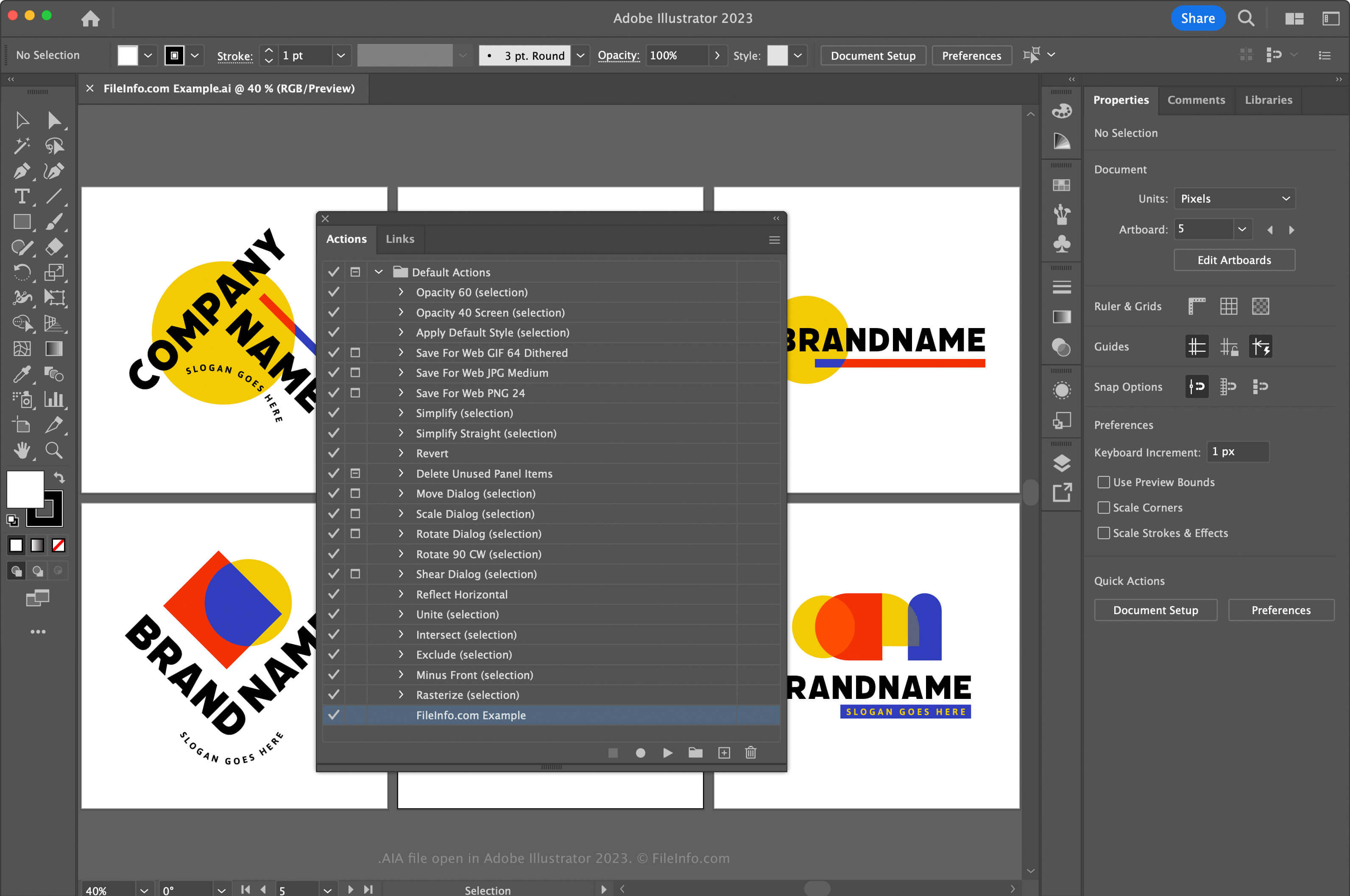
Adobe Illustrator ist eine branchenübliche Anwendung für Vektorgrafiken. Grafikdesigner und Webdesigner verwenden die Anwendung häufig, um Vektorgrafiken wie Symbole, Logos sowie Layouts für das Web und mobile Geräte zu entwerfen und zu bearbeiten.
Illustrator ermöglicht es Ihnen, Aktionen in der Anwendung aufzuzeichnen, damit Sie bei häufig wiederholten und komplexen Aufgaben Zeit sparen. Um Aktionen aufzuzeichnen und als AIA-Datei zu speichern, müssen Sie zunächst das Fenster „Aktionen“ öffnen, indem Sie auswählen. Klicken Sie anschließend auf das Menü in der oberen rechten Ecke und wählen Sie aus.
Platzieren Sie AIA-Aktionsdateien in macOS am folgenden Speicherort, damit Illustrator sie automatisch lädt:
Macintosh HD/Applications/Adobe Illustrator [version]/Presets/en_US/Actions
So öffnen Sie eine AIA-Datei
Sie können eine AIA-Datei unter Windows und macOS mit Adobe Illustrator öffnen. Um eine AIA-Datei zu öffnen, öffnen Sie das Fenster „Aktionen“, indem Sie auswählen. Klicken Sie anschließend auf das Menü in der oberen rechten Ecke und wählen Sie aus.
Eine AIA-Datei mit einem Texteditor öffnen
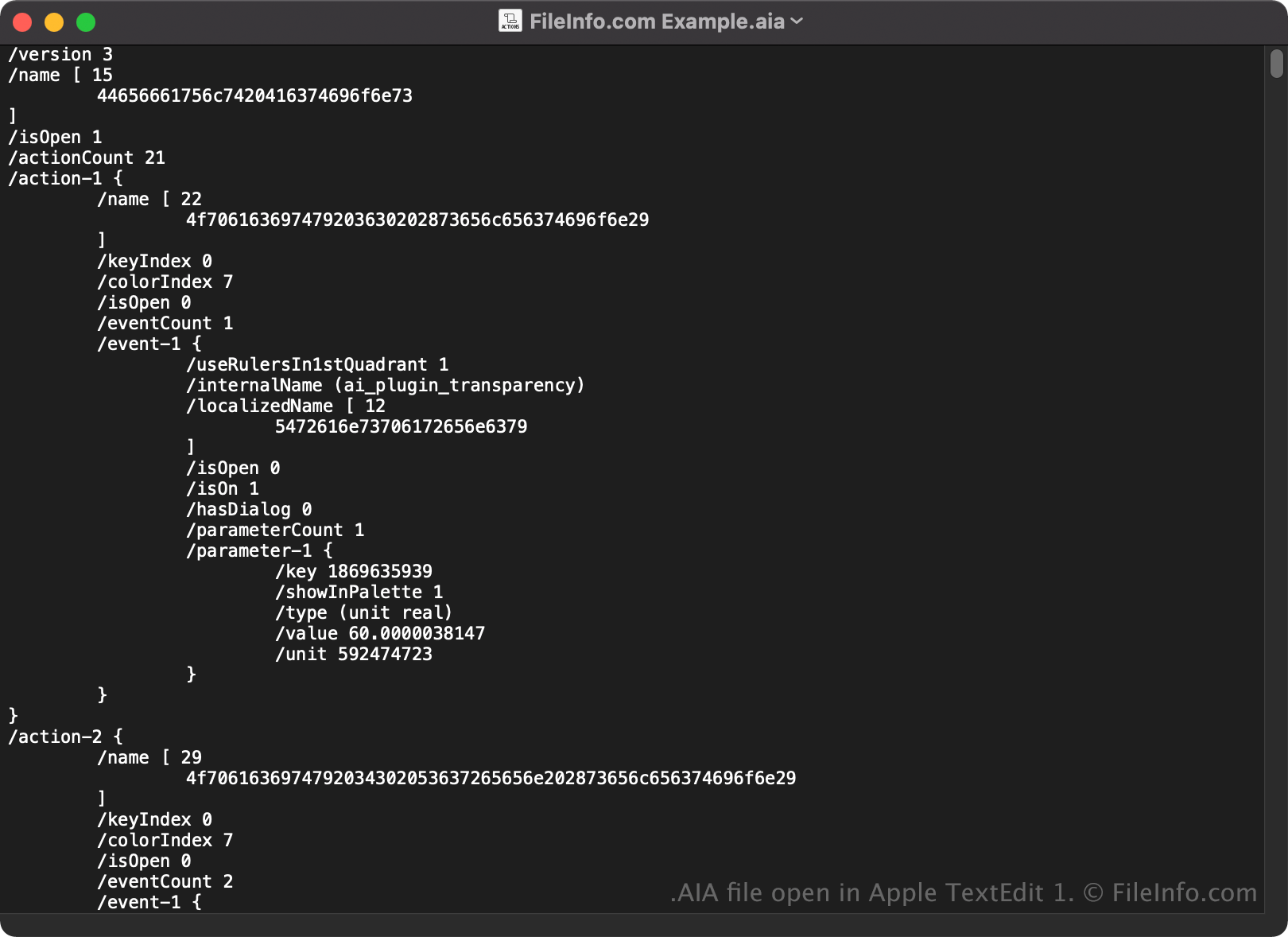
Da AIA-Dateien als einfacher Text gespeichert werden, können Sie sie auch mit einem Texteditor wie Microsoft Notepad oder Apple TextEdit öffnen und anzeigen.
Wenn Sie eine AIA-Datei in einem Texteditor oder Quelltexteditor öffnen, können Sie ihre Eigenschaften ändern. Wenn Sie die Datei jedoch falsch bearbeiten, können Sie die Aktionen versehentlich beschädigen.