

.IDE Extensão de arquivo
iFeature do Inventor
| Desenvolvedor | Autodesk |
| Popularidade |
4,0 | 36 Votos |
Um arquivo IDE é um iFeature criado pelo Autodesk Inventor, um aplicativo de projeto e prototipagem mecânica em 3D. Ele contém um recurso ou uma coleção de recursos salvos que podem ser aplicados a uma peça do Inventor (arquivos .IPT). Salvar recursos como arquivos IDE permite que os usuários reutilizem os mesmos recursos em várias peças.
Mais informações
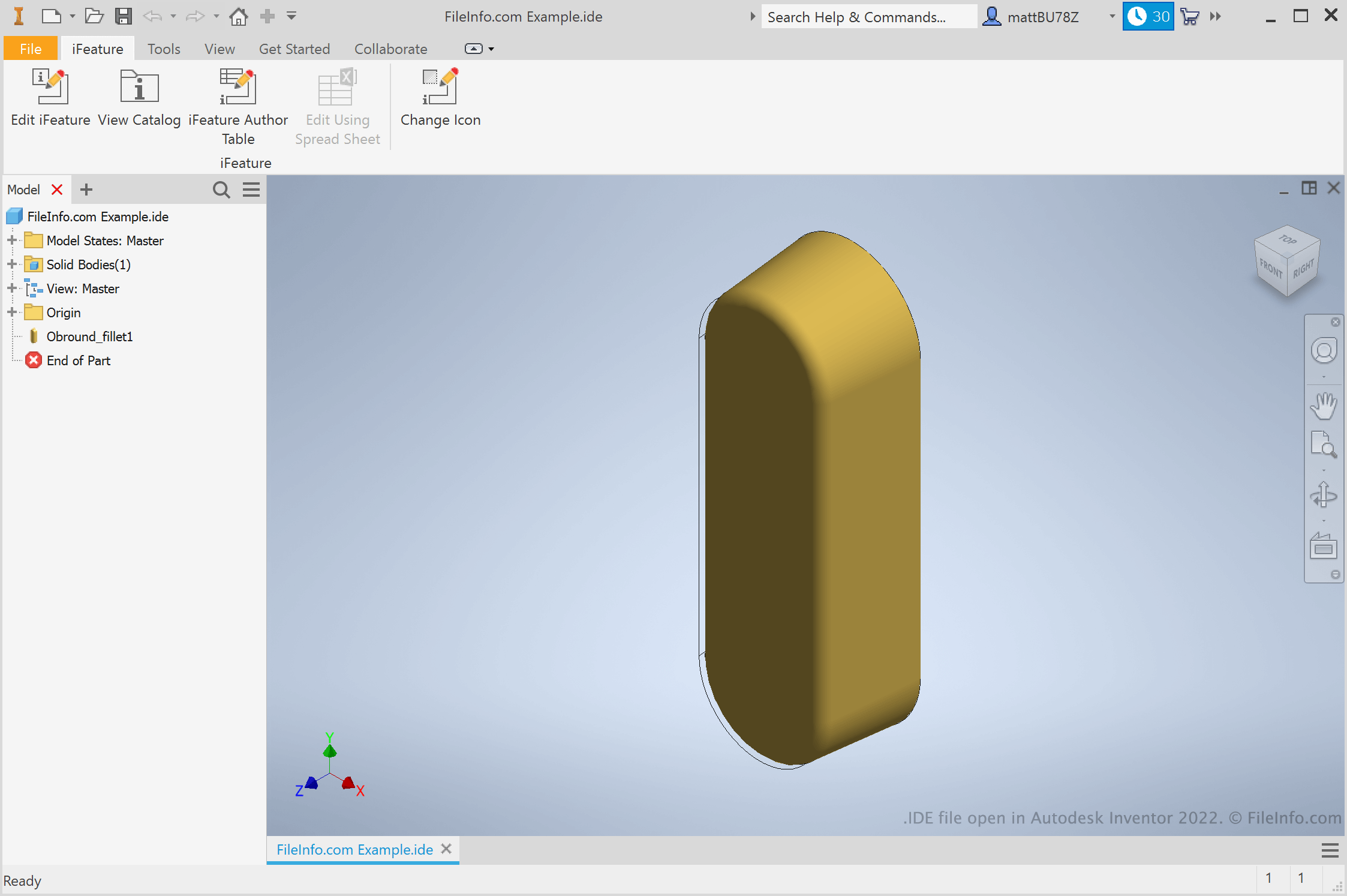
Engenheiros e designers de produtos usam o Autodesk Inventor para criar protótipos 3D de produtos mecânicos. Como parte da criação desses protótipos, os usuários criam peças com vários recursos. Se um usuário souber que desejará reutilizar um recurso em várias peças, poderá salvá-lo como um iFeature. Depois, poderá aplicar o iFeature a outras peças no futuro, economizando o tempo necessário para criar e editar manualmente esse recurso.
Como crio um iFeature do Inventor?
Para criar um iFeature do Inventor, primeiro abra um arquivo de peça (IPT). Depois, selecione . A janela Extract iFeature será exibida, permitindo que você salve os recursos da sua peça como um arquivo IDE.
Como aplico um iFeature a uma peça?
Para aplicar um iFeature a uma peça, primeiro abra o arquivo dessa peça (IPT). Depois, selecione . Isso permitirá que você procure, selecione e insira seu iFeature.
NOTA: Os iFeatures eram anteriormente chamados de Inventor Design Elements (IDEs).
Como abrir um arquivo IDE
Você pode abrir um arquivo IDE no Autodesk Inventor (Windows). Para fazer isso, selecione na barra de menus do Inventor. Depois, procure e selecione seu arquivo IDE.