

.IDE Dateiendung
Inventor-iFeature
| Entwickler | Autodesk |
| Beliebtheit |
4,0 | 36 Stimmen |
Eine IDE-Datei ist ein iFeature, das von Autodesk Inventor, einer Anwendung für mechanisches 3D-Design und Prototyping, erstellt wurde. Sie enthält ein gespeichertes Feature oder eine Sammlung von Features, die auf ein Inventor-Bauteil (.IPT-Dateien) angewendet werden können. Durch das Speichern von Features als IDE-Dateien können Benutzer dieselben Features in mehreren Bauteilen wiederverwenden.
Weitere Informationen
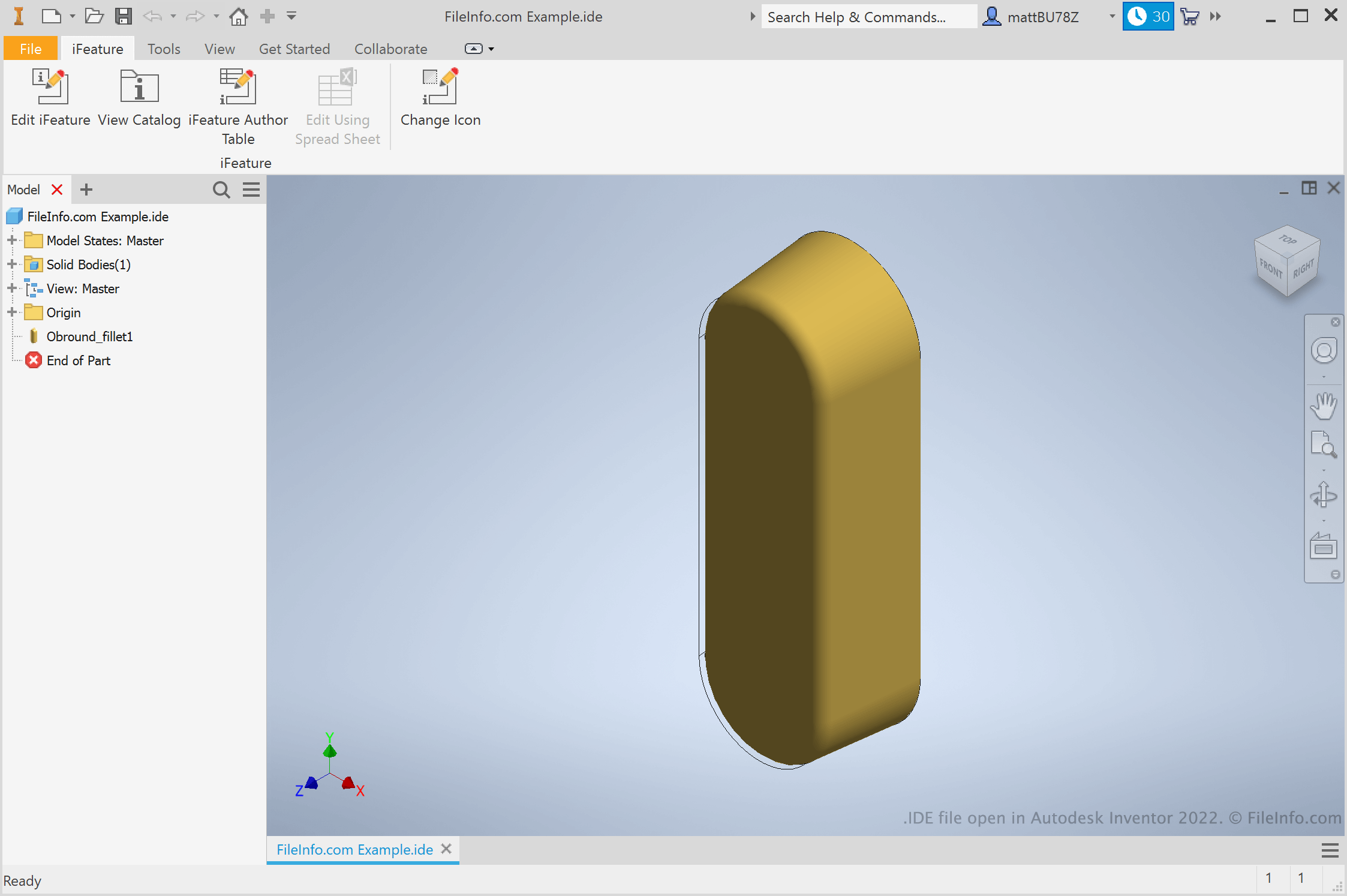
Ingenieure und Produktdesigner verwenden Autodesk Inventor, um 3D-Prototypen mechanischer Produkte zu erstellen. Bei der Erstellung dieser Prototypen erstellen Benutzer Bauteile mit einer Vielzahl von Features. Wenn ein Benutzer weiß, dass er ein Feature in mehreren Bauteilen wiederverwenden möchte, kann er dieses Feature als iFeature speichern. Anschließend kann er das iFeature künftig auf andere Bauteile anwenden und spart dadurch die Zeit, die für das manuelle Erstellen und Bearbeiten dieses Features erforderlich wäre.
Wie erstelle ich ein Inventor-iFeature?
Um ein Inventor-iFeature zu erstellen, öffnen Sie zunächst eine Bauteil-Datei (IPT). Wählen Sie anschließend . Das Fenster „Extract iFeature“ wird angezeigt und ermöglicht Ihnen, die Features Ihres Bauteils als IDE-Datei zu speichern.
Wie wende ich ein iFeature auf ein Bauteil an?
Um ein iFeature auf ein Bauteil anzuwenden, öffnen Sie zunächst die entsprechende Bauteil-Datei (IPT). Wählen Sie anschließend . Dadurch können Sie zu Ihrem iFeature navigieren, es auswählen und einfügen.
HINWEIS: iFeatures wurden früher als Inventor Design Elements (IDEs) bezeichnet.
So öffnen Sie eine IDE-Datei
Sie können eine IDE-Datei in Autodesk Inventor (Windows) öffnen. Wählen Sie dazu in der Menüleiste von Inventor . Navigieren Sie anschließend zu Ihrer IDE-Datei und wählen Sie sie aus.