.IDE 파일 확장자

2개의 파일 유형.ide 확장자를 사용합니다.

GTA Item Definition File

개발사 Rockstar Games
인기도
4.2  |  105 투표
 

IDE 파일이란 무엇인가요?

File used by Grand Theft Auto (GTA) games; contains information that defines items, such as vehicles, weapons, and map objects.

추가 정보

The IDE file consists of sections, each with a four character identifier that indicates how the game should interpret the section. The sections represent map objects, characters, pedestrians, weapons, vehicles, and more game items. The items in the sections are then linked to model and texture files to give them the appropriate appearance.

File Viewer Plus(으)로 400개 이상의 파일 형식을 여세요.무료 다운로드

IDE 파일을 열거나 참조하는 프로그램

카테고리: 게임
업데이트: 2014-06-30

Inventor iFeature

개발사 Autodesk
인기도
4.0  |  36 투표
 

An IDE file is an iFeature created by Autodesk Inventor, a 3D mechanical design and prototyping application. It contains a saved feature or collection of features that can be applied to an Inventor part (.IPT files). Saving features as IDE files allows users to reuse the same features across multiple parts.

추가 정보

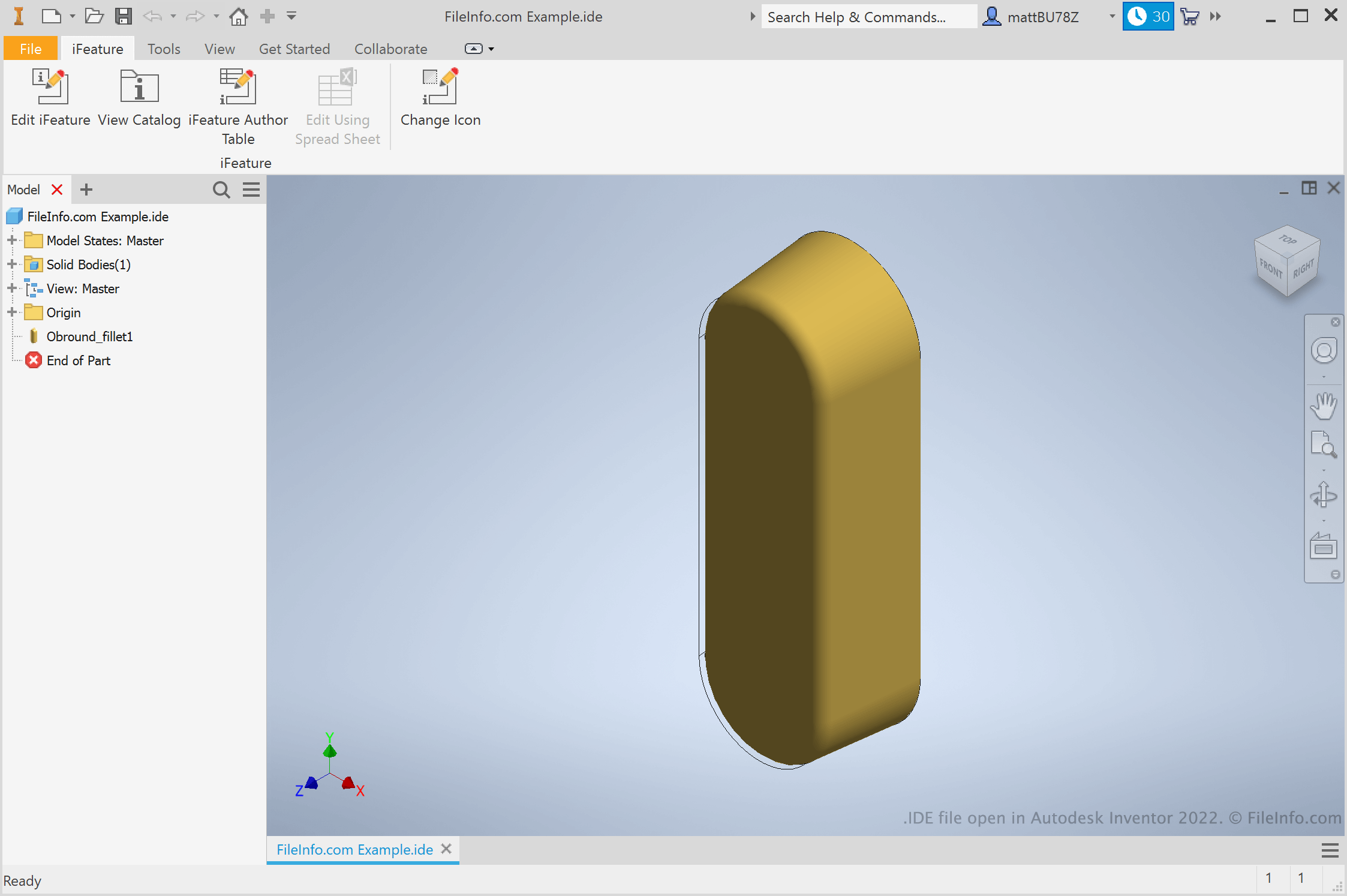
Autodesk Inventor 2022에서 열린 .ide 파일의 스크린샷
Autodesk Inventor 2022에서 열린 IDE 파일

Engineers and product designers use Autodesk Inventor to create 3D prototypes of mechanical products. As part of creating these prototypes, users create parts with a variety of features. If a user knows they'll want to reuse a feature across a variety of parts, they can save that feature as an iFeature. Then, they can apply the iFeature to other parts in the future, saving the time of manually creating and editing that feature.

How do I create an Inventor iFeature?

To create an Inventor iFeature, first open a part (IPT) file. Then, select Manage → Extract iFeature. The Extract iFeature window will appear, allowing you to save your part's features as an IDE file.

How do I apply an iFeature to a part?

To apply an iFeature to a part, first open that part (IPT) file. Then, select Manage → Insert → Insert iFeature. This will allow you to browse to, select, and insert your iFeature.

참고: iFeatures were formerly referred to as an Inventor Design Elements (IDEs).

IDE 파일을 여는 방법

You can open an IDE file in Autodesk Inventor (Windows). To do so, select File → Open from Inventor's menu bar. Then, browse to and select your IDE file.

IDE 파일을 여는 프로그램

Windows
무료 체험판
카테고리: CAD
업데이트: 2021-07-22

검증자 FileInfo.com

FileInfo.com 팀 이 페이지에 나열된 모든 파일 형식과 소프트웨어 프로그램을 독자적으로 조사했습니다. 저희의 목표는 100% 정확성이며, 검증한 파일 유형에 대한 정보만 게시합니다.

이 페이지에 추가하거나 업데이트할 내용을 제안하고 싶으시면 알려 주세요.