

.ART Extensão de arquivo
Arquivo de bordado BERNINA
| Desenvolvedor | BERNINA |
| Popularidade |
2,9 | 17 Votos |
Um arquivo ART é um desenho de bordado criado pelas versões 1 a 4 do BERNINA ARTlink, um aplicativo de bordado. Ele contém um desenho que inclui contornos de objetos, pontos, cores de linha, uma imagem em miniatura de visualização e outros metadados. Os arquivos ART podem ser carregados em uma máquina de costura BERNINA e bordados em uma colcha, camisa ou outro pedaço de tecido.
Mais informações

O formato ART é um dos muitos tipos de arquivo de desenho utilizados na comunidade de bordados e é o formato nativo usado pelas máquinas de costura e pelos softwares BERNINA. Outros formatos de bordado incluem .PES, .VP3, .VIP, .JEF, .HUS e .PCS.
Existem várias versões diferentes do formato ART, e versões mais antigas do software BERNINA podem não abrir versões mais recentes dos arquivos ART. Além disso, a partir da versão 5 do ARTlink, o software salva os desenhos com extensões de arquivo que refletem a versão do software. Por exemplo, o ARTlink 5 salva os desenhos como arquivos .ART50, e o ARTlink 6 salva os desenhos como arquivos ART60.
Como transfiro um arquivo ART do meu computador para uma máquina de costura?
Para transferir um arquivo ART para uma máquina de costura, insira um dispositivo de armazenamento USB no computador e transfira o arquivo ART do computador para o dispositivo de armazenamento conectado usando o Explorador de Arquivos no Windows ou o Finder no macOS. Depois de transferir o arquivo, ejete o dispositivo de armazenamento do computador e insira-o na máquina de costura BERNINA para transferir o desenho e bordá-lo no material.
Como abrir um arquivo ART
Você pode abrir e editar arquivos ART da BERNINA com o software de bordado incluído nas máquinas de costura BERNINA. Você também pode abrir, visualizar e imprimir arquivos ART com o BERNINA ARTlink no Windows.
Se quiser converter um arquivo ART para outro formato de bordado, faça isso com o BERNINA ARTlink selecionando . As opções de conversão incluem PES, JEF, SEW, PEC, VP3, VIP, HUS, .SHV e .EXP.
Programas que abrem arquivos ART
Visual Paradigm Online Artwork
| Desenvolvedor | Visual Paradigm |
| Popularidade |
3,5 | 2 Votos |
Um arquivo ART é um projeto de arte criado pelo Visual Paradigm Online, um aplicativo web para criar documentos, como infográficos e brochuras. Ele é salvo no formato nativo Visual Paradigm Online Artwork (ART) e contém formatação de documentos, uma ou mais camadas, elementos gráficos, texto, formas e outros elementos de design.
Mais informações
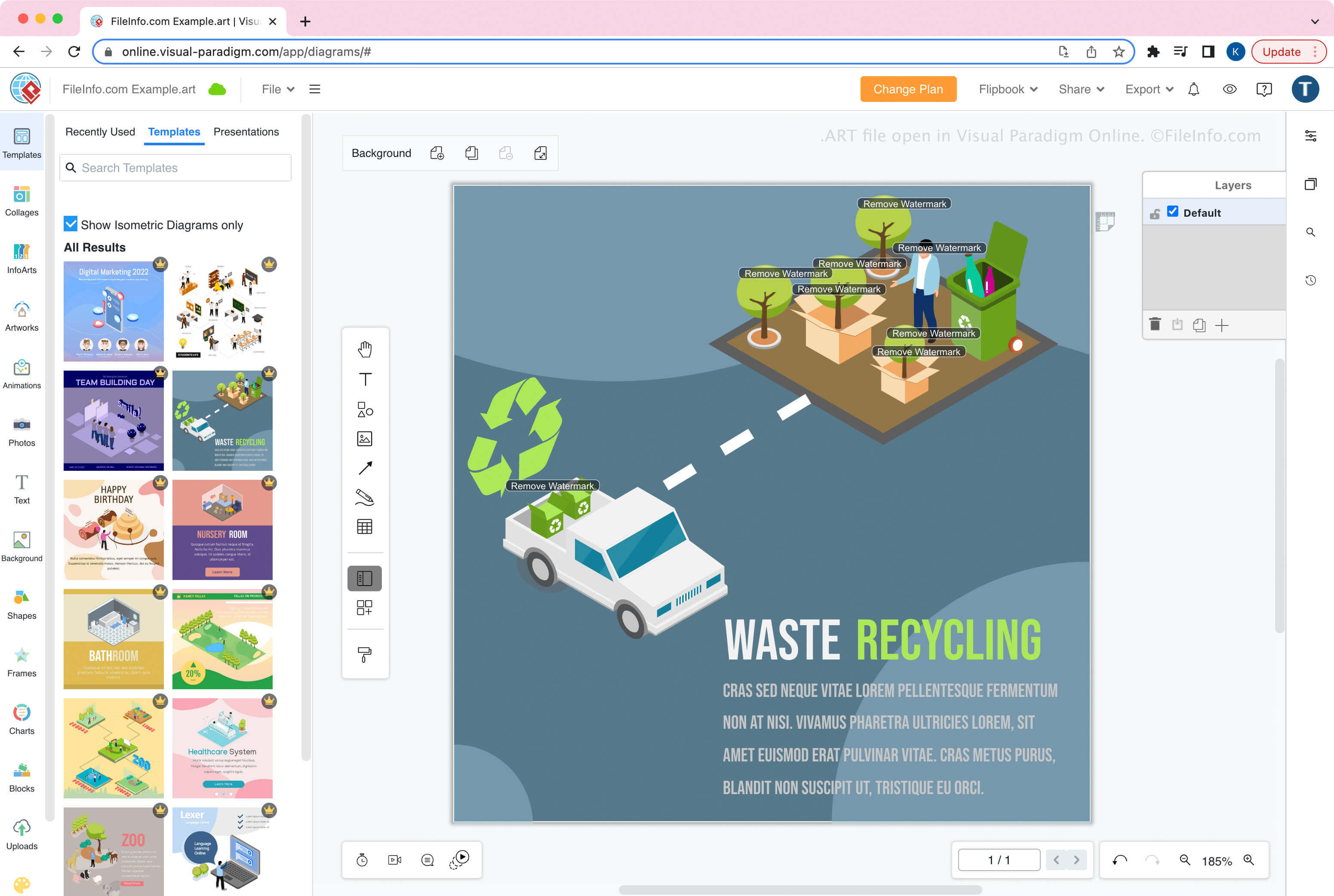
O Visual Paradigm Online é a versão online do aplicativo Visual Paradigm para desktop. A ferramenta permite criar, editar, salvar, exportar e importar trabalhos artísticos, como infográficos, panfletos, pôsteres, brochuras, cartões comemorativos e currículos.
Como criar um arquivo ART
Ao salvar um trabalho artístico como arquivo ART com o Visual Paradigm Online, você pode optar por salvá-lo no armazenamento local (seu dispositivo) ou no Google Drive. Depois de salvar o arquivo, você pode importá-lo para o Visual Paradigm Online para continuar modificando o design.
Para criar um arquivo ART:
- Selecione
- Crie o trabalho artístico
- Selecione
- Dê um nome ao arquivo e escolha o local de salvamento (Google Drive ou dispositivo)
NOTA: No Visual Paradigm Online, você pode escolher entre diferentes aplicativos para criar diferentes tipos de trabalhos artísticos. Ao criar diagramas com o módulo do aplicativo Diagram, o Visual Paradigm Online salva os diagramas como arquivos .VPD.
Como abrir um arquivo ART
Você pode abrir um arquivo ART com o Visual Paradigm Online em um navegador da web. Para abrir um arquivo ART, selecione .