

.WPS Bestandsextensie
Microsoft Works-document voor tekstverwerking
| Ontwikkelaar | Microsoft |
| Populariteit |
3,6 | 98 stemmen |
Wat is een WPS-bestand?
Een WPS-bestand is een tekstdocument dat is gemaakt met Microsoft Works Word Processor, het tekstverwerkingsprogramma dat aan Microsoft Word voorafging. Het lijkt sterk op een Word-document (een .DOC-bestand). WPS-bestanden kunnen echter bepaalde geavanceerde opmaak die Word-documenten bevatten niet bevatten en kunnen geen macro's bevatten.
Meer informatie
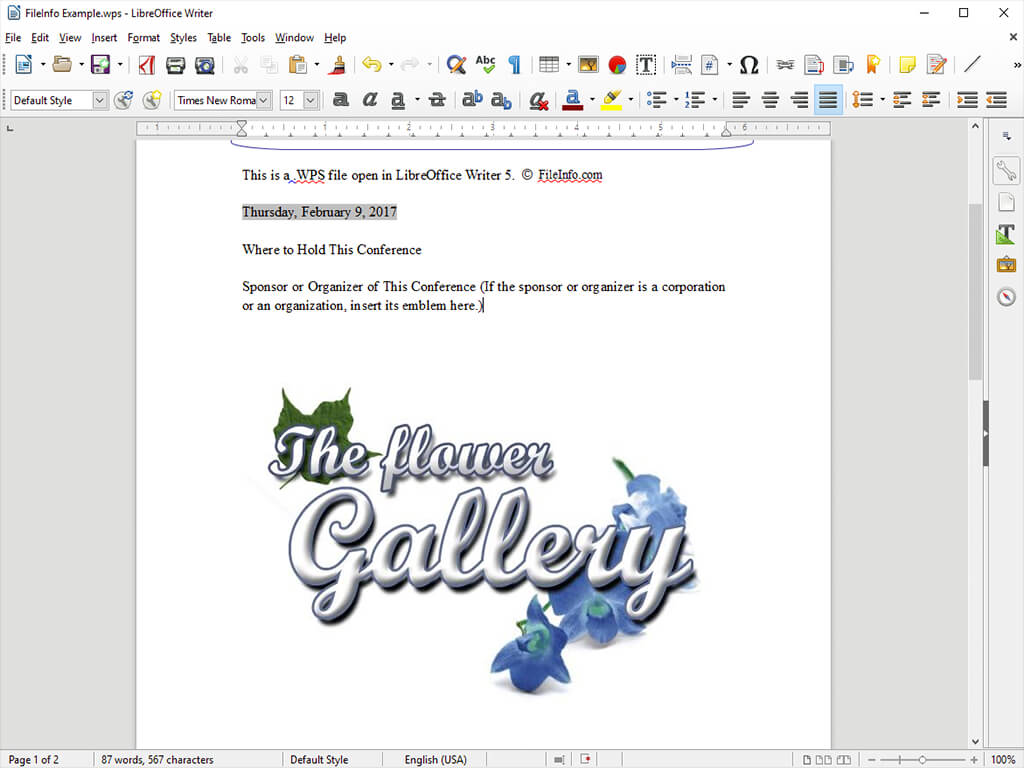
Aan het einde van de jaren 80 en het begin van de jaren 90 gebruikten veel mensen Microsoft Works Word Processor om essays, brieven, uitnodigingen, financiële rapporten, cv's, nieuwsbrieven en andere documenten te maken. Deze documenten werden opgeslagen als WPS-bestanden. Toen Microsoft Word en de DOC-indeling populairder werden, nam het gebruik van de WPS-indeling echter af.
In 2006 beëindigde Microsoft officieel de ondersteuning voor de WPS-indeling en verving deze door de DOC-indeling. Microsoft stopte in 2009 met Microsoft Works; Works 9 was de laatste versie van het programma.
Een WPS-bestand openen
Als je nog toegang hebt tot Microsoft Works Word Processor, kun je alle WPS-bestanden met dat programma openen. Als je geen toegang hebt tot Works Word Processor, kun je de meeste WPS-bestanden openen met Microsoft Word. Word 2010 en latere versies kunnen WPS-bestanden openen die zijn gemaakt met Works Word Processor-versies 6 tot en met 9. Zo open je een WPS-bestand in Word:
- Selecteer .
- Selecteer Alle bestanden (*.*) in het vervolgkeuzemenu .
- Ga naar je WPS-bestand en open het.
Je kunt WPS-bestanden ook openen in de tekstverwerker Writer, die onderdeel is van LibreOffice, Apache OpenOffice, Planamesa NeoOffice en OxygenOffice Professional.
Een WPS-bestand converteren
De meeste tekstverwerkers waarmee je WPS-bestanden kunt openen, kunnen ze naar andere indelingen converteren. LibreOffice Writer kan WPS-bestanden bijvoorbeeld converteren naar de volgende indelingen (en vele andere):
Programma's die WPS-bestanden openen
Kingsoft Writer-document
| Ontwikkelaar | Kingsoft |
| Populariteit |
3,4 | 71 stemmen |
Een WPS-bestand is een tekstdocument dat is gemaakt met Kingsoft Writer, een tekstverwerker die deel uitmaakt van de WPS Office-suite van Kingsoft. Het bevat opgemaakte tekst en kan ook afbeeldingen, tabellen, grafieken en andere elementen bevatten. WPS-bestanden lijken op Microsoft Word-documenten (.DOC of .DOCX-bestanden).
Meer informatie

WPS Office is een gratis productiviteitssuite die vergelijkbaar is met Microsoft Office. De suite bevat een tekstverwerker met de naam Writer. Standaard slaat Writer de documenten van gebruikers op als WPS-bestanden.
Gebruikers kunnen WPS-bestanden helemaal opnieuw maken of vanuit .WPT-sjablonen, die de standaardopmaak en -elementen van documenten bevatten. Writer bevat enkele sjablonen en gebruikers kunnen aanvullende sjablonen downloaden uit de WPS Template Store.
Een WPS-bestand openen
Je kunt Kingsoft Writer, dat deel uitmaakt van Kingsoft WPS Office, gebruiken om WPS-bestanden te openen en te bewerken. Selecteer in het menu Home van WPS Office . Navigeer vervolgens naar je WPS-bestand en open het.
Een WPS-bestand converteren
Kingsoft Writer kan WPS-bestanden converteren naar de volgende indelingen:
- .DOC, .DOCX - Microsoft Word-document
- .DOT, .DOTX - Microsoft Word-documentsjabloon
- .RTF - Rich Text Format
- .TXT - Platte tekst
- .DOCM - Microsoft Word-document met macro's
- .DOTM - Microsoft Word-documentsjabloon met macro's
- .XML - Extensible Markup Language
- .MHTML - MIME HTML
- .HTML - Hypertext Markup Language
- .PDF - Portable Document Format