

.DOTX Bestandsextensie
Microsoft Word-sjabloon
| Ontwikkelaar | Microsoft |
| Populariteit |
3,9 | 66 stemmen |
Wat is een DOTX-bestand?
Een DOTX-bestand is een documentssjabloon dat is gemaakt door Microsoft Word, een tekstverwerker. Het bevat een standaardindeling en instellingen voor een document, waaronder stijlen, AutoText, werkbalken en macro's. DOTX-bestanden worden gebruikt als basis voor het maken van meerdere .DOCX-documenten met dezelfde opmaak.
Meer informatie
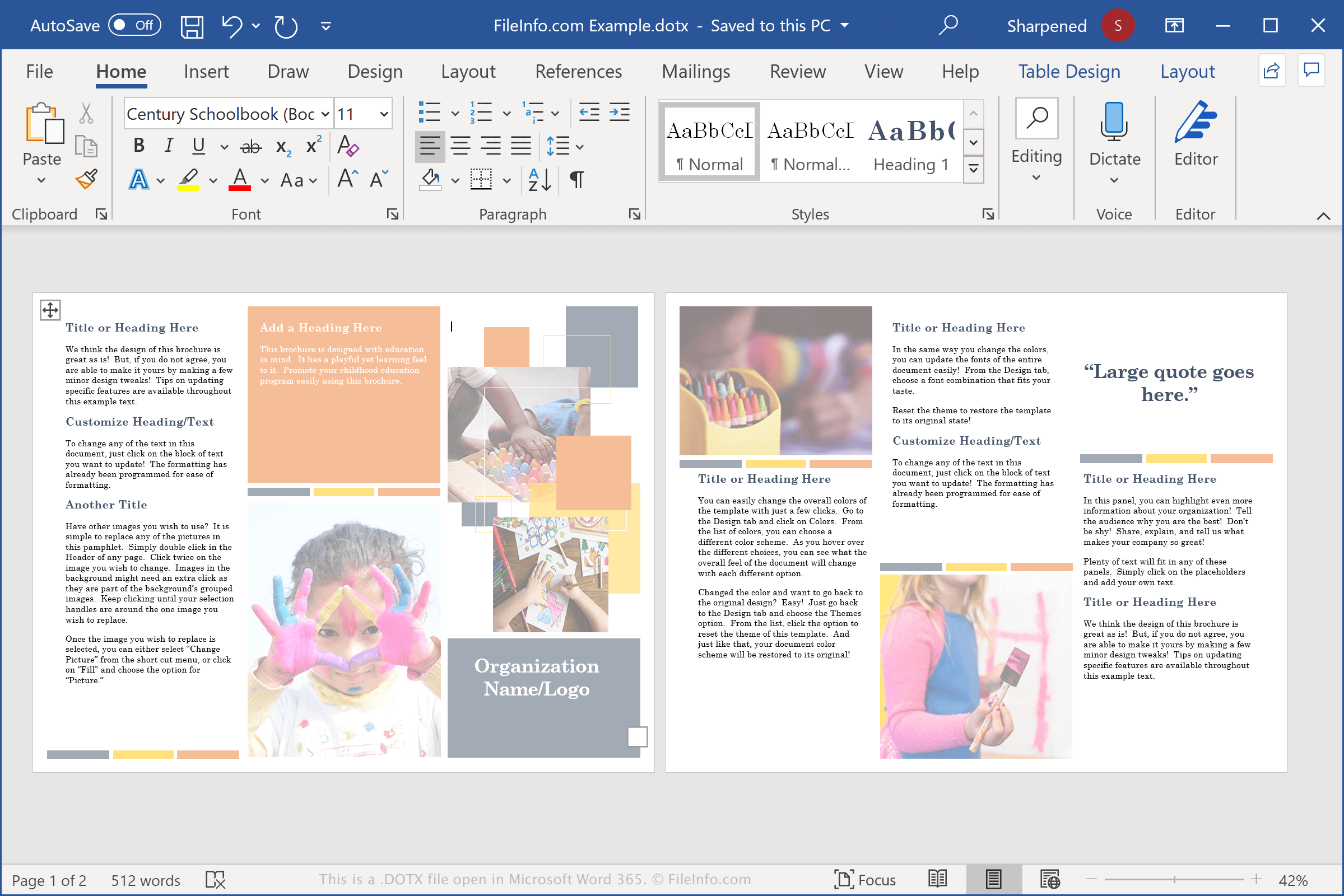
De meeste computergebruikers zijn bekend met het DOCX-bestand, het primaire bestandstype dat door Word wordt gemaakt en een van de populairste documenttypen die door tekstverwerkers worden geopend en opgeslagen. DOTX-bestanden lijken sterk op DOCX-bestanden, maar worden gebruikt om sjablonen op te slaan.
De sjablonen bevatten veel van dezelfde informatie als DOCX-bestanden, waaronder tekst, stijlen en afbeeldingen. Ze kunnen ook met een wachtwoord worden beveiligd, wat handig is om inhoud te beveiligen in sjablonen die door meerdere mensen worden geopend en bewerkt.
DOTX-bestanden zijn handig voor gebruikers die meerdere Word-documenten met dezelfde opmaak en vergelijkbare inhoud moeten maken, zoals cv's, bedrijfsplannen of nieuwsbrieven.
Word wordt ook geleverd met vooraf geïnstalleerde DOTX-sjablonen waarmee je een document kunt maken waarin al veel elementen voor de pagina-indeling, lettertypen en stijlen zijn ingesteld. Vervolgens kun je, afhankelijk van hoe je het document wilt aanpassen, het DOTX-bestand openen en je nieuwe tekst plaatsen.
OPMERKING: DOTX-bestanden vervingen .DOT-bestanden toen Microsoft Office 2007 uitbracht. DOT-bestanden worden opgeslagen in een binaire indeling, terwijl DOTX-bestanden worden opgeslagen in de nieuwere, op Open XML gebaseerde Word-documentindeling, waarin gegevens als afzonderlijke bestanden en mappen in een gecomprimeerd Zip-pakket worden opgeslagen.
Veelvoorkomende .DOTX-bestandsnamen
Normal.dotx - De Normal-sjabloon is de standaardsjabloon die wordt geopend wanneer gebruikers Word openen. Deze wordt opgeslagen in het bestand Normal.dotx en kan worden aangepast om aangepaste instellingen voor de standaardsjabloon te maken.
Een DOTX-bestand openen
Je kunt DOTX-bestanden openen met Microsoft Word in Windows en macOS. Word is de beste keuze voor het openen van DOTX-bestanden, omdat het de opmaak van Word-sjablonen volledig ondersteunt, waaronder tekstopmaak, tabellen en afbeeldingen. De software is ook beschikbaar voor Android- en iOS-apparaten.
Je kunt DOTX-sjablonen openen met andere toepassingen, maar deze ondersteunen mogelijk niet de volledige opmaak van de oorspronkelijke sjablonen. Enkele voorbeelden zijn Apache OpenOffice Writer (multiplatform), Kingsoft Writer (multiplatform) en Apple Pages (Mac). Als je een Mac-gebruiker bent en een DOTX-bestand wilt bekijken, kun je Apple Preview gebruiken, dat bij macOS wordt meegeleverd.
Je kunt DOTX-bestanden ook uploaden naar Google Docs, een gratis web- en mobiele toepassing waarmee je het document kunt bekijken, bewerken, opslaan en converteren.
Een DOTX-bestand converteren
Verschillende tekstverwerkers, waaronder Microsoft Word, Apple Pages en LibreOffice Writer, kunnen DOTX-bestanden naar andere indelingen converteren.
Selecteer bijvoorbeeld in de Windows- en Mac-versies van Microsoft Word om DOTX-bestanden naar een van de volgende indelingen te converteren:
- .DOCX - Microsoft Word-document
- .DOC - Microsoft Word-document (verouderd)
- .DOT - Microsoft Word-documentsjabloon (verouderd)
- .ODT - OpenDocument-tekstdocument
- .PDF - Portable Document Format
- .RTF - Rich Text Format
- .TXT - Platte tekst
- .HTML - HTML-webpagina
- .XPS - XML Paper Specification (alleen Windows)