

.DOTX Extension de fichier
Modèle Microsoft Word
| Développeur | Microsoft |
| Popularité |
3,9 | 66 Votes |
Qu'est-ce qu'un fichier DOTX ?
Un fichier DOTX est un modèle de document créé par Microsoft Word, un programme de traitement de texte. Il contient une mise en page et des paramètres par défaut pour un document, notamment des styles, du texte automatique, des barres d’outils et des macros. Les fichiers DOTX servent de base pour créer plusieurs documents .DOCX avec la même mise en forme.
Plus d'informations
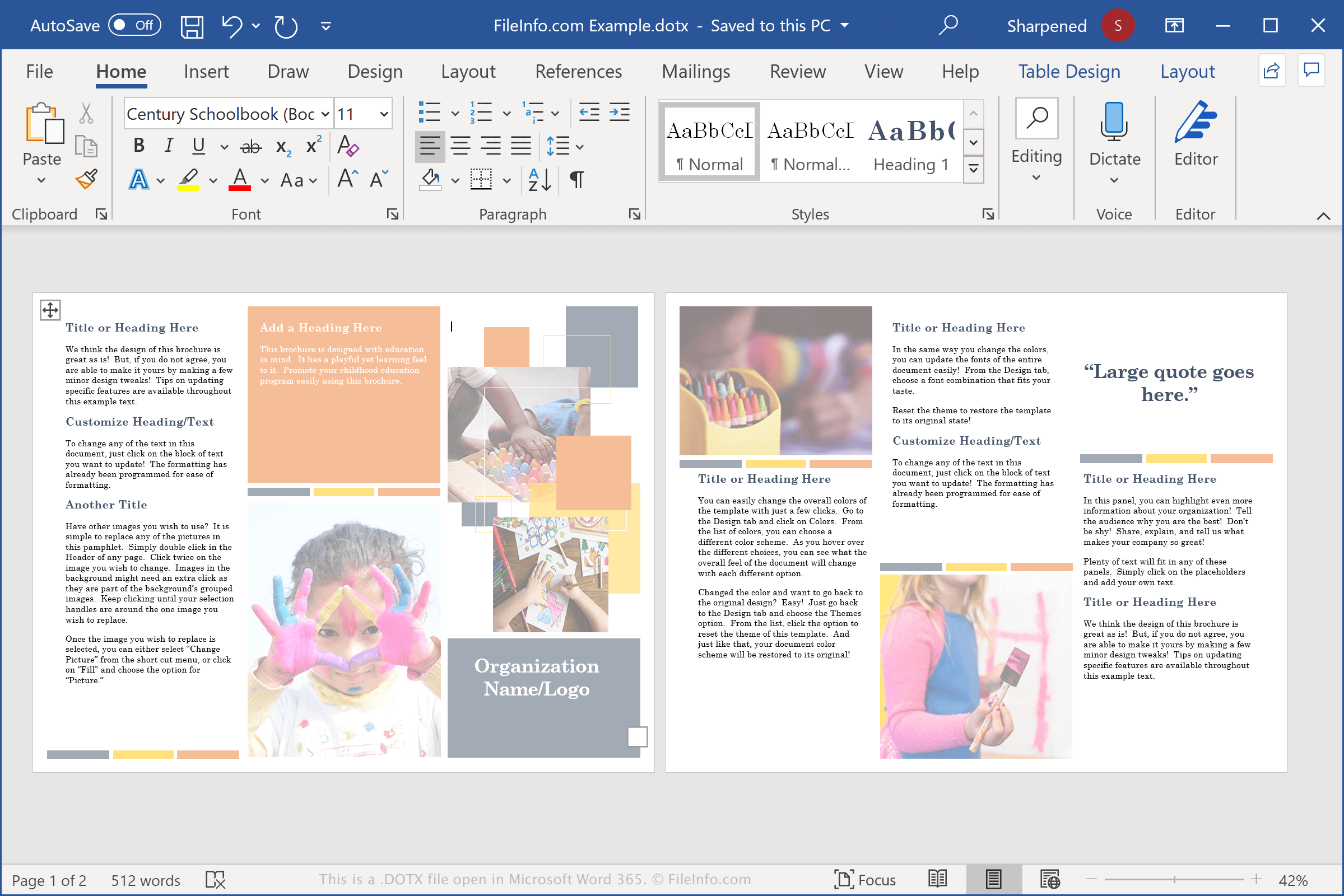
La plupart des utilisateurs d’ordinateurs connaissent le fichier DOCX, le principal type de fichier créé par Word et l’un des types de documents les plus couramment ouverts et enregistrés par les logiciels de traitement de texte. Les fichiers DOTX sont très similaires aux fichiers DOCX, mais servent à stocker des modèles.
Les modèles contiennent une grande partie des mêmes informations que les fichiers DOCX, notamment du texte, des styles et des images. Ils peuvent également être protégés par mot de passe, ce qui est utile pour sécuriser le contenu des modèles que plusieurs personnes ouvrent et modifient.
Les fichiers DOTX sont pratiques pour les utilisateurs qui doivent créer plusieurs documents Word avec la même mise en forme et un contenu similaire, comme des CV, des plans d’affaires ou des bulletins d’information.
Word est également fourni avec des modèles DOTX préchargés qui vous permettent de créer un document avec de nombreux éléments de mise en page, des polices et des styles déjà en place. Ensuite, selon le degré de personnalisation souhaité, vous pouvez ouvrir le fichier DOTX et y placer votre nouveau texte.
REMARQUE : Les fichiers DOTX ont remplacé les fichiers .DOT lorsque Microsoft a lancé Office 2007. Les fichiers DOT sont enregistrés dans un format binaire, tandis que les fichiers DOTX sont enregistrés dans le nouveau format de document Word basé sur Open XML, qui stocke les données sous forme de fichiers et de dossiers distincts dans un paquet Zip compressé.
Noms de fichiers .DOTX courants
Normal.dotx - Le modèle Normal est le modèle par défaut ouvert lorsque les utilisateurs ouvrent Word. Il est stocké dans le fichier Normal.dotx et peut être modifié pour créer des paramètres de modèle par défaut personnalisés.
Comment ouvrir un fichier DOTX
Vous pouvez ouvrir les fichiers DOTX avec Microsoft Word sous Windows et macOS. Word est le meilleur choix pour ouvrir les fichiers DOTX, car il prend entièrement en charge la mise en forme des modèles Word, notamment l’espacement du texte, les tableaux et les images. Le logiciel est également disponible pour les appareils Android et iOS.
Vous pouvez ouvrir les modèles DOTX avec d’autres applications, mais celles-ci peuvent ne pas prendre entièrement en charge la mise en forme des modèles d’origine. Parmi ces applications figurent Apache OpenOffice Writer (multiplateforme), Kingsoft Writer (multiplateforme) et Apple Pages (Mac). Si vous utilisez un Mac et souhaitez afficher un fichier DOTX, vous pouvez utiliser Apple Preview, qui est fourni avec macOS.
Vous pouvez également importer des fichiers DOTX dans Google Docs, une application Web et mobile gratuite qui vous permet d’afficher, de modifier, d’enregistrer et de convertir le document.
Comment convertir un fichier DOTX
Différents logiciels de traitement de texte, notamment Microsoft Word, Apple Pages et LibreOffice Writer, peuvent convertir les fichiers DOTX dans d’autres formats.
Par exemple, dans les versions Windows et Mac de Microsoft Word, sélectionnez pour convertir les fichiers DOTX dans l’un des formats suivants :
- .DOCX - Document Microsoft Word
- .DOC - Document Microsoft Word (ancienne version)
- .DOT - Modèle de document Microsoft Word (ancienne version)
- .ODT - Document texte OpenDocument
- .PDF - Format de document portable
- .RTF - Format de texte enrichi
- .TXT - Texte brut
- .HTML - Page Web HTML
- .XPS - XML Paper Specification (Windows uniquement)