

.WPS Přípona souboru
Dokument textového procesoru Microsoft Works
| Vývojář | Microsoft |
| Popularita |
3,6 | 98 hlasů |
Co je soubor WPS?
Soubor WPS je textový dokument vytvořený v programu Microsoft Works Word Processor, textovém procesoru, který předcházel programu Microsoft Word. Je velmi podobný dokumentu Word (souboru .DOC). Soubory WPS však nemohou obsahovat některé pokročilé formátování, které obsahují dokumenty Word, a nemohou obsahovat makra.
Další informace
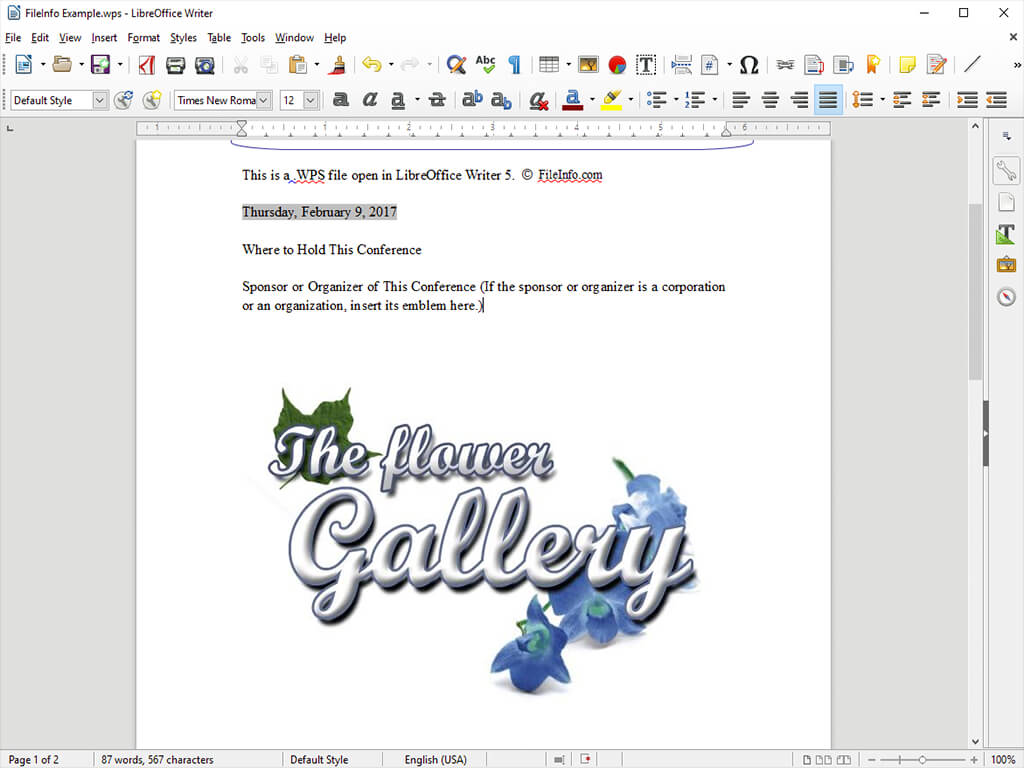
Na konci 80. a začátku 90. let mnoho lidí používalo Microsoft Works Word Processor k vytváření esejí, dopisů, pozvánek, finančních zpráv, životopisů, zpravodajů a dalších dokumentů. Tyto dokumenty se ukládaly jako soubory WPS. S rostoucí oblibou programu Microsoft Word a formátu DOC však rozšíření formátu WPS klesalo.
V roce 2006 Microsoft formát WPS oficiálně ukončil a nahradil ho formátem DOC. Společnost Microsoft ukončila vývoj Microsoft Works v roce 2009, přičemž Works 9 byla poslední verzí tohoto programu.
Jak otevřít soubor WPS
Pokud máte stále přístup k programu Microsoft Works Word Processor, můžete v něm otevřít všechny soubory WPS. Pokud k programu Works Word Processor přístup nemáte, můžete většinu souborů WPS otevřít v programu Microsoft Word. Word 2010 a novější verze mohou otevřít soubory WPS vytvořené ve verzích Works Word Processor 6 až 9. Soubor WPS otevřete ve Wordu takto:
- Vyberte .
- V rozbalovací nabídce vyberte možnost All Files (*.*).
- Vyhledejte a otevřete svůj soubor WPS.
Soubory WPS můžete také otevřít v textovém procesoru Writer, který je součástí programů LibreOffice, Apache OpenOffice, Planamesa NeoOffice a OxygenOffice Professional.
Jak převést soubor WPS
Většina textových procesorů, které dokážou otevřít soubory WPS, je může převést do jiných formátů. Například LibreOffice Writer dokáže převést soubory WPS do následujících formátů (a mnoha dalších):
Programy, které otevírají soubory WPS
Dokument Kingsoft Writer
| Vývojář | Kingsoft |
| Popularita |
3,4 | 71 hlasů |
Soubor WPS je textový dokument vytvořený v programu Kingsoft Writer, textovém procesoru, který je součástí sady WPS Office od společnosti Kingsoft. Obsahuje formátovaný text a může zahrnovat také obrázky, tabulky, grafy a další prvky. Soubory WPS jsou podobné dokumentům Microsoft Word (soubory .DOC nebo .DOCX).
Další informace

WPS Office je bezplatná kancelářská sada podobná sadě Microsoft Office. Její součástí je textový procesor s názvem Writer. Writer ve výchozím nastavení ukládá dokumenty uživatelů jako soubory WPS.
Uživatelé mohou vytvářet soubory WPS od začátku nebo ze .WPT šablon, které obsahují výchozí formátování a prvky dokumentu. Writer obsahuje některé šablony a uživatelé si mohou další šablony stáhnout z obchodu WPS Template Store.
Jak otevřít soubor WPS
K otevření a úpravám souborů WPS můžete použít program Kingsoft Writer, který je součástí sady Kingsoft WPS Office. V nabídce WPS Office Home vyberte . Poté přejděte k souboru WPS a otevřete ho.
Jak převést soubor WPS
Kingsoft Writer dokáže převádět soubory WPS do následujících formátů:
- .DOC, .DOCX - Dokument Microsoft Word
- .DOT, .DOTX - Šablona dokumentu Microsoft Word
- .RTF - Rich Text Format
- .TXT - Prostý text
- .DOCM - Dokument Microsoft Word s podporou maker
- .DOTM - Šablona dokumentu Microsoft Word s podporou maker
- .XML - Extensible Markup Language
- .MHTML - MIME HTML
- .HTML - Hypertext Markup Language
- .PDF - Portable Document Format