

.PES Bestandsextensie
Brother PE-borduurbestandsindeling
| Ontwikkelaar | Brother International Corporation |
| Populariteit |
3,6 | 153 stemmen |
Wat is een PES-bestand?
Een PES-bestand is een bestand voor computerondersteunde productie (CAM) dat borduurinstructies bevat voor een naaimachine om een patroon op een stuk stof te borduren. Het bevat codes zoals "stop", "jump" en "trim" die samen instructies vormen voor de naaimachine. PES-bestanden bevatten ook informatie over het borduurontwerp, zoals de kleuren in het ontwerp uit het ondersteunde Brother-kleurenpalet en de dichtheid en lengte van de steken.
Meer informatie
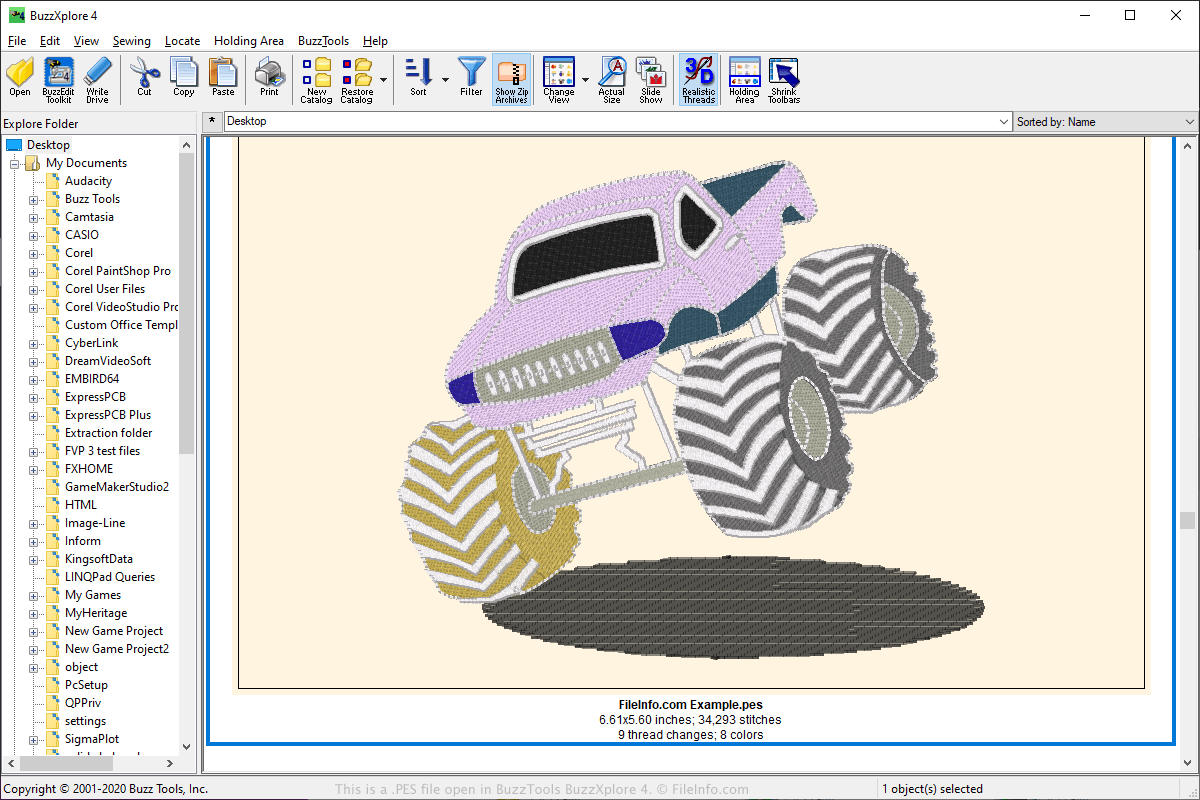
De PES-indeling is een van de populairste bestandsindelingen in de borduurgemeenschap en wordt door een groot aantal borduurtoepassingen ondersteund. PES-bestanden kunnen worden gemaakt door verschillende borduurtoepassingen, waaronder de PE-Design-software die bij Brother-naaimachines wordt geleverd, maar kunnen ook worden gebruikt met Babylock- en Bernina-borduurnaaimachines voor thuisgebruik.
Gebruikers kunnen PES-ontwerpen online uploaden en delen in webforums, op websites en als e-mailbijlagen. Andere gebruikers kunnen de PES-ontwerpen vervolgens downloaden en openen met een programma dat het bekijken of bewerken van de PES-indeling ondersteunt.
Om het ontwerp naar een naaimachine over te zetten, kunnen gebruikers hun ontwerp opslaan op een draagbaar USB-opslagapparaat. Vervolgens kunnen ze het opslagapparaat in de naaimachine plaatsen om het ontwerp over te zetten en te borduren.
Een PES-bestand openen
Je kunt PES-bestanden openen met verschillende toepassingen, waaronder BALARAD Embird Studio (Windows), PREMIER+ Embroidery (meerdere platforms), S & S Computing SewWhat! (Windows) en Buzz Tools BuzzXplore (Windows). Je kunt PES-bestanden openen met verschillende Android-apps, zoals Touch Embroidery Free en Embroidery Viewer.
Je kunt PES-bestanden ook bekijken en naar andere indelingen converteren met de webapplicatie Embroidery Viewer and Converter en de plug-in voor de Google Chrome-webbrowser.
Programma's die PES-bestanden openen
PhysicsEditor-werkblad
| Ontwikkelaar | CodeAndWeb |
| Populariteit |
3,3 | 32 stemmen |
Een PES-bestand is een projectbestand dat is gemaakt door CodeAndWeb PhysicsEditor, een programma dat ontwikkelaars van videogames gebruiken om botsingsvormen te maken. Het bevat verwijzingen naar een of meer sprites en bevat instellingen voor botsingsvormen die aan die sprites zijn gekoppeld. Ontwikkelaars kunnen PES-bestanden gebruiken om botsingsvormen in verschillende indelingen te exporteren voor gebruik met verschillende engines voor gameontwikkeling.
Meer informatie
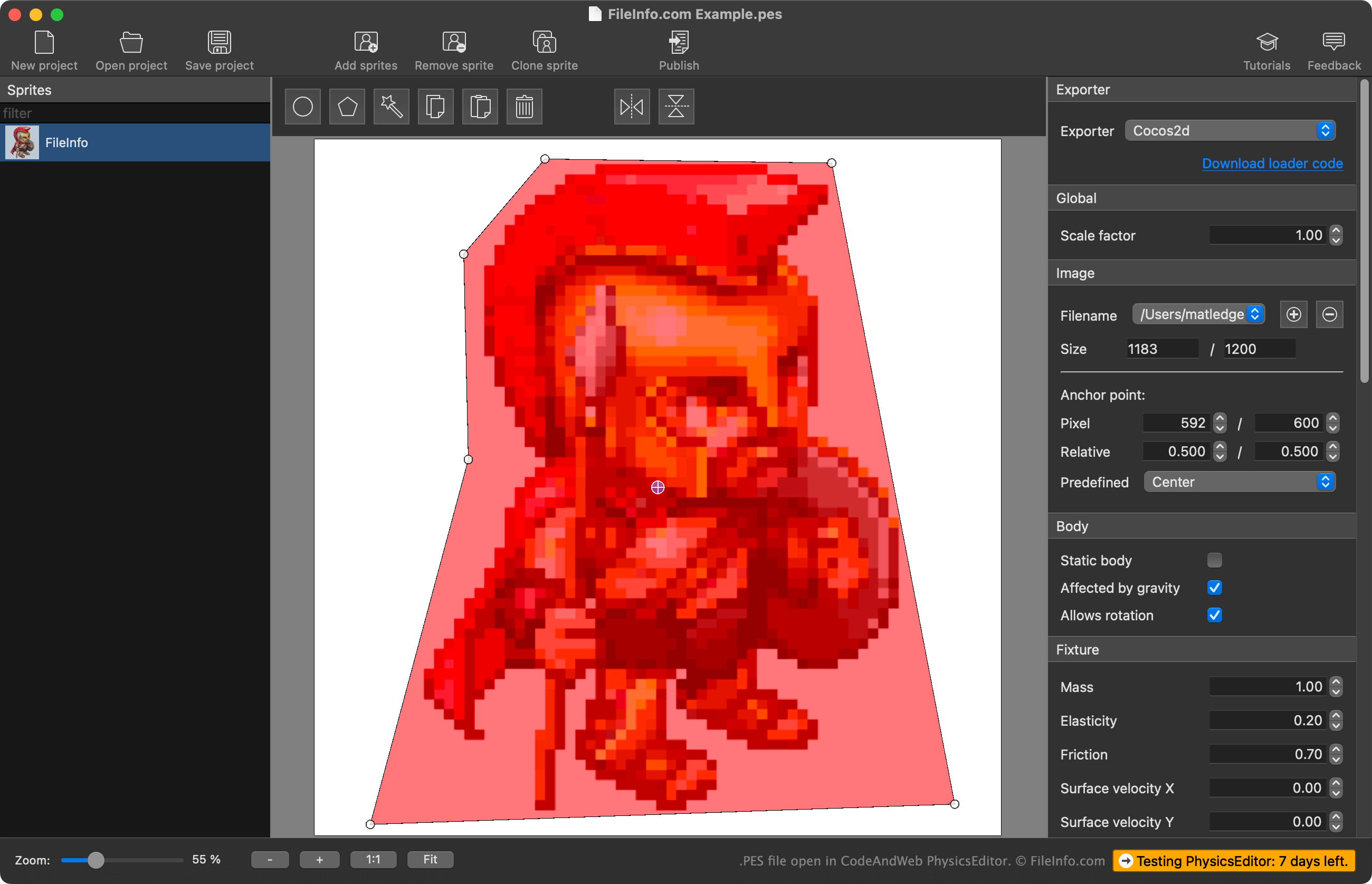
Met PhysicsEditor kunnen ontwikkelaars sprites importeren die ze in hun videogame gebruiken en botsingsvormen maken voor gebruik met die sprites. Ontwikkelaars kunnen de automatische vormtracer van PhysicsEditor gebruiken om de botsingsvorm van een sprite te maken, of ze kunnen de vorm zelf tekenen. Ze kunnen ook verschillende natuurkundige parameters en botsingsparameters aanpassen die aan de botsingsvorm zijn gekoppeld, voordat ze de vorm exporteren voor gebruik met hun engine voor gameontwikkeling.
Ontwikkelaars slaan PhysicsEditor-projecten op als PES-bestanden. Deze bestanden bevatten:
- Een verwijzing naar de bestandslocaties van de geïmporteerde sprites
- De instellingen voor de botsingsvormen van de sprites
- De exportinstellingen van het project
Belangrijk is dat PES-bestanden geen daadwerkelijke kopie van geïmporteerde sprites bevatten; ze bevatten alleen een verwijzing naar de locaties van de sprites op het moment waarop het PES-bestand is gemaakt. Als je een sprite waarnaar het PES-bestand verwijst verplaatst, kan PhysicsEditor die sprite daarom niet laden.
Een PES-bestand openen
Je kunt een PES-bestand openen met CodeAndWeb Physics Editor (multiplatform). Selecteer hiervoor in de menubalk van het programma. Ga vervolgens naar je PES-bestand en open het.
Een PES-bestand converteren
Je kunt CodeAndWeb PhysicsEditor gebruiken om de botsingsvormen in een PES-bestand in verschillende indelingen te exporteren voor gebruik met verschillende engines voor gameontwikkeling. Selecteer hiervoor je engine voor gameontwikkeling in het menu van PhysicsEditor, dat zich in de rechterzijbalk van het programma bevindt. Selecteer vervolgens in de menubalk van het programma.