.PES 文件扩展名

Brother PE Embroidery Format

开发者 Brother International Corporation
受欢迎程度
3.6  |  152 
 
🔍使用File Helper直接在您的网络浏览器中打开 .PES 文件在线查看

什么是 PES 文件?

A PES file is a computer-aided manufacturing (CAM) file that contains embroidery instructions for a sewing machine to stitch a pattern onto a piece of fabric. It stores codes such as "stop," "jump," and "trim" that make up instructions that direct the sewing machine. PES files also include information about the embroidery design, such as colors in the design from the supported Brother color palette and stitch density and length.

更多信息

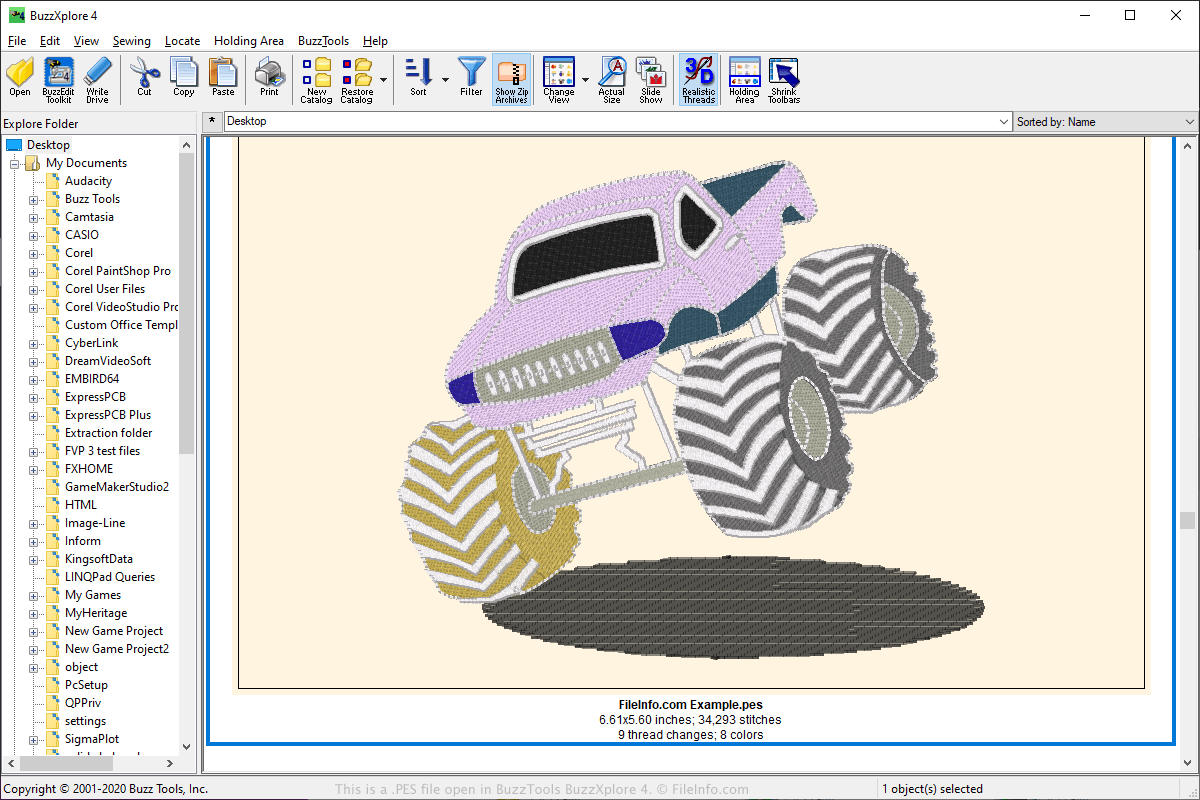
在 Buzz Tools BuzzXplore 4 中打开的 .pes 文件截图
在 Buzz Tools BuzzXplore 4 中打开的 PES 文件

The PES format is one of the most popular file formats in the embroidery community and is supported by a large number of embroidery applications. PES files may be created by various embroidery applications, which include PE-Design software included with Brother sewing machines, but may also be used with Babylock and Bernina home embroidery machines.

Users may upload PES designs online and share them in web forums, on websites, and as email attachments. Other users can then download PES designs and open them with a program that supports viewing or editing the PES format.

To transfer the design to a sewing machine, users can save their design to a portable USB storage device. Then, they can insert the storage device into the sewing machine to transfer the design to embroider it.

如何打开 PES 文件

You can open PES files with various applications, which include BALARAD Embird Studio (Windows), PREMIER+ Embroidery (multiplatform), S & S Computing SewWhat! (Windows), and Buzz Tools BuzzXplore (Windows). You can open PES files with several Android apps, such as Touch Embroidery Free and Embroidery Viewer.

You can also view and convert PES files to other formats with the Embroidery Viewer and Converter web application and plugin for the Google Chrome web browser.

可打开 PES 文件的程序

分类: 杂项
更新时间: 2021-04-23

PhysicsEditor Sheet

开发者 CodeAndWeb
受欢迎程度
3.3  |  32 
 

A PES file is a project file created by CodeAndWeb PhysicsEditor, a program that video game developers use to create collision shapes. It contains references to one or more sprites, and it contains collision shape settings associated with those sprites. Developers can use PES files to export collision shapes in a variety of formats, for use with different game development engines.

更多信息

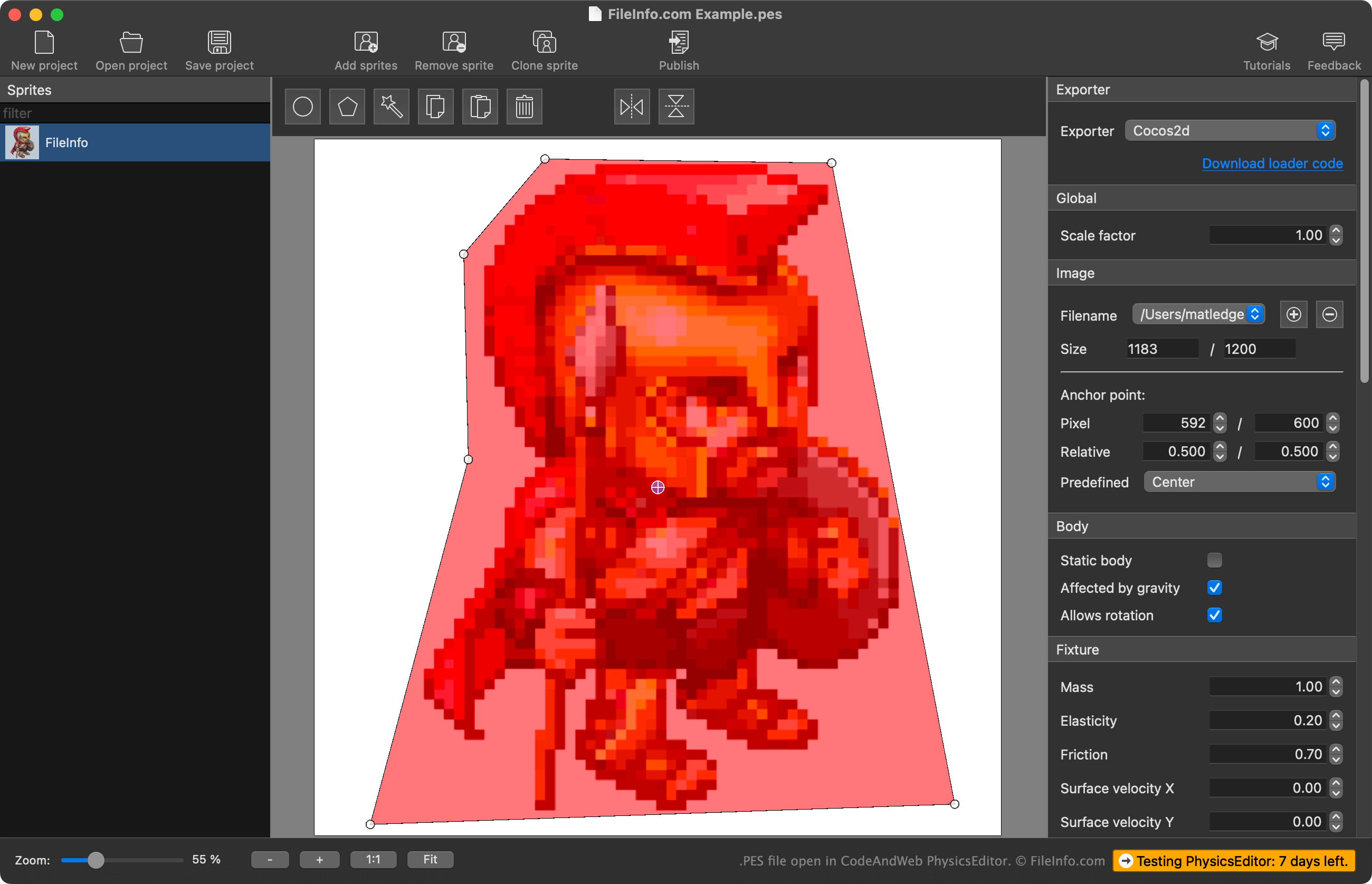
在 CodeAndWeb PhysicsEditor 中打开的 .pes 文件截图
在 CodeAndWeb PhysicsEditor 中打开的 PES 文件

PhysicsEditor allows game developers to import sprites they're using in their video game and create collision shapes for use with those sprites. Developers can use PhysicsEditor's automated shape-tracer to create a sprite's collision shape, or they can draw the shape themselves. They can also adjust various physics and collision parameters associated with the collision shape, before exporting the shape for use with their game development engine.

Developers save PhysicsEditor projects as PES files. These files contain:

  • A reference to the imported sprites' file locations
  • The sprites' collision shape settings
  • The project's export settings

Notably, PES files do not contain an actual copy of imported sprites; they contain only a reference to the sprites' locations at the time the PES file was created. Therefore, if you move a sprite the PES file references, PhysicsEditor will not be able to load that sprite.

如何打开 PES 文件

You can open a PES file with CodeAndWeb Physics Editor (multiplatform). To do so, select File → Open project... from the program's menu bar. Then, navigate to and open your PES file.

如何转换 PES 文件

You can use CodeAndWeb PhysicsEditor to export the collision shapes a PES file contains in a variety of formats, for use with different game development engines. To do so, select your game development engine from PhysicsEditor's Exporter menu, located in the program's right-hand sidebar. Then, select File → Publish from the program's menu bar.

可打开 PES 文件的程序

Windows
Mac
Linux
分类: 数据
更新时间: 2023-02-22

验证者 FileInfo.com

FileInfo.com 团队 独立研究了本页面列出的所有文件格式和软件程序。 我们的目标是达到 100% 的准确率,并且仅发布我们已验证过的文件类型信息。

如果您想为此页面提出新增或更新建议,请告诉我们