

.PES 파일 확장자
Brother PE 자수 형식
| 개발사 | Brother International Corporation |
| 인기도 |
3.6 | 153 표 |
PES 파일이란 무엇인가요?
PES 파일은 컴퓨터 지원 제조(CAM) 파일로, 재봉틀이 천 조각에 패턴을 수놓도록 하는 자수 지침이 들어 있습니다. 재봉틀을 제어하는 지침을 구성하는 "stop," "jump," "trim"과 같은 코드가 저장됩니다. PES 파일에는 지원되는 Brother 색상 팔레트의 디자인 색상, 스티치 밀도와 길이 등 자수 디자인에 대한 정보도 포함됩니다.
추가 정보
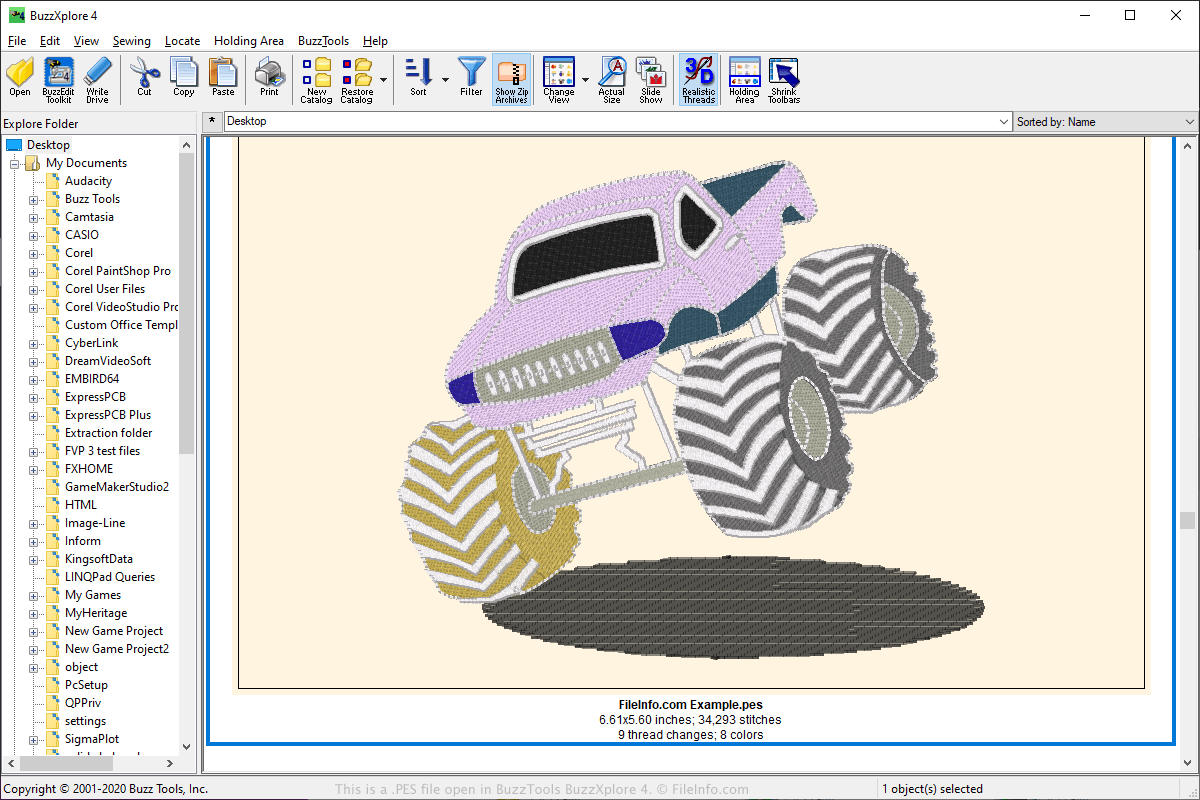
PES 형식은 자수 업계에서 가장 널리 사용되는 파일 형식 중 하나이며, 많은 자수 애플리케이션에서 지원됩니다. PES 파일은 다양한 자수 애플리케이션으로 만들 수 있습니다. 여기에는 Brother 재봉틀에 포함된 PE-Design 소프트웨어가 있으며, Babylock 및 Bernina 가정용 자수 기계에서도 사용할 수 있습니다.
사용자는 온라인에 PES 디자인을 업로드하고 웹 포럼, 웹사이트 또는 이메일 첨부 파일로 공유할 수 있습니다. 그러면 다른 사용자가 PES 디자인을 다운로드하여 PES 형식의 보거나 편집할 수 있는 프로그램으로 열 수 있습니다.
디자인을 재봉틀로 전송하려면 사용자는 디자인을 휴대용 USB 저장 장치에 저장할 수 있습니다. 그런 다음 저장 장치를 재봉틀에 삽입하여 디자인을 전송하고 자수를 놓을 수 있습니다.
PES 파일을 여는 방법
PES 파일은 BALARAD Embird Studio(Windows), PREMIER+ Embroidery(다중 플랫폼), S & S Computing SewWhat!(Windows), Buzz Tools BuzzXplore(Windows) 등 다양한 애플리케이션으로 열 수 있습니다. Touch Embroidery Free 및 Embroidery Viewer와 같은 여러 Android 앱으로도 PES 파일을 열 수 있습니다.
또한 Google Chrome 웹 브라우저용 Embroidery Viewer and Converter 웹 애플리케이션과 플러그인을 사용하여 PES 파일을 다른 형식으로 보고 변환할 수 있습니다.
PES 파일을 여는 프로그램
PhysicsEditor 시트
| 개발사 | CodeAndWeb |
| 인기도 |
3.3 | 32 표 |
PES 파일은 비디오 게임 개발자가 충돌 도형을 만드는 데 사용하는 프로그램인 CodeAndWeb PhysicsEditor로 만든 프로젝트 파일입니다. 이 파일에는 하나 이상의 스프라이트에 대한 참조와 해당 스프라이트에 연결된 충돌 도형 설정이 포함되어 있습니다. 개발자는 PES 파일을 사용하여 다양한 형식으로 충돌 도형을 내보내고, 이를 여러 게임 개발 엔진에서 사용할 수 있습니다.
추가 정보
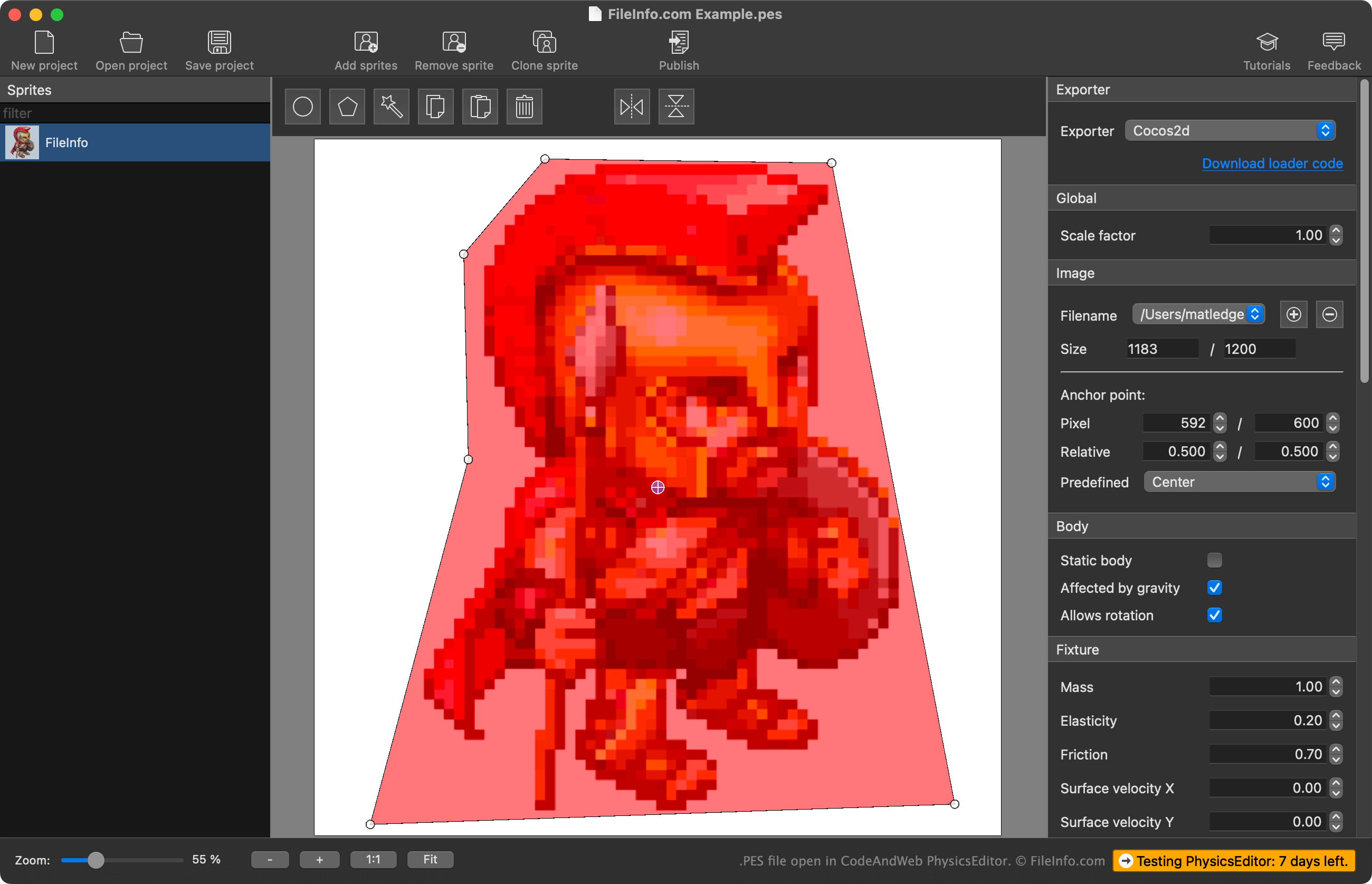
PhysicsEditor를 사용하면 게임 개발자가 비디오 게임에 사용하는 스프라이트를 가져와 해당 스프라이트에 사용할 충돌 도형을 만들 수 있습니다. 개발자는 PhysicsEditor의 자동 도형 추적 기능을 사용하여 스프라이트의 충돌 도형을 만들거나 직접 도형을 그릴 수 있습니다. 또한 도형을 게임 개발 엔진에서 사용할 수 있도록 내보내기 전에 충돌 도형과 연결된 다양한 물리 및 충돌 매개변수를 조정할 수 있습니다.
개발자는 PhysicsEditor 프로젝트를 PES 파일로 저장합니다. 이러한 파일에는 다음이 포함됩니다:
- 가져온 스프라이트의 파일 위치에 대한 참조
- 스프라이트의 충돌 도형 설정
- 프로젝트의 내보내기 설정
중요한 점은 PES 파일에 가져온 스프라이트의 실제 사본이 포함되지 않는다는 것입니다. PES 파일이 생성될 당시 스프라이트가 있던 위치에 대한 참조만 포함됩니다. 따라서 PES 파일이 참조하는 스프라이트를 이동하면 PhysicsEditor에서 해당 스프라이트를 불러올 수 없습니다.
PES 파일을 여는 방법
CodeAndWeb Physics Editor(멀티플랫폼)로 PES 파일을 열 수 있습니다. 그러려면 프로그램의 메뉴 모음에서 를 선택합니다. 그런 다음 PES 파일이 있는 위치로 이동하여 파일을 엽니다.
PES 파일을 변환하는 방법
CodeAndWeb PhysicsEditor를 사용하여 PES 파일에 포함된 충돌 도형을 다양한 형식으로 내보내고, 이를 여러 게임 개발 엔진에서 사용할 수 있습니다. 그러려면 프로그램 오른쪽 사이드바에 있는 PhysicsEditor의 메뉴에서 사용할 게임 개발 엔진을 선택합니다. 그런 다음 프로그램의 메뉴 모음에서 를 선택합니다.