

.LWS Bestandsextensie
LightWave 3D Scene
| Ontwikkelaar | LightWave Digital |
| Populariteit |
3,5 | 4 stemmen |
Wat is een LWS-bestand?
Een LWS-bestand is een driedimensionale scène die is gemaakt met LightWave 3D, een programma voor 3D-modellering, animatie en rendering. Het bevat informatie over de posities en bewegingen van objecten, camera's en hun bewegingen, en verwijzingen naar de locaties van .LWO-bestanden waarin 3D-objecten worden opgeslagen die in de scène verschijnen. LWS-bestanden worden opgeslagen in de indeling LightWave 3D Scene (LWS), waarin scène-informatie wordt opgeslagen als platte tekst.
Meer informatie

LightWave 3D wordt in verschillende sectoren gebruikt, waaronder televisie, film, architectuur, reclame en de ontwikkeling van videogames, om 3D-afbeeldingen en animaties te maken. Wanneer je een scène maakt met LightWave 3D, slaat de app deze op in de standaardindeling LWS, die je kunt sluiten en opnieuw kunt openen om verder te bewerken.
De indeling LWS lijkt op een CAD-assemblagebestand, zoals een Autodesk Inventor Assembly-bestand (.IAM) of een Parametric Pro/ENGINEER Assembly-bestand (.ASM). Net als CAD-assemblagebestanden kunnen LWS-bestanden verwijzingen bevatten naar andere bestanden die in de scène worden gebruikt (LWO 3D Object-bestanden in het geval van LWS-bestanden). Als je de locatie van bestanden waarnaar wordt verwezen verplaatst, verschijnen de objecten niet in de LWS-scène wanneer je deze opent in LightWave 3D.
OPMERKING: LightWave 3D is oorspronkelijk ontwikkeld door NewTek, maar LightWave Digital heeft de software overgenomen en ontwikkelt deze momenteel.
Een LWS-bestand openen
Je kunt LWS-bestanden openen met LightWave 3D in Windows en macOS. Om bijvoorbeeld een LWS-bestand te openen in het hulpprogramma Layout dat bij LightWave 3D wordt geleverd, selecteer je .
Een LWS-bestand openen met een teksteditor
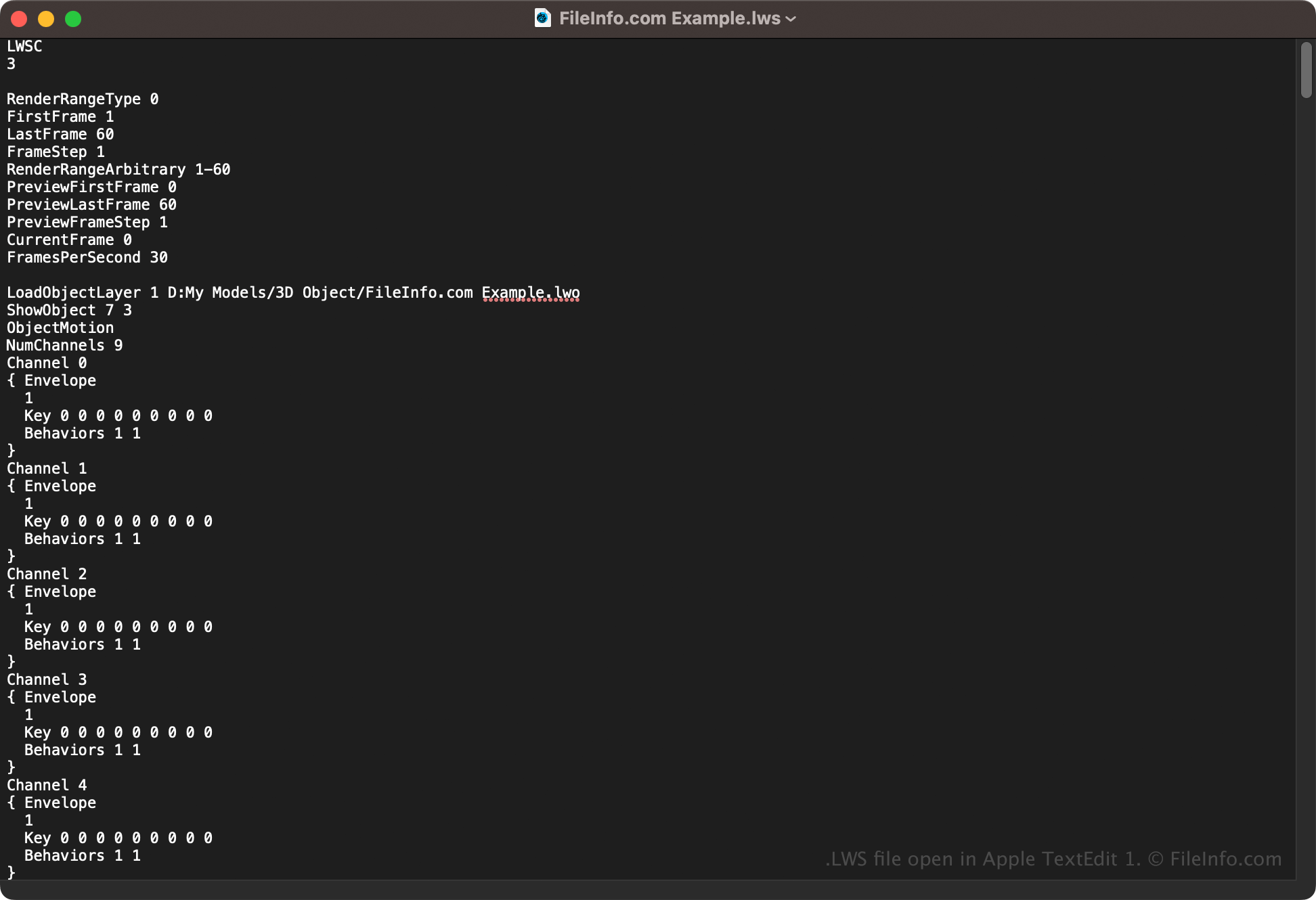
Omdat LWS-bestanden scène-informatie opslaan als platte tekst, kun je ze ook openen met een teksteditor, zoals Microsoft Notepad (Windows) of Apple TextEdit (macOS). Mogelijk moet je de bestandsextensie wijzigen in .txt zodat de teksteditor het bestand herkent. Daarnaast kan het LWS-scènebestand beschadigd raken als je het onjuist bewerkt.