.LWS 파일 확장자

LightWave 3D Scene

개발사 LightWave Digital
인기도
3.5  |  4 투표
 

LWS 파일이란 무엇인가요?

An LWS file is a three-dimensional scene created with LightWave 3D, a 3D modeling, animation, and rendering program. It contains information about object positions and movements, cameras and their movements, and references to the locations of .LWO files that store 3D objects appearing in the scene. LWS files are saved in the LightWave 3D Scene (LWS) format, which stores scene information in plain text.

추가 정보

LightWave 3D 2020에서 열린 .lws 파일의 스크린샷
LightWave 3D 2020에서 열린 LWS 파일

LightWave 3D is used in various industries, including TV, film, architecture, advertising, and video game development, to create 3D graphics and animations. When you create a scene with LightWave 3D, the app saves it in the default LWS format, which you can close and reopen for further editing.

The LWS format is similar to a CAD assembly file, such as an Autodesk Inventor Assembly (.IAM) or Parametric Pro/ENGINEER Assembly (.ASM) file. Like CAD Assembly files, LWS files may contain references to other files featured in the scene (LWO 3D Object files in the case of LWS files). If you move the location of referenced LWS files, the objects will not appear in the LWS scene when opened in LightWave 3D.

참고: NewTek initially developed LightWave 3D, but LightWave Digital acquired and currently develops the software.

LWS 파일을 여는 방법

You can open LWS files with LightWave 3D in Windows and macOS. For example, to open an LWS file in the Layout utility included with LightWave 3D, select Load → Load Scene.

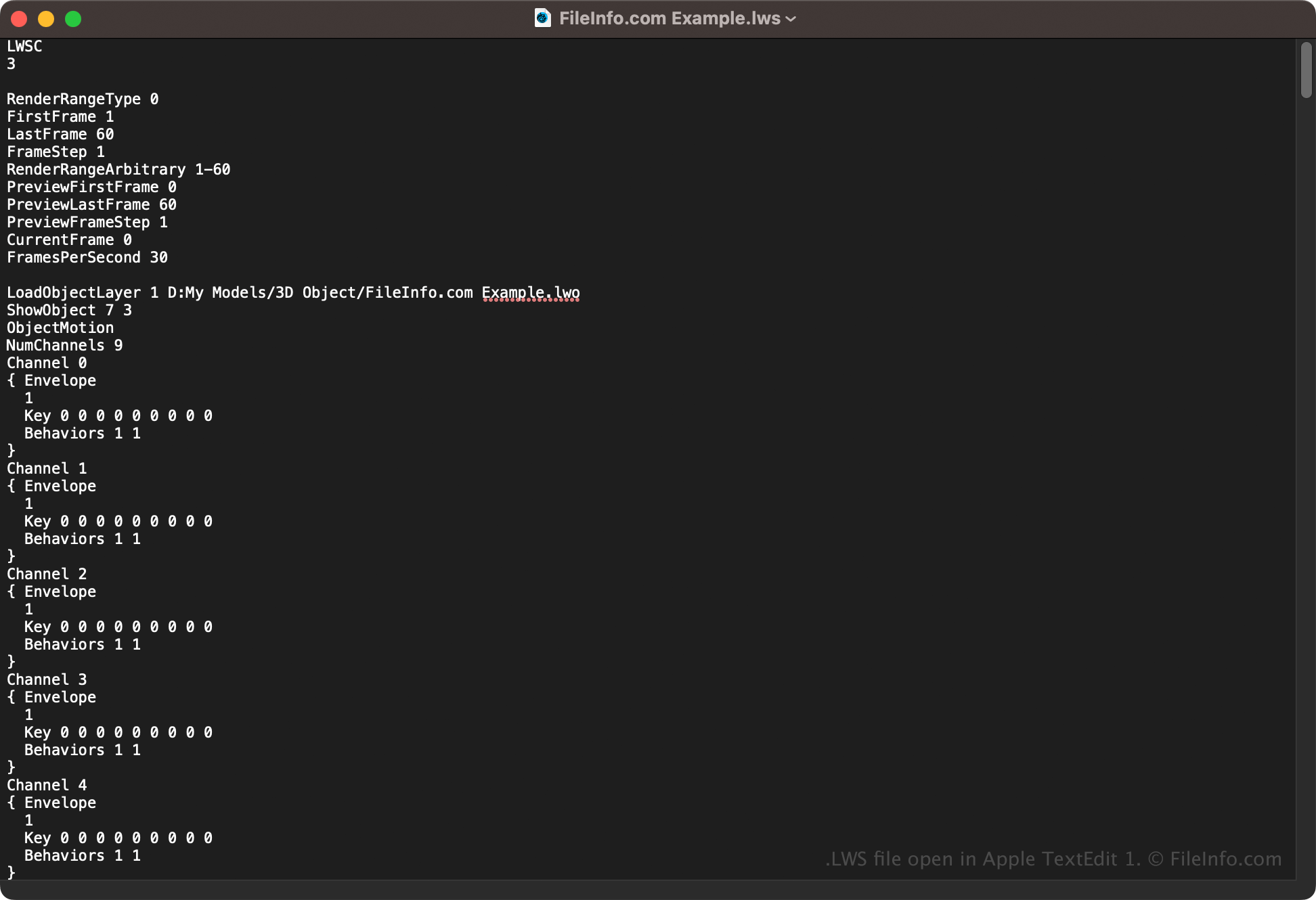
Opening an LWS file with a text editor

LWS file open in Apple TextEdit

Since LWS files store scene information in plain text, you can also open them with a text editor, such as Microsoft Notepad (Windows) or Apple TextEdit (macOS). You may need to rename the file extension to .txt for the text editor to recognize it. Additionally, you may corrupt the LWS scene file if you incorrectly modify it.

LWS 파일을 변환하는 방법

LightWave 3D can convert LWS files to various file types, including the following formats:

  • .FBX - Autodesk FBX Interchange File
  • .DAE - Digital Asset Exchange File
  • .WRL - VRML World
File Viewer Plus(으)로 400개 이상의 파일 형식을 여세요.무료 다운로드

LWS 파일을 여는 프로그램

Windows
무료 체험판
Mac
무료 체험판

검증자 FileInfo.com

FileInfo.com 팀 이 페이지에 나열된 LightWave 3D Scene 파일 형식과 Mac and Windows 앱을 독자적으로 조사했습니다. 저희의 목표는 100% 정확성이며, 검증한 파일 유형에 대한 정보만 게시합니다.

이 페이지에 추가하거나 업데이트할 내용을 제안하고 싶으시면 알려 주세요.