

.LWS Přípona souboru
Scéna LightWave 3D
| Vývojář | LightWave Digital |
| Popularita |
3,5 | 4 hlasy |
Co je soubor LWS?
Soubor LWS je trojrozměrná scéna vytvořená v programu LightWave 3D pro 3D modelování, animaci a vykreslování. Obsahuje informace o umístění a pohybu objektů, kamerách a jejich pohybu a odkazy na umístění souborů .LWO, které ukládají 3D objekty zobrazené ve scéně. Soubory LWS se ukládají ve formátu LightWave 3D Scene (LWS), který ukládá informace o scéně ve prostém textu.
Další informace

LightWave 3D se používá v různých odvětvích včetně televize, filmu, architektury, reklamy a vývoje videoher k vytváření 3D grafiky a animací. Když vytvoříte scénu v programu LightWave 3D, aplikace ji uloží ve výchozím formátu LWS, který můžete zavřít a znovu otevřít pro další úpravy.
Formát LWS je podobný sestavnému souboru CAD, například souboru Autodesk Inventor Assembly (.IAM) nebo Parametric Pro/ENGINEER Assembly (.ASM). Stejně jako soubory sestav CAD mohou soubory LWS obsahovat odkazy na další soubory použité ve scéně (v případě souborů LWS jde o soubory 3D objektů LWO). Pokud přesunete umístění odkazovaných souborů LWS, objekty se po otevření scény LWS v programu LightWave 3D nezobrazí.
POZNÁMKA: LightWave 3D původně vyvinula společnost NewTek, ale software nyní vyvíjí společnost LightWave Digital, která jej také získala.
Jak otevřít soubor LWS
Soubory LWS můžete otevřít v systému Windows a macOS pomocí programu LightWave 3D. Chcete-li například otevřít soubor LWS v nástroji Layout, který je součástí programu LightWave 3D, vyberte možnost .
Otevření souboru LWS v textovém editoru
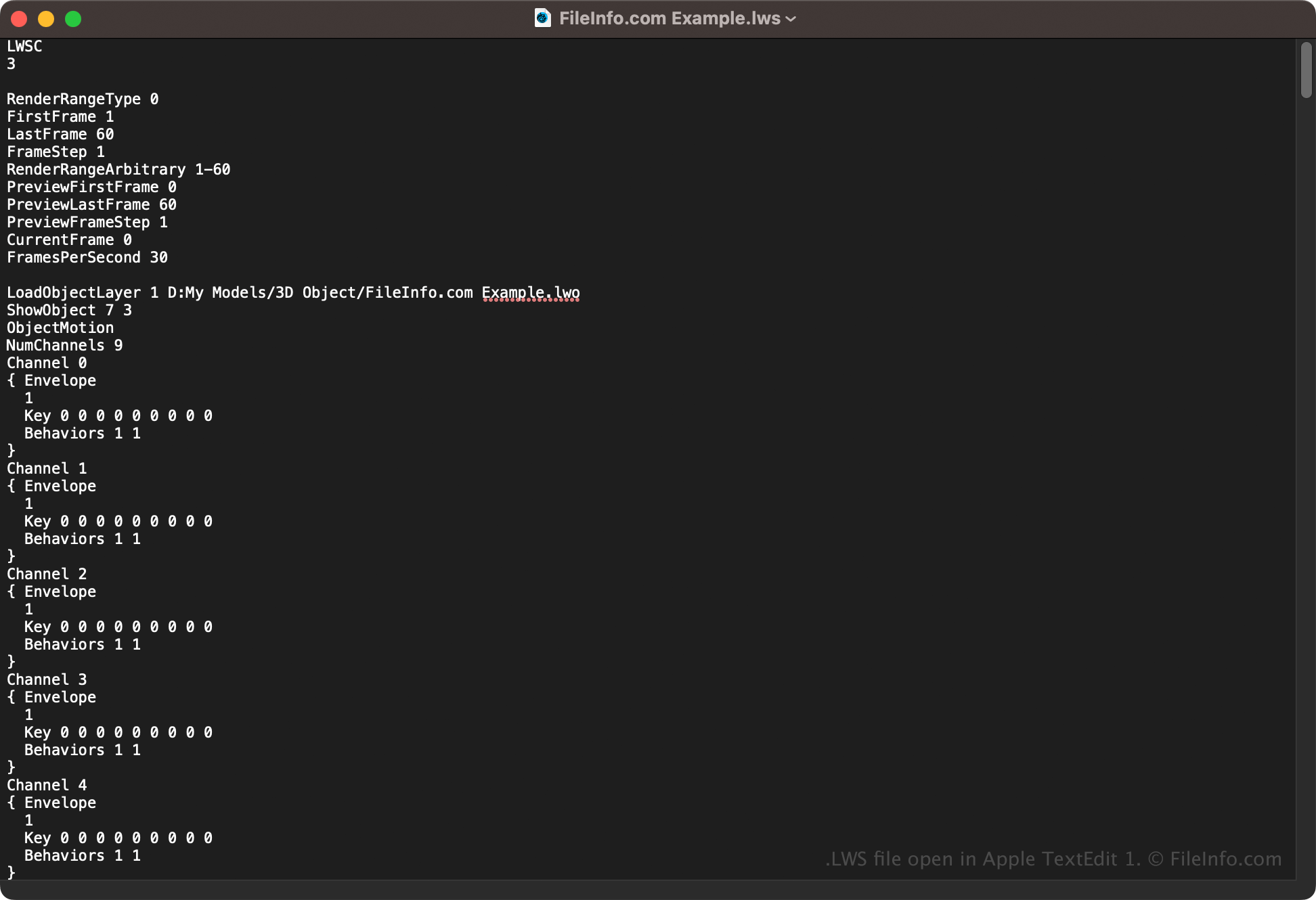
Protože soubory LWS ukládají informace o scéně v prostém textu, můžete je otevřít také v textovém editoru, například v programu Microsoft Notepad (Windows) nebo Apple TextEdit (macOS). Aby textový editor soubor rozpoznal, možná budete muset přejmenovat příponu souboru na .txt. Pokud navíc soubor scény LWS nesprávně upravíte, můžete jej poškodit.