

.LWS Rozszerzenie pliku
Scena LightWave 3D
| Deweloper | LightWave Digital |
| Popularność |
3,5 | 4 Głosy |
Czym jest plik LWS?
Plik LWS to trójwymiarowa scena utworzona w programie LightWave 3D, służącym do modelowania 3D, animacji i renderowania. Zawiera informacje o położeniu i ruchu obiektów, kamerach i ich ruchu oraz odwołania do lokalizacji plików .LWO, w których przechowywane są obiekty 3D pojawiające się w scenie. Pliki LWS są zapisywane w formacie LightWave 3D Scene (LWS), który przechowuje informacje o scenie w postaci zwykłego tekstu.
Więcej informacji

Program LightWave 3D jest używany w różnych branżach, w tym w telewizji, filmie, architekturze, reklamie i tworzeniu gier wideo, do tworzenia grafiki 3D i animacji. Po utworzeniu sceny w programie LightWave 3D aplikacja zapisuje ją w domyślnym formacie LWS, który można zamknąć i ponownie otworzyć w celu dalszej edycji.
Format LWS jest podobny do pliku złożenia CAD, takiego jak plik Autodesk Inventor Assembly (.IAM) lub Parametric Pro/ENGINEER Assembly (.ASM). Podobnie jak pliki złożeń CAD, pliki LWS mogą zawierać odwołania do innych plików używanych w scenie (w przypadku plików LWS są to pliki obiektów 3D LWO). Jeśli zmienisz lokalizację plików LWS, do których prowadzą odwołania, obiekty nie pojawią się w scenie LWS po otwarciu jej w programie LightWave 3D.
UWAGA: Początkowo program LightWave 3D został opracowany przez firmę NewTek, ale firma LightWave Digital nabyła go i obecnie go rozwija.
Jak otworzyć plik LWS
Pliki LWS można otwierać za pomocą programu LightWave 3D w systemach Windows i macOS. Aby na przykład otworzyć plik LWS w narzędziu Layout dołączonym do programu LightWave 3D, wybierz .
Otwieranie pliku LWS za pomocą edytora tekstu
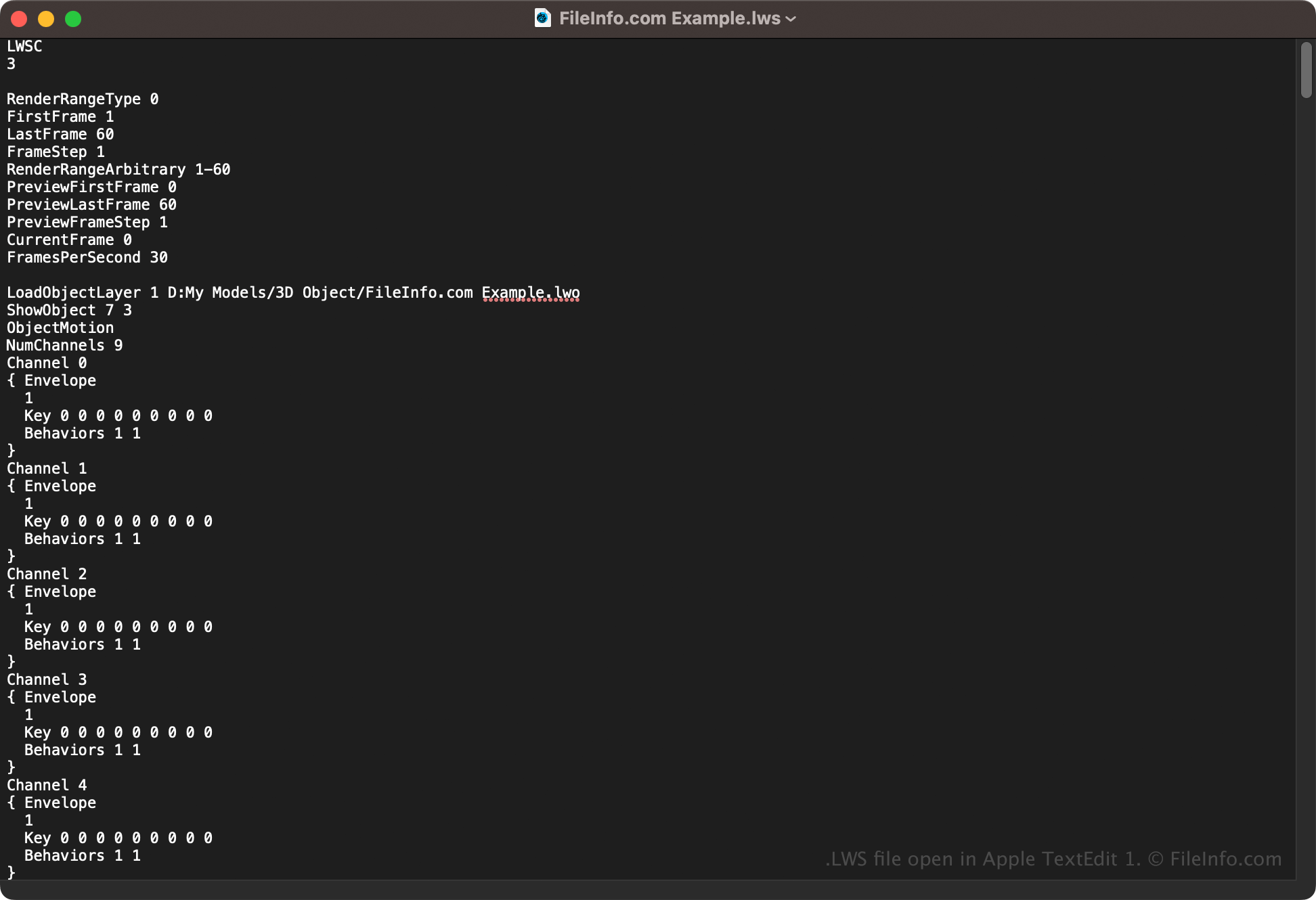
Ponieważ pliki LWS przechowują informacje o scenie w postaci zwykłego tekstu, można je również otwierać za pomocą edytora tekstu, takiego jak Microsoft Notepad (Windows) lub Apple TextEdit (macOS). Aby edytor tekstu rozpoznał plik, może być konieczna zmiana jego rozszerzenia na .txt. Ponadto nieprawidłowa modyfikacja pliku sceny LWS może doprowadzić do jego uszkodzenia.