.LWS 文件扩展名

LightWave 3D Scene

开发者 LightWave Digital
受欢迎程度
3.5  |  4 
 

什么是 LWS 文件?

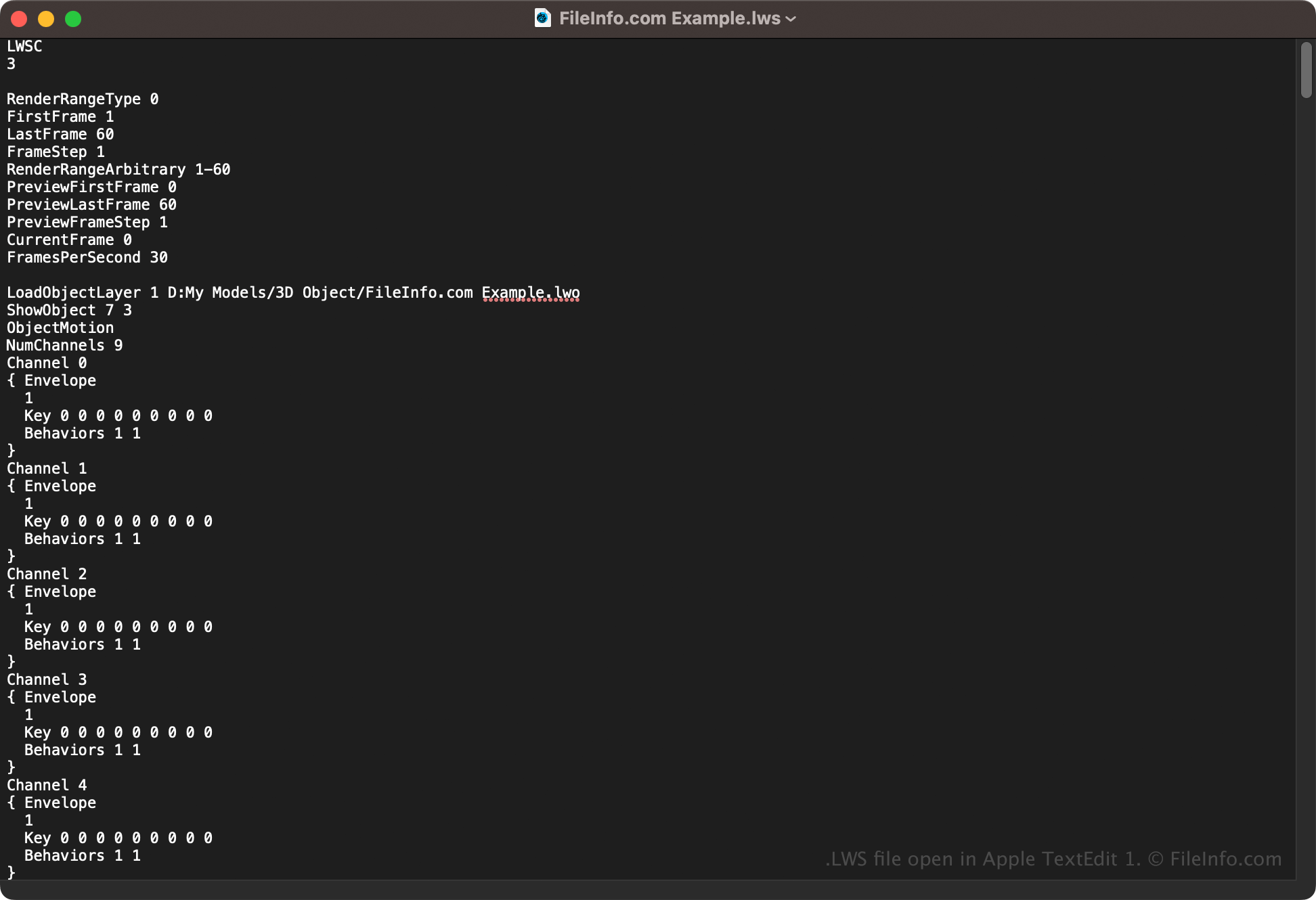
An LWS file is a three-dimensional scene created with LightWave 3D, a 3D modeling, animation, and rendering program. It contains information about object positions and movements, cameras and their movements, and references to the locations of .LWO files that store 3D objects appearing in the scene. LWS files are saved in the LightWave 3D Scene (LWS) format, which stores scene information in plain text.

更多信息

在 LightWave 3D 2020 中打开的 .lws 文件截图
在 LightWave 3D 2020 中打开的 LWS 文件

LightWave 3D is used in various industries, including TV, film, architecture, advertising, and video game development, to create 3D graphics and animations. When you create a scene with LightWave 3D, the app saves it in the default LWS format, which you can close and reopen for further editing.

The LWS format is similar to a CAD assembly file, such as an Autodesk Inventor Assembly (.IAM) or Parametric Pro/ENGINEER Assembly (.ASM) file. Like CAD Assembly files, LWS files may contain references to other files featured in the scene (LWO 3D Object files in the case of LWS files). If you move the location of referenced LWS files, the objects will not appear in the LWS scene when opened in LightWave 3D.

注: NewTek initially developed LightWave 3D, but LightWave Digital acquired and currently develops the software.

如何打开 LWS 文件

You can open LWS files with LightWave 3D in Windows and macOS. For example, to open an LWS file in the Layout utility included with LightWave 3D, select Load → Load Scene.

Opening an LWS file with a text editor

LWS file open in Apple TextEdit

Since LWS files store scene information in plain text, you can also open them with a text editor, such as Microsoft Notepad (Windows) or Apple TextEdit (macOS). You may need to rename the file extension to .txt for the text editor to recognize it. Additionally, you may corrupt the LWS scene file if you incorrectly modify it.

如何转换 LWS 文件

LightWave 3D can convert LWS files to various file types, including the following formats:

  • .FBX - Autodesk FBX Interchange File
  • .DAE - Digital Asset Exchange File
  • .WRL - VRML World
使用File Viewer Plus打开 400 多种文件格式。免费下载

可打开 LWS 文件的程序

Windows
免费试用
Mac
免费试用
分类: 3D 图像
更新时间: 2023-11-03

验证者 FileInfo.com

FileInfo.com 团队 独立研究了本页面列出的 LightWave 3D Scene 文件格式和 Mac and Windows 应用。 我们的目标是达到 100% 的准确率,并且仅发布我们已验证过的文件类型信息。

如果您想为此页面提出新增或更新建议,请告诉我们