

.LWS Dateiendung
LightWave 3D-Szene
| Entwickler | LightWave Digital |
| Beliebtheit |
3,5 | 4 Stimmen |
Was ist eine LWS-Datei?
Eine LWS-Datei ist eine dreidimensionale Szene, die mit LightWave 3D, einem Programm zur 3D-Modellierung, Animation und zum Rendern, erstellt wurde. Sie enthält Informationen zu den Positionen und Bewegungen von Objekten, Kameras und deren Bewegungen sowie Verweise auf die Speicherorte von .LWO-Dateien, in denen die in der Szene vorkommenden 3D-Objekte gespeichert sind. LWS-Dateien werden im LightWave 3D Scene-Format (LWS) gespeichert, das Szeneninformationen als Klartext speichert.
Weitere Informationen

LightWave 3D wird in verschiedenen Branchen eingesetzt, darunter Fernsehen, Film, Architektur, Werbung und die Entwicklung von Videospielen, um 3D-Grafiken und Animationen zu erstellen. Wenn Sie mit LightWave 3D eine Szene erstellen, speichert die App sie im standardmäßigen LWS-Format, das Sie schließen und zur weiteren Bearbeitung erneut öffnen können.
Das LWS-Format ähnelt einer CAD-Baugruppendatei, beispielsweise einer Autodesk Inventor Assembly (.IAM)- oder Parametric Pro/ENGINEER Assembly (.ASM)-Datei. Wie CAD-Baugruppendateien können LWS-Dateien Verweise auf andere in der Szene verwendete Dateien enthalten (bei LWS-Dateien handelt es sich um LWO-3D-Objektdateien). Wenn Sie den Speicherort referenzierter LWS-Dateien ändern, werden die Objekte beim Öffnen der LWS-Szene in LightWave 3D nicht angezeigt.
HINWEIS: LightWave 3D wurde ursprünglich von NewTek entwickelt, aber LightWave Digital hat die Software übernommen und entwickelt sie derzeit weiter.
So öffnen Sie eine LWS-Datei
Sie können LWS-Dateien unter Windows und macOS mit LightWave 3D öffnen. Um beispielsweise eine LWS-Datei im in LightWave 3D enthaltenen Layout-Dienstprogramm zu öffnen, wählen Sie .
Eine LWS-Datei mit einem Texteditor öffnen
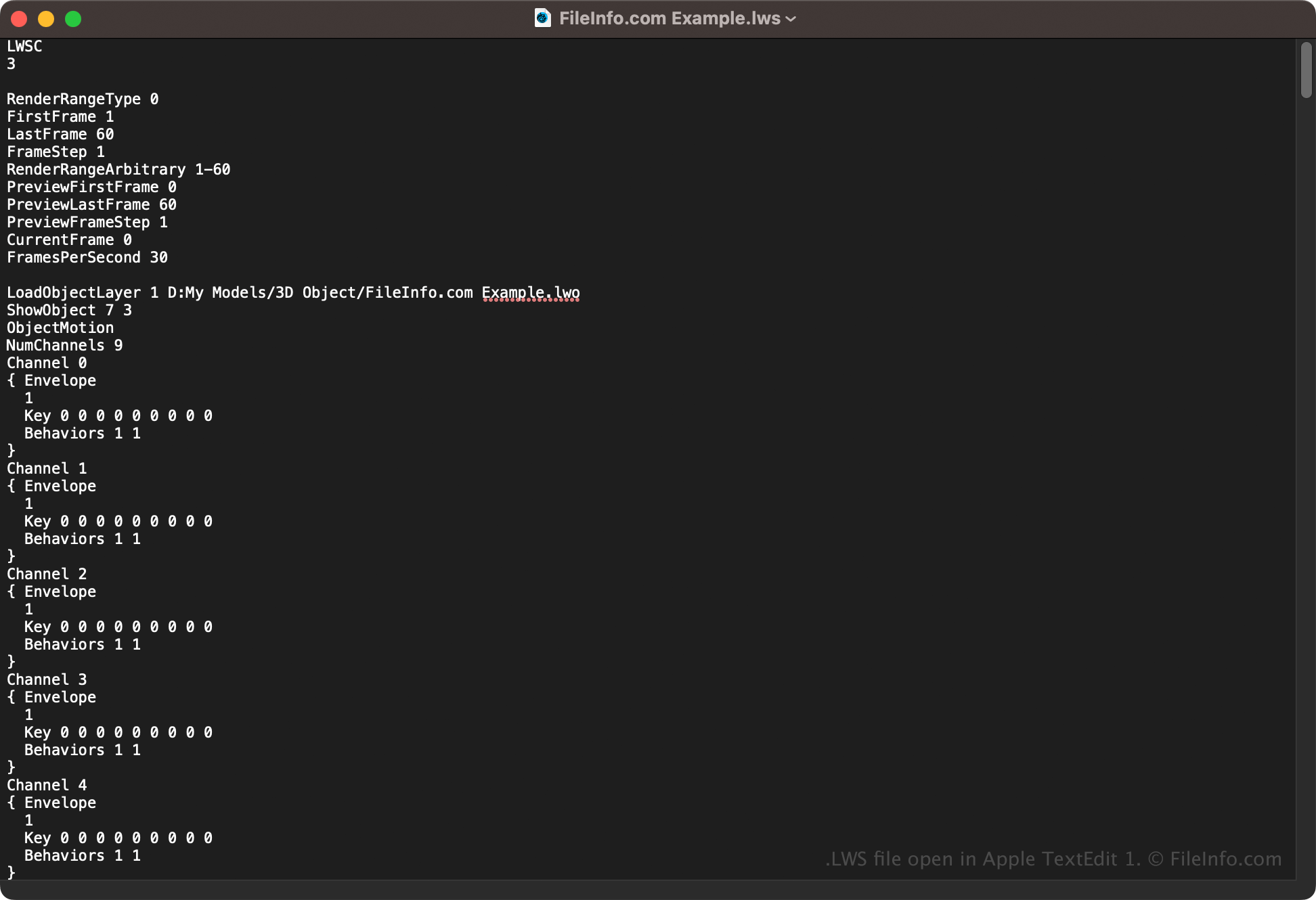
Da LWS-Dateien Szeneninformationen als Klartext speichern, können Sie sie auch mit einem Texteditor wie Microsoft Notepad (Windows) oder Apple TextEdit (macOS) öffnen. Möglicherweise müssen Sie die Dateierweiterung in .txt umbenennen, damit der Texteditor sie erkennt. Außerdem kann die LWS-Szenendatei beschädigt werden, wenn Sie sie falsch bearbeiten.