

.LWO 文件扩展名
LightWave 3D Object
| 开发者 | LightWave Digital |
| 受欢迎程度 |
3.4 | 7 票 |
什么是 LWO 文件?
LWO文件是以专有的LightWave 3D Object (LWO)二进制格式保存的三维对象。它包含描述对象形状和外观的点、多边形和表面,也可能包含用于对象纹理的图像文件引用。用户通常使用LightWave 3D打开LWO文件,将其放入场景(.LWS文件)中,但也可以使用其他应用程序打开,例如Foundry Modo和Bondware Poser。
更多信息
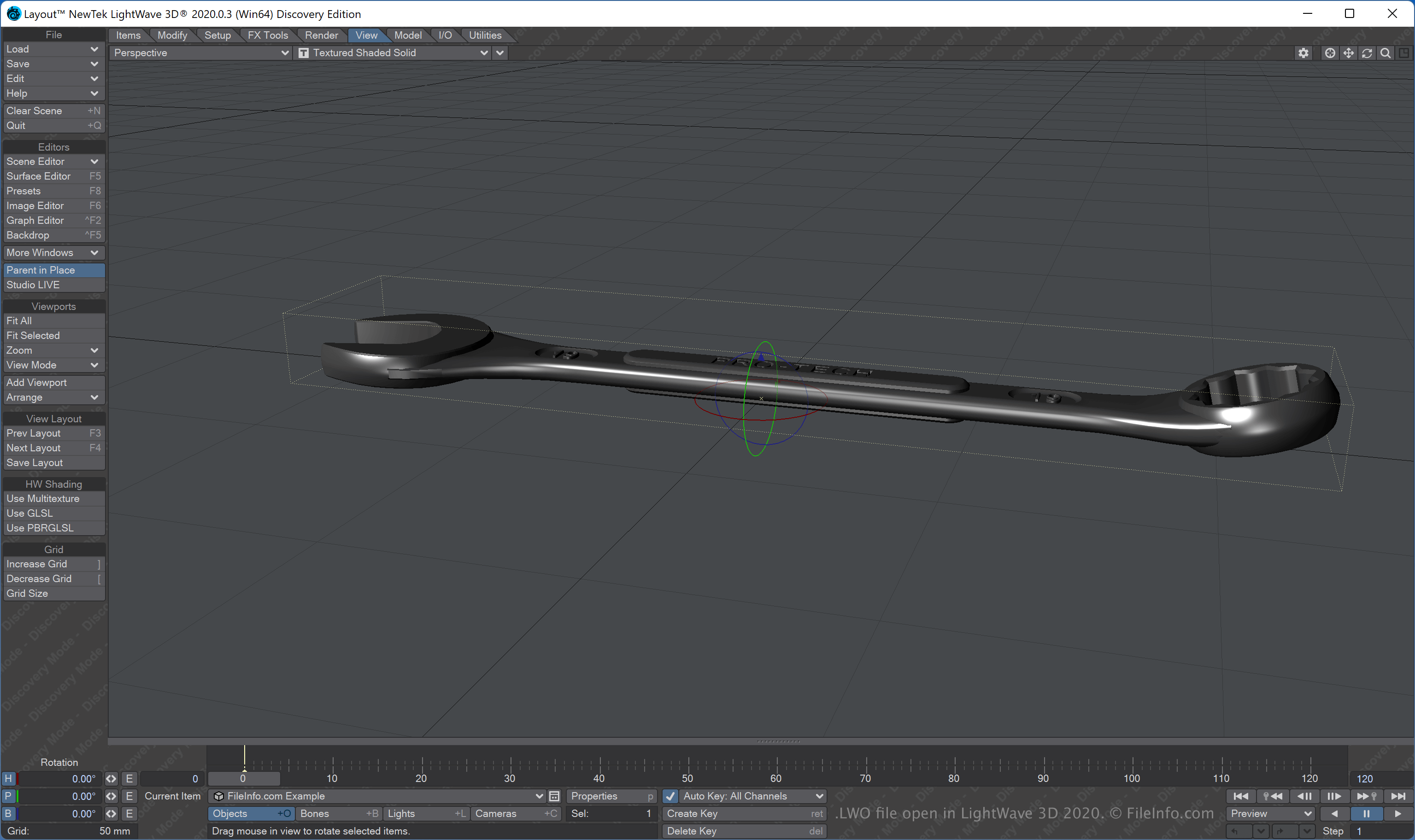
LWO格式有多个变体,第一个版本于1994年发布。NewTek于2001年发布了第二个版本(LWO2),该版本随LightWave 6.0推出。
通常,LightWave 3D用户会创建LWO文件来保存3D对象()。不过,用户也可以使用其他应用程序将对象导出为LWO文件,例如Modo和Poser。
注: NewTek最初开发了LightWave 3D,但LightWave Digital已收购该软件,并负责目前的开发工作。
如何打开 LWO 文件
你可以在Windows和macOS中使用LightWave 3D打开LWO文件。例如,要在LightWave 3D附带的Layout或Modeler工具中打开LWO文件,请选择。
其他第三方应用程序也支持LWO文件,包括Foundry Modo、Bondware Poser和pmG messiahStudio。
如何转换 LWO 文件
可打开 LWO 文件的程序
Windows
Mac
Linux
免费试用