

.ASK Bestandsextensie
Ableton Live-skin
| Ontwikkelaar | Ableton |
| Populariteit |
2,7 | 7 stemmen |
Een ASK-bestand is een skin die wordt gebruikt door Ableton Live, een digitaal audio-werkstation (DAW). Het bevat instellingen waarmee je het uiterlijk van het programma kunt aanpassen. Een ASK-bestand kan bijvoorbeeld de kleuren van de knoppen, menu's en andere elementen van de gebruikersinterface (UI) van Ableton Live wijzigen.
Meer informatie
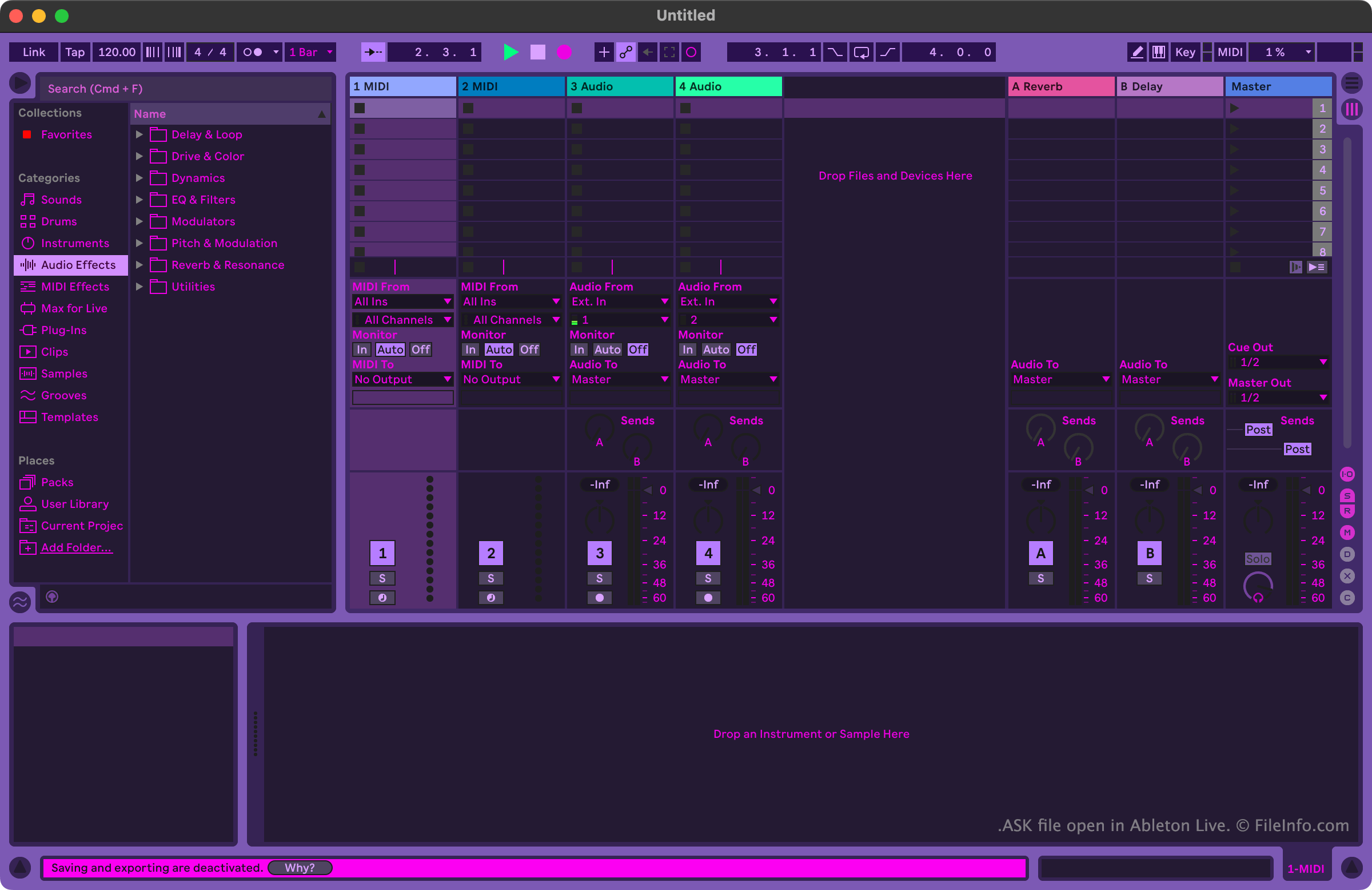
Muzikanten en muziekproducenten gebruiken Ableton Live om muziek te maken en te bewerken. Het programma bevat veel hulpmiddelen waarmee gebruikers muzieknummers kunnen opnemen, importeren, arrangeren en van effecten kunnen voorzien, voordat ze die nummers als een lied exporteren.
Gebruikers die het uiterlijk van Ableton Live willen aanpassen, kunnen dit doen met ASK-bestanden. Deze bestanden worden ook wel Ableton Live-skins of Ableton Live-thema's genoemd. Ableton Live bevat een aantal standaard-ASK-bestanden, waarmee gebruikers kunnen kiezen uit varianten van lichte en donkere modi. Andere ASK-bestanden met meer uiteenlopende thema's zijn online beschikbaar op verschillende websites over Ableton Live.
Een ASK-bestand openen
Je kunt een ASK-bestand openen met Ableton Live (Windows, Mac). Plaats je bestand daarvoor eerst in de map Themes van het programma. In Windows bevindt deze map zich op:
~/Ableton/Live # Suite/Resources/Themes
In macOS bevindt deze map zich in het app-pakket van Ableton Live. Zoek Ableton Live op in de map Applications, klik er met de rechtermuisknop op en selecteer om toegang te krijgen tot het pakket. Navigeer vervolgens in het venster dat verschijnt naar App-Resources/Themes.
Nadat je je ASK-bestand in de map Themes van Ableton Live hebt geplaatst, kun je de skin die het bevat in het programma toepassen. Ga daarvoor als volgt te werk:
- Open het menu van Live.
- Selecteer op het tabblad Look Feel je ASK-bestand in het vervolgkeuzemenu .